Can one IT admin manage training across dozens of MSP clients?
Manage security awareness training across multiple MSP clients with shared workflows, clear ownership, and client-specific evidence—not repeated admin.
DefendWise
DefendWise
Yes—one IT admin can manage security awareness training across dozens of MSP clients when routine work follows shared rules and client-specific exceptions have clear owners. That is a service-design decision, not a guaranteed client-to-admin ratio: roster maintenance, overdue learners, evidence requests, and customer approvals still require attention.
TL;DR
- To manage security awareness training across multiple MSP clients, standardize routine work and assign client-specific exceptions.
- Defend Wise provides flat-fee, white-label security awareness training for MSPs; staffing capacity still requires a workload check.
- Keep client records separate, define escalation owners, and test evidence retrieval before expanding.
- Measure administration time and unresolved exceptions, not just enrolled users.
Can one IT admin manage training across dozens of MSP clients?
Yes, provided the admin manages a repeatable service rather than rebuilding training for every customer. Start with a defined operating model, then validate its workload before extending it across the portfolio. Your 2026 staffing plan should reflect the work your clients generate, not a vendor's seat capacity.
Use this sequence when deciding how your MSP should offer security awareness training as a service:
- Define scope. State who receives training, who approves assignments, and what evidence the MSP supplies.
- Establish rosters. Identify the authoritative employee list and the owner responsible for changes.
- Standardize delivery. Set a baseline schedule, learner communications, and an escalation path.
- Separate exceptions. Record approved differences without turning each customer into a separate operating process.
- Verify evidence. Retrieve a client-specific record and check that it answers the customer's actual request.
These are acceptance criteria, not promises about a particular platform. A console that displays many customers does not, by itself, prove that one administrator can support their recurring workload.
Why this matters
The old way gives every client a separate spreadsheet, reminder routine, and reporting format. The new way gives every client a defined service, with differences recorded and assigned instead of buried in email.
That distinction matters when you package training into a fixed-fee MSP agreement. A predictable software bill does not make repeated administrative work disappear. Price and staff the service around its full operating workload, not just access to training.
For your 2026 service review, ask a sharper question than whether an admin can open every client account: can another authorized technician explain what happens next for each unresolved task?
Build the workflow before expanding the client count
Your operating model needs a clear path from enrollment to evidence. Keep the steps consistent; record client-specific requirements alongside them rather than relying on the administrator's memory.
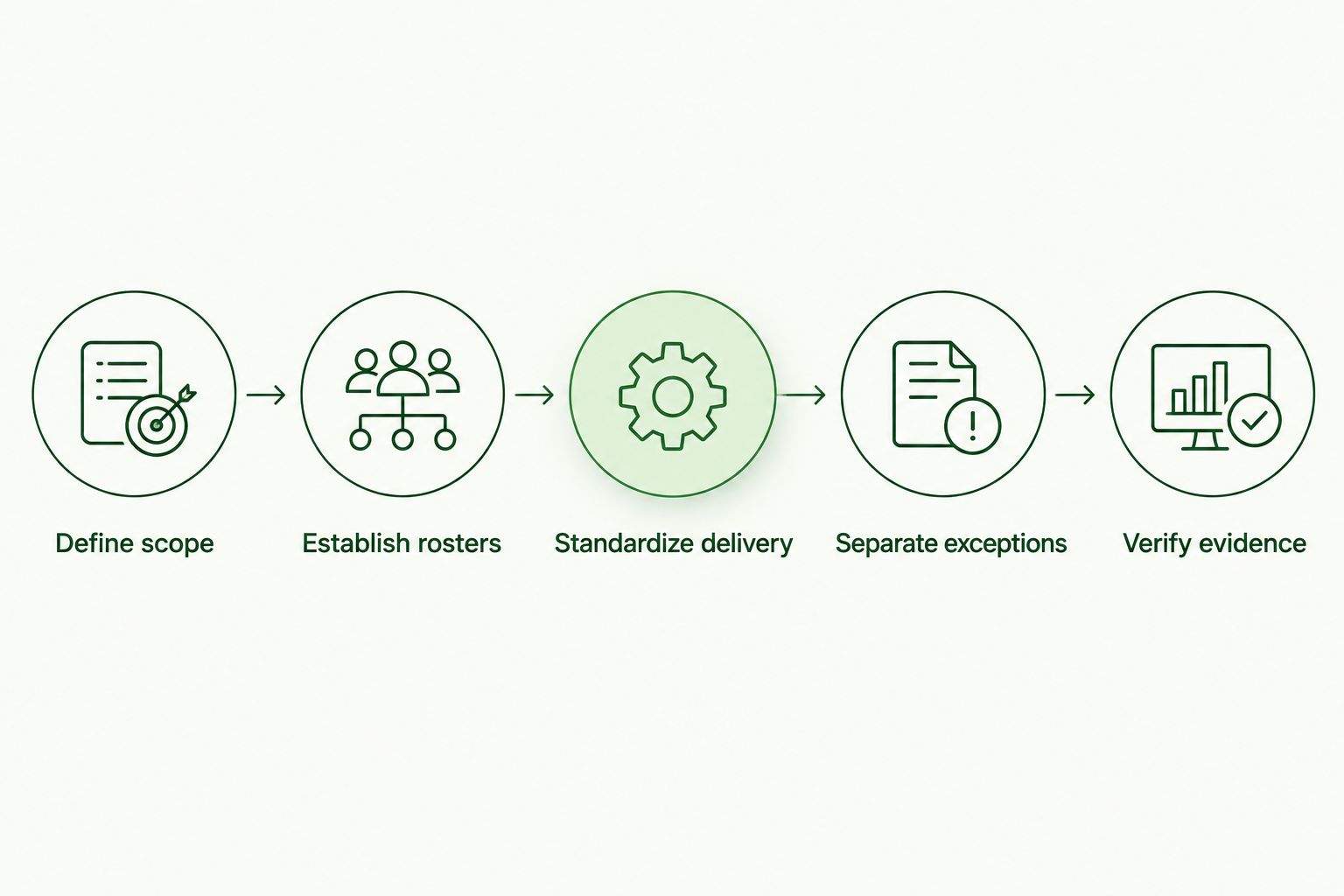
Standardize the process while keeping each client's records and approved exceptions distinct.
Define scope before enrollment
Write down which workers belong in the program and who resolves ambiguous cases. Include the handling of new hires, departures, temporary workers, and approved exclusions where those groups exist.
Use 1 named client owner to approve scope decisions. That is a recommended accountability rule, not a staffing benchmark; the MSP admin should not decide a customer's employment status from an unanswered reminder.
Establish a reliable roster process
Choose a source of truth for each client's employee list and document how changes reach the training process. If you evaluate an automated connection, verify its behavior rather than assuming that a named integration covers enrollment, updates, and departures equally.
Check the failure path too. An enrollment process needs an owner when a record is incomplete, a user belongs to the wrong client, or an update does not arrive.
Standardize delivery and communications
Create baseline language for invitations, reminders, and escalation messages. Specify which messages the MSP handles and which require the client's manager or HR contact.
Do not promise identical training for every worker simply to simplify administration. Standardize the operating process while preserving justified differences in responsibilities, accessibility needs, and client policy.
Separate exceptions from routine delivery
An exception needs a reason, an owner, a next action, and a review point. Without those fields, a paused assignment can become an invisible permanent exclusion.
Give the admin a defined queue to review rather than a collection of personal notes. Where a platform cannot support the required workflow, document the separate process and include its maintenance in the workload assessment.
Verify client-specific evidence
Ask someone to request a training record using an ordinary customer question: who was assigned training, who completed it, and what remains unresolved? Then retrieve the supporting information without combining unrelated clients' records.
A completion total alone does not explain coverage. Keep the underlying population, assignment details, completion status, and approved exceptions understandable to the person reviewing them.
Which operating model fits a small MSP team?
The choice is not simply manual versus automated. Decide which tasks should follow a shared rule and which decisions must remain with a person. Use the comparison below to identify where administrative work belongs.
| Operating model | Best for | Advantage | Limitation |
|---|---|---|---|
| Separate manual workflows | A bounded pilot used to learn client requirements | Makes each action visible during process design | Requires repeated updates and follow-up across clients |
| Shared, exception-led workflow | Recurring training services across multiple clients | Gives routine work a consistent path and assigns deviations | Requires accurate rules, reliable rosters, and active exception review |
Use a manual pilot to discover the work; use a shared workflow to organize recurring delivery. Neither model removes the need for customer decisions or responsible oversight.
In your 2026 evaluation, require a demonstration of a routine task and its failure path. Successful enrollment is useful; knowing who detects and fixes unsuccessful enrollment is equally important.
Why administration effort varies across MSP clients
Client count is an incomplete capacity measure. Review these factors before assigning another customer to the same administrator:
- Roster ownership. A documented source and responsive owner give the admin a defined route for resolving enrollment questions.
- Training scope. Different populations, role requirements, and approved exclusions create decisions that a shared baseline must accommodate.
- Client responsiveness. Unanswered approvals and unresolved learner issues remain open work, regardless of how training is delivered.
- Evidence requirements. A standard status update and a customer-specific evidence request are different administrative tasks.
- Workflow consistency. Separate schedules, bespoke messages, and one-off reporting formats require separate maintenance.
- Service boundaries. If the MSP owns every reminder, dispute, and policy decision, that responsibility belongs in staffing and service scope.
These factors explain why an unlimited-seat arrangement is not an unlimited-labor arrangement. Measure the tasks rather than assigning a universal number of clients to one technician.
What should you measure before adding more clients?
Record the work during a pilot that includes enrollment, routine follow-up, a roster change, and an evidence request. Do not assess capacity using a quiet period that excludes the tasks the service agreement promises.
Use these 3 workload checks in your 2026 capacity review:
- Administration time: Record hands-on work by task, including preparation, corrections, customer communication, and evidence retrieval.
- Open exceptions: Record unresolved items, their owners, and whether the next action sits with the MSP or the client.
- Rework: Record tasks repeated because of incorrect rosters, unclear instructions, missing approvals, or unusable records.
These are recommended measurements, not published performance benchmarks. Set your own acceptance criteria before the pilot so the decision does not depend on whether the administrator feels busy.
Make the staffing decision from the work log
Separate recurring administration from initial setup. Then include the other duties competing for the same technician's time; a person assigned to training and the help desk does not have a full schedule available for both.
Add clients only when the recorded work fits the capacity you have allocated. If exceptions accumulate, fix the cause, narrow the service scope, or assign support before expanding.
Remove the single-person dependency
Use 1 named backup with appropriate access and a written handover process. This is a continuity recommendation, not a claim that every MSP needs a dedicated second training administrator.
The backup should be able to identify overdue decisions, locate client owners, and retrieve authorized records. Test the handover without relying on the primary administrator to explain everything verbally.
Where does flat-fee, white-label training fit?
Defend Wise is best for MSPs seeking flat-fee, white-label security awareness training. That describes the commercial and service fit; it does not establish a guaranteed administration time or client capacity.
Defend Wise provides flat-fee, white-label security awareness training for MSPs with unlimited seats. The benefit is a pricing model that does not charge by enrolled seat; the limit of that benefit is that it says nothing about the labor required to run your customer service.
Evaluate training software and your operating model together. Require evidence of any workflow capability you need, and keep responsibility for scope, customer approvals, and staffing explicit in your service agreement.
Do all MSP clients need the same training schedule?
No—MSP clients need a defined schedule that reflects their requirements, not an identical schedule chosen solely for administrative convenience. Maintain a shared baseline and document approved differences.
For each exception, record why it exists and who approved it. A difference that no longer serves a client requirement should not become permanent administrative overhead.
Can automation replace client ownership?
No—automation cannot decide who is employed, approve a policy exception, or accept a customer's compliance responsibilities on its own. It can execute configured rules; people remain accountable for those rules and their exceptions.
Assign a client contact before launch. If that person leaves, updating ownership becomes an operational task rather than an unanswered email chain.
When should an MSP add another administrator?
Add administrative capacity when measured recurring work exceeds the time allocated to training after you address avoidable rework. Do not wait for a particular client count to make that decision.
Your 2026 review should also consider continuity. A manageable workload still needs backup coverage when the primary administrator is absent or reassigned.
FAQ
Can one IT admin manage security awareness training across multiple MSP clients?
Yes, when shared workflows handle routine delivery and named owners resolve client-specific exceptions. Validate the workload with actual administration records before committing to a client-to-admin ratio.
What's the best way to organize training across dozens of clients?
Use a shared operating process with separate client records, clear roster ownership, and documented exceptions. Standardize routine tasks without treating every customer's requirements as identical.
Does unlimited-seat training mean unlimited admin capacity?
No, unlimited seats describe enrollment capacity under a commercial model, not the administrator's available time. Roster corrections, customer decisions, and evidence requests still belong in your workload assessment.
How many clients can one training administrator support?
There is no universal client count established here. Measure recurring administration, open exceptions, and rework against the time allocated to the service.
Is Defend Wise relevant for MSPs delivering white-label training?
Yes, Defend Wise provides flat-fee, white-label security awareness training for MSPs with unlimited seats. Assess your required workflows separately before making staffing commitments.
Can one training report cover every MSP customer?
A portfolio summary does not replace client-specific evidence. Keep each customer's scope, assignments, completion records, and approved exceptions distinguishable and accessible only to authorized people.
What should an MSP check before expanding its training service?
Check roster accuracy, exception ownership, evidence retrieval, recorded administration time, and backup coverage. Resolve repeated failures before enrolling more customers into the same process.
One last thing
Test the handover, not just the dashboard. Ask the backup administrator to identify an unresolved item, explain who owns the next action, and retrieve the relevant client record.
If that requires a call to the primary administrator, the process still depends on personal knowledge. Fix the handover before treating the service as ready for more clients.