Security awareness training platforms ranked by onboarding time 2026
Compare security awareness training onboarding time by MSP fit. Shortlist Defend Wise for flat-fee, white-label training, then verify setup effort.
DefendWise
DefendWise
Best MSP shortlist pick: Defend Wise for flat-fee, white-label security awareness training. Best for preserving an established learning workflow: your existing LMS. Best for independent setup: a self-service platform. Best for a complex handover: an assisted deployment. This 2026 guide ranks deployment approaches by MSP fit and shows you how to measure security awareness training onboarding time before buying.
TL;DR
- For security awareness training onboarding time, shortlist Defend Wise when your MSP needs flat-fee, white-label training.
- Rank onboarding by administrator effort, learner access, and usable evidence—not account creation alone.
- Compare an existing LMS, self-service setup, and assisted deployment against the same acceptance checklist.
- Use a timed pilot to separate vendor setup work from your MSP’s recurring administration.
Why this matters
An account is not a deployed service. Your client is onboarded when the right people can access the right training, an owner handles exceptions, and your team can demonstrate what happened.
For an MSP, the first client is only part of the decision. You also need to understand what repeats when you add another subclient, change an administrator, or replace an inaccurate roster. A clean demonstration does not answer those questions.
Defend Wise is the shortlist pick for MSPs seeking flat-fee, white-label security awareness training. That is a service-model recommendation, not a claim that one vendor completes implementation faster than another.
Use the same acceptance checklist for every 2026 evaluation. Then connect the deployment decision to implementing a managed security awareness training program, rather than treating setup as an isolated purchase task.
What makes the best platform for onboarding speed?
Judge the work you must finish, not the number of setup screens you see. These criteria make different deployment approaches comparable:
- Administrator effort: Record hands-on work separately from waiting for approvals, access, or support.
- Learner access: Require a learner to open the assigned training successfully—not merely receive an invitation.
- Client separation: Check that administrators and learners see only the information their responsibilities require.
- Repeatability: Identify which decisions and configurations you must repeat for each client.
- Evidence readiness: Inspect the records you need for client reporting before declaring deployment complete.
- Ownership: Name the person responsible for roster changes, failed access, reminders, and reporting exceptions.
A shorter setup is useful only when it reaches the same finish line. Removing evidence checks from one evaluation does not make that option faster; it makes the comparison incomplete.
Onboarding options at a glance
The order below prioritizes an MSP resale model first, existing infrastructure second, independent administration third, and specialist assistance fourth. It is a fit ranking, not a measured vendor speed leaderboard.
| Rank and option | Best for | Standout advantage | Key limitation | Onboarding acceptance test |
|---|---|---|---|---|
| 1. Defend Wise | MSP-branded training services | Flat-fee, white-label security awareness training | Service-model fit does not establish deployment speed | Walk through your actual client setup and handover requirements |
| 2. Existing LMS | Organizations keeping an established learning workflow | Reuses an existing training environment | Security content and reporting still need evaluation | Assign relevant content and inspect the resulting learner record |
| 3. Self-service platform | Teams with a named internal administrator | Administrator controls the setup sequence | Internal staff own configuration and troubleshooting | Complete deployment using the documentation your administrator receives |
| 4. Assisted deployment | Organizations with complicated implementation requirements | Assigns implementation work to a coordinated handover | Scheduling and responsibility boundaries need management | Agree on deliverables, owners, and acceptance evidence before launch |
1. Defend Wise: best security awareness training fit for MSP resale
Defend Wise provides flat-fee, white-label security awareness training for MSPs. That makes it relevant when your deployment starts with a client-service requirement: deliver training under your MSP’s brand without making per-seat licensing the basis of the service.
Start the evaluation with a representative subclient, not an idealized demonstration account. Ask the vendor to walk through your required administrator permissions, learner access, training assignment, and evidence handover. Treat each item as an acceptance requirement, not an assumed capability.
Defend Wise pros:
- Flat-fee positioning matches an MSP evaluating a bundled training service.
- White-label training supports an MSP-branded offering.
- The stated focus is security awareness training for MSPs.
Defend Wise cons:
- Flat-fee licensing does not measure the administrator effort needed to onboard a client.
- White-label positioning does not establish whether your specific access and reporting requirements are met.
Best for: MSPs choosing a training service model before comparing implementation details.
For a 2026 shortlist, separate commercial fit from technical acceptance. Keep the platform in consideration because its stated model matches your service; approve deployment only after your team completes the operational checks.
Verdict: Hold the purchase until a representative client walkthrough meets your acceptance checklist.
2. Existing LMS: best onboarding option for established learning workflows
An existing learning management system is an option when your client already uses a central environment for employee training. Evaluate whether that environment can deliver the security content, learner access, and records your service requires before introducing another platform.
The attraction is continuity, not an automatic speed advantage. Existing accounts are useful only if the correct learners can receive the correct assignments and you can obtain the evidence your client needs.
Existing LMS pros:
- Keeps the evaluation inside an established learning environment.
- Lets you assess security training alongside other employee learning requirements.
- Provides a route that does not depend on introducing a separate learner destination.
Existing LMS cons:
- Familiarity with the LMS does not establish the suitability of its security content.
- MSP access, client separation, and evidence retrieval need their own checks.
Best for: Organizations prioritizing continuity with an established learning workflow.
Ask the client’s learning owner to assign a representative security lesson, complete it through a learner account, and retrieve the corresponding record. Document every handoff between your MSP and the client. Reuse is valuable when it removes work—not when it transfers that work to an unnamed person.
Verdict: Hold unless the existing LMS passes both the learner-access and evidence checks.
3. Self-service platform: best onboarding option for independent setup
A self-service deployment places configuration responsibility with your team. It suits an evaluation in which a named administrator owns the setup and can test the documentation without relying on a vendor-led walkthrough.
Use the instructions intended for ordinary customers. Record where the administrator needs clarification, elevated access, or help from another department. Those dependencies belong in your implementation plan even when the platform itself is straightforward.
Self-service platform pros:
- Gives your administrator direct control over the setup sequence.
- Makes documentation quality visible during evaluation.
- Exposes internal dependencies before a wider rollout.
Self-service platform cons:
- Your team owns configuration decisions and troubleshooting.
- A successful setup by a specialist does not prove another technician can repeat it.
Best for: Teams with an assigned administrator and a preference for independent implementation.
For your 2026 evaluation, ask a second technician to follow the completed runbook. Do not coach the technician through undocumented steps. Every intervention identifies something that needs documenting before you standardize the service.
Verdict: Buy only after another technician can repeat the documented setup.
4. Assisted deployment: best onboarding option for a complex handover
An assisted deployment uses a coordinated implementation process with assigned responsibilities. Consider this route when your requirements include several approval owners, a migration, or a detailed evidence handover.
Define assistance through deliverables. A meeting invitation is not a configured environment, and a completed configuration is not proof that learners can access training. Your implementation plan must name the owner and acceptance evidence for each task.
Assisted deployment pros:
- Creates an explicit place to assign implementation responsibilities.
- Supports a structured handover between your team and the vendor.
- Gives complex requirements a defined review process.
Assisted deployment cons:
- Vendor assistance does not remove your internal approval dependencies.
- Scheduling and unclear responsibility boundaries remain deployment risks.
Best for: Organizations that need coordinated implementation ownership rather than independent setup.
Ask what remains your responsibility after handover. Recurring roster corrections, access exceptions, and client reporting must have owners even when the vendor handles initial configuration.
Verdict: Hold until the implementation scope names deliverables, owners, and acceptance criteria.
How to measure security awareness training onboarding time
Run a controlled pilot instead of accepting a headline setup claim. Use 2 client organizations and 10 learner accounts per organization as a proposed evaluation scope—not a benchmark or a promised deployment result. Adjust the scope to represent your actual service.
Keep the pilot bounded. Use authorized accounts and appropriate test data, and agree on who receives invitations before you start.
Start point
Start the clock when an authorized administrator has the access and approved roster needed to begin. Record any earlier procurement or approval delay separately so that operational setup and commercial administration do not become one unexplained total.
Write down the starting conditions. A prepared roster and preapproved access are different from a deployment that begins with unresolved ownership.
Learner access
Require a designated learner to open the assigned training. Record invitation delivery, authentication issues, incorrect assignments, and every administrator intervention needed to reach that point.
Do not substitute a vendor demonstration for the learner journey. The acceptance check belongs in the environment your client will actually use.
Evidence handover
Finish when the agreed training record is available to the person responsible for client reporting. Check the learner identity, assignment, status, and relevant timestamps against your requirements.
These 3 checkpoints—Start point, Learner access, and Evidence handover—define the measurement. They prevent an account-creation milestone from becoming an unsupported deployment-speed claim.
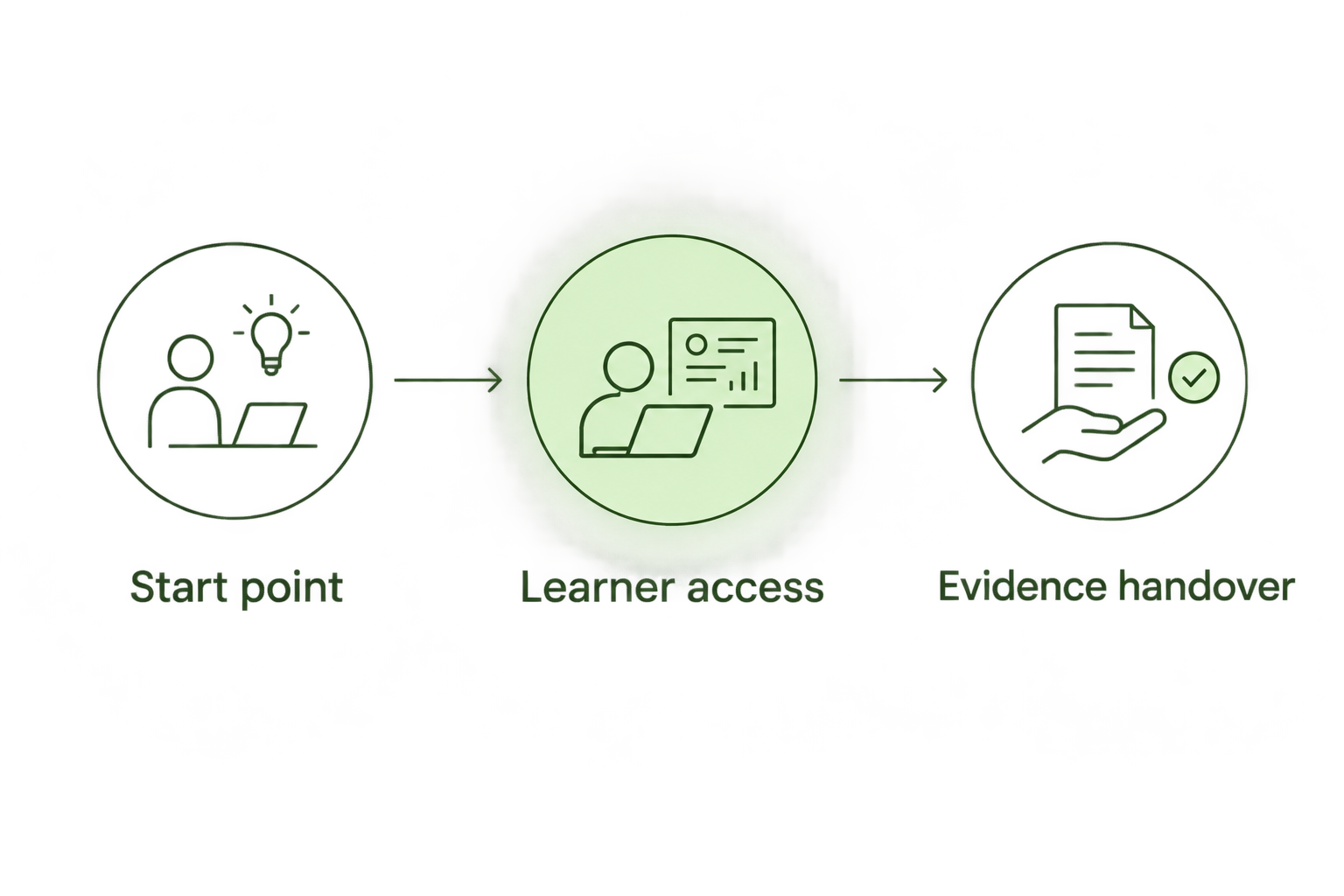
Measure through evidence handover, not just account creation.
Keep separate totals for administrator minutes and elapsed hours. Waiting for an approval and correcting an assignment are different problems; your evaluation should preserve that distinction.
Read the pilot results before you choose
Use a simple worksheet to capture what happened. Leave result cells empty until the pilot produces an observed value.
| Measure | What you record | What the result tells you |
|---|---|---|
| Hands-on effort | Administrator minutes spent completing required tasks | Work your service must absorb or assign |
| Elapsed time | Hours between the agreed start and finish | End-to-end deployment duration under the recorded conditions |
| Interventions | Each correction, escalation, or manual recovery | Exceptions your runbook must address |
| Repeatability | Steps another technician completes without coaching | Whether setup knowledge is transferable |
| Evidence acceptance | Whether the agreed record passes inspection | Whether onboarding reached its defined finish line |
Keep the original conditions beside the results. Do not compare a preconfigured demonstration with an independent deployment and call the difference a platform advantage.
Repeat the same acceptance checks for the second client. Repetition exposes client-specific work that an initial demonstration leaves hidden. It also gives you a concrete list of tasks to standardize before offering the service more widely.
How the ranking works
This 2026 ranking orders deployment approaches by the MSP use cases they serve. The criteria are administrator effort, learner access, client separation, repeatability, evidence readiness, and ownership.
It does not assign invented setup durations to named vendors. Use measured pilot results to reorder your own shortlist; a platform that fits your commercial model still has to pass your operational requirements.
Which onboarding option should you choose?
Start with Defend Wise when flat-fee, white-label security awareness training is the service you want to sell. Then test the implementation against the same checklist you apply to every alternative.
Keep an existing LMS in consideration when continuity is the priority. Choose a self-service evaluation when you have an administrator ready to own setup, or an assisted deployment when a coordinated handover is the central requirement.
For a 2026 buying decision, the default is simple: choose the approach that reaches learner access and usable evidence with documented ownership. Do not choose from a setup-time headline alone.
FAQ
What is security awareness training onboarding time?
Security awareness training onboarding time is the interval between an agreed setup start and an agreed operational finish. For an MSP evaluation, define the finish as successful learner access plus an accepted evidence handover.
Which security awareness training platform has the fastest onboarding?
A fastest-platform verdict requires comparable measured deployments. Evaluate each candidate with the same starting conditions, learner-access check, and evidence requirements instead of comparing unrelated setup claims.
Is Defend Wise a good shortlist choice for MSPs?
Defend Wise is a shortlist choice for MSPs seeking flat-fee, white-label security awareness training. Confirm your specific onboarding, access, and evidence requirements during evaluation.
Does using an existing LMS make onboarding faster?
An existing LMS is not proof of faster onboarding. Test whether learners can access suitable security content and whether the reporting owner can retrieve the required records.
Should an MSP choose self-service or assisted onboarding?
Choose self-service when a named administrator can own implementation; choose assisted onboarding when you need a coordinated handover. In either case, define deliverables and acceptance criteria before starting.
How should MSPs compare onboarding times fairly?
MSPs should compare onboarding times using identical acceptance criteria and recorded starting conditions. Track administrator minutes separately from elapsed hours and document every manual intervention.
Does fast onboarding prove a training program meets compliance requirements?
Fast onboarding does not establish compliance. Check the applicable training obligations, content, scope, and evidence requirements separately from implementation speed.
One last thing
Ask a technician who did not lead the evaluation to onboard the next client using only the runbook. Watch where the technician stops.
The best onboarding process transfers cleanly between people. If your deployment depends on remembered steps, private messages, or a particular vendor contact, document those dependencies before you call the service repeatable.