Steps to customize white-label emails and PDFs for clients
Steps to customize white-label emails and PDFs for clients so MSPs can deliver clearer training, reports, and client proof.
DefendWise
DefendWise
TL;DR
The useful steps to customize white-label emails and PDFs for clients are not just “upload the logo and change the colors.” For MSPs, the job is to make the whole training workflow look owned, trusted, and repeatable: sender identity, portal branding, reminder copy, PDF reports, support paths, and evidence records all have to line up.
Start with the service model, then customize the email and report surfaces around it. Decide who the learner should trust, what action they should take, what the client manager should see, and what evidence the MSP needs later for QBRs, cyber insurance, or audits. The best white-label setup protects client trust without creating new admin work for the MSP.
What are white-label emails and PDFs in security awareness training?
White-label emails and PDFs are the client-facing training communications and reports that carry the MSP’s brand instead of the platform vendor’s brand.
In a security awareness program, that usually means:
- launch announcement emails,
- training assignment emails,
- reminder emails,
- phishing reporting prompts,
- completion notices,
- manager summaries,
- monthly or quarterly PDF reports,
- completion certificates,
- audit or cyber insurance evidence packs.
For an internal IT team, those assets are ordinary communications. For an MSP, they are the visible wrapper around a managed service. If the learner receives a training email from a vendor they do not know, opens a portal with a different brand, and later sees a PDF report with a third identity in the footer, the service feels fragmented.
That is a trust problem, not a design problem.
Security awareness already asks users to make careful decisions about unexpected emails and links. Microsoft’s Attack Simulation Training documentation notes that end-user notifications can be customized, localized, and targeted, including positive reinforcement and simulation notifications Microsoft Tech Community. Practical 365’s walkthrough of Microsoft Attack Simulation Training also points out that custom tenant notifications need forethought, appropriate text, and a clear end-user experience Practical 365.
That is the right lens for MSPs. The custom brand is there to make the action clearer, not to decorate a confusing workflow.
Why this matters for MSPs
MSPs do not manage 1 training program. They manage many client environments, each with its own users, managers, compliance pressure, support habits, and executive expectations.
White-label customization matters because it helps the MSP:
- keep the client relationship visible,
- reduce “is this email real?” confusion,
- make the training program feel like part of the managed service stack,
- send client managers reports they can actually read,
- preserve evidence for QBRs, cyber insurance, and audits,
- avoid rebuilding the same email and PDF assets for every tenant.
NIST’s awareness and training program materials point to SP 800-50 Rev. 1, Building a Cybersecurity and Privacy Learning Program, as a current publication for building learning programs NIST CSRC. That matters because awareness is not a one-off course. It is a program that needs scope, communications, reinforcement, measurement, and improvement.
The white-label layer is where that program becomes visible to the client.
Competitors and adjacent MSP security tools make the same basic market point. Symbol Security describes white-label portal customization for MSP and vCISO partners, including display names, color themes, and custom subdomains Symbol Security. Arctic Wolf’s Managed Security Awareness documentation describes private labeling for email sender names, company display names, headers, and footers Arctic Wolf. ConnectSecure’s white-label reporting page frames report customization around logos, cover pages, headers, footers, and brand consistency for MSP-client communication ConnectSecure.
The pattern is clear: brand is not just cosmetic. It is part of service delivery.
What MSPs actually need to customize
Do not start by asking, “What can the platform theme?” Start by asking, “Which client-facing moments need to feel owned by the MSP?”
A practical white-label setup has 6 layers.
| Layer | What to customize | Why it matters | What can go wrong |
|---|---|---|---|
| Sender identity | From name, reply-to, domain, support contact | Users need to know who is asking them to act | Training emails look like phishing or vendor spam |
| Visual brand | Logo, colors, typography, footer | Client-facing assets feel consistent | Reports look templated or disconnected from the MSP |
| Portal path | Custom domain or branded portal name | Links feel expected and explainable | Users distrust the login page |
| Email templates | Launch, assignment, reminder, reporting, completion | Every campaign follows the same trusted language | Each client rollout becomes manual copy work |
| PDF reports | Cover page, scope, metrics, summary, next steps | Managers get a service-ready artifact | Raw exports get dumped into QBRs with no interpretation |
| Evidence records | Dates, audience, completion, exceptions, copy versions | Supports audits and insurance questionnaires | Screenshots replace defensible evidence |
This is why multi-tenant SAT and white-labeling belong together. A single brand template without tenant separation creates blended reporting. Tenant separation without client-ready communications creates admin friction. MSPs need both.
Step-by-step: how to customize white-label emails and PDFs for clients
1. Define the ownership model before changing the design
Decide who the training program is supposed to appear to come from.
For most MSPs, the default should be the MSP brand. The client has hired the MSP to run the security program, so the MSP should own the communication, reporting, and support path. In some cases, the email may also include the client’s brand or signature line, especially for internal launch announcements.
Make this choice explicit:
- MSP-owned: “Training managed by Acme MSP.”
- Client-owned with MSP support: “Training for Example Co, managed by Acme MSP.”
- Co-branded: useful only if both names reduce confusion.
Avoid the worst version: a platform vendor name the learner has never heard of.
2. Lock the sender identity and support path
Training emails ask users to click links, complete modules, or report suspicious messages. That means the sender identity has to be boring, clear, and consistent.
Set the rules for:
- sender display name,
- sending domain,
- reply-to address,
- helpdesk or support contact,
- escalation path for confused users,
- reporting method for suspicious emails.
If the platform or mail system does not support every sender-domain option, be honest about it in the client rollout. The article on Microsoft Attack Simulation Training mentioned above shows one reason this matters: notification behavior and customization options vary by platform Practical 365. Do not promise a custom sender domain unless the platform, DNS, and mail authentication path support it.
For MSPs, this is also a delivery checklist:
- SPF, DKIM, and DMARC are aligned where relevant.
- The client’s helpdesk knows the first campaign is coming.
- The launch email explains the expected sender and portal.
- The reminder email does not look like a scare tactic.
3. Build 5 reusable email templates first
You do not need 20 email templates on day 1. You need the 5 that protect trust and reduce repeat work.
Start with:
- Client launch announcement. Sent before the first assignment. Explains why training is starting, who runs it, when the first email arrives, and where to ask for help.
- First training assignment. Tells the user what to do, how long it takes, and when it is due.
- Reminder. Nudges incomplete users without fake urgency.
- Phishing reporting prompt. Teaches the report path, not just red flags.
- Manager summary. Gives the client contact completion, exceptions, and next action.
The DefendWise guide to email templates for branded security awareness campaigns goes deeper on this workflow. The short version: templates are operating assets. They make the service easier to repeat without making every client feel generic.
4. Write the email copy like a trust workflow, not a campaign
Good white-label training email copy is plain. It tells the user:
- who is sending it,
- why they are receiving it,
- what action is needed,
- how long it takes,
- what the due date is,
- what to do if something looks suspicious,
- where to get help.
Bad copy tries to be clever. It uses vague urgency, unexplained links, legal-heavy policy language, or motivational slogans. That is how a real training message starts to resemble the suspicious messages users are being trained to question.
Use this assignment structure:
Subject: Security awareness training assigned for {{client_name}}

Hi {{first_name}},

{{client_name}} has assigned {{module_name}} as part of its security awareness program, managed by {{msp_name}}.

Please complete the training by {{due_date}}. It should take about {{time_required}}.

Start here: {{training_link}}

If this message looks unexpected, contact {{support_contact}} before clicking. If you need help, reply to {{support_email}}.

Thanks,
{{msp_signature}}
That copy is not exciting. It should not be exciting. It should be clear enough that users know exactly what to do.
5. Create PDF report templates for 3 audiences
One PDF report cannot serve every reader. A client owner, operations manager, vCISO, insurer, and auditor all look for different proof.
Build 3 report views:
- Executive summary. Business-readable. 1–2 pages. Completion trend, risk movement, exceptions, next recommended action.
- Manager report. Operational. Overdue groups, role patterns, follow-up list, manager escalations.
- Evidence appendix. Audit-oriented. Scope, reporting period, audience, assignment dates, completion records, reminders, exceptions, and source notes.
ConnectSecure’s white-label reporting page highlights practical customization details such as template libraries, dual branding, cover pages, headers, footers, logos, and spreadsheet styling ConnectSecure. Those details matter, but only after the report has a clear job.
A report that looks polished but does not explain scope is still weak evidence.
6. Keep tenant scope visible on every PDF
For MSPs, report scope is not optional. Every PDF should show which client, tenant, group, campaign, and date range it covers.
At minimum, include:
- client organisation,
- reporting period,
- training campaign name,
- audience scope,
- modules or topics assigned,
- number of assigned users,
- number completed,
- overdue count,
- exceptions,
- report generated date,
- MSP contact.
This is where branded PDF reports can become more than a QBR asset. They can become the recurring evidence layer for client conversations.
Do not blend tenants into one PDF unless the report is clearly labelled as an MSP fleet summary. Client reports need client-specific scope.
7. Add interpretation, not just exports
Clients do not need a spreadsheet with 13 columns and no conclusion. They need to know what changed and what to do next.
Add a short commentary block to every PDF:
- What improved?
- What is stuck?
- Which users or groups need follow-up?
- What does the MSP recommend next month?
- Is anything outside scope?
Todyl’s MSP security awareness implementation guide includes “establish metrics and assessment criteria” as a step and recommends tracking effectiveness, assessments, retention, and behavioral change Todyl. Infima’s MSP guide similarly lists reporting and metrics such as completion, quiz scores, phishing click trends, risk scores, compliance documentation, and audit trails Infima.
That is the difference between a report and a managed-service artifact. The MSP should not just show data. The MSP should explain the next move.
8. Version-control the templates
Template changes can break evidence continuity.
If the reminder email changes, the report format changes, or the client-facing wording changes, keep a note of:
- what changed,
- when it changed,
- why it changed,
- which clients use the new version,
- whether old reports remain comparable.
This can be as simple as a “template version” line in the report footer and a changelog in the MSP’s internal runbook.
The point is not bureaucracy. The point is avoiding confusion when a client asks, “Why did last quarter’s PDF look different?” or an auditor asks for the training communication record.
9. Pilot with 1 client before applying to the fleet
Run the white-label package against 1 friendly client or internal tenant first.
Check:
- Does the email sender look expected?
- Does the training link match the launch email?
- Does the portal branding match the email?
- Does the reminder email read like a normal business message?
- Does the PDF explain scope and exceptions?
- Can a client manager understand the report in 3 minutes?
- Can the MSP team reproduce the setup without a senior engineer?
Then move the template into the standard MSP rollout pack.
This is also where flat-fee economics matter. If every additional client creates new manual design and reporting work, the service becomes hard to bundle. A flat-fee security awareness training model is only commercially useful if the operating workflow also scales.
What good looks like
A good white-label setup has 5 traits.
1. The learner knows who is asking
The sender, signature, portal, and help path all point back to a trusted relationship. The learner is not left guessing whether the message is real.
2. The client manager gets a clean artifact
The PDF is not a data dump. It has a cover page, short summary, clear metrics, exceptions, trend notes, and next actions.
3. The MSP can repeat the workflow
Templates can be copied across tenants with controlled variables: client name, logo, support path, reporting cadence, compliance scope, and manager contact.
4. Evidence is preserved
Emails, report versions, audience scope, campaign dates, completion records, and exceptions can be reconstructed later.
5. The brand does not create false certainty
A branded PDF should not imply compliance is solved. It should show what the training program covered, what evidence exists, and what remains open.
Mistakes to avoid
Mistake 1: Treating white-label as a logo swap
A logo is the easiest part. Sender identity, support path, portal trust, tenant scope, and report interpretation matter more.
Mistake 2: Making reminders sound like phishing
Fake urgency, vague threats, and unexplained links train the wrong behaviour. Keep reminders calm and specific.
Mistake 3: Sending client managers raw exports
A CSV is not a QBR report. A client manager should not have to reverse-engineer whether the program is working.
Mistake 4: Blending evidence across clients
MSP fleet reporting is useful internally. Client evidence needs tenant-specific scope.
Mistake 5: Claiming compliance from a template
A branded email or PDF can support compliance evidence. It does not prove the whole compliance requirement by itself. Be precise.
Framework or technical mapping
Awareness and training programs commonly show up in compliance and risk conversations, but the white-label assets are only one part of the record.
For client evidence packs, map the email and PDF workflow like this:
| Evidence item | Why it helps | What to avoid |
|---|---|---|
| Launch email copy | Shows users were told about the program | Treating announcement as proof of completion |
| Assignment records | Shows who was assigned training | Missing audience scope |
| Reminder history | Shows follow-up occurred | Overstating reminder delivery as learner action |
| Completion report | Shows who completed assigned work | Ignoring exceptions and late completions |
| Manager summary | Shows client governance and follow-up | Sending numbers without next steps |
| Evidence appendix | Supports audit or insurance requests | Blending multiple clients into one record |
NIST SP 800-50 Rev. 1 being listed as a current NIST awareness and training publication is a useful source for the broader program framing NIST CSRC. For MSPs, the practical takeaway is simple: communications, reinforcement, metrics, and improvement should be part of the learning program, not afterthoughts.
How a flat-rate MSP SAT platform helps
DefendWise is built for MSPs that want to deliver security awareness under their own brand, across many clients, without rebuilding the service for every tenant. Public DefendWise feature pages describe white-label portal, email, report, certificate, and login URL surfaces DefendWise white-label, multi-tenant client management DefendWise multi-tenancy, and automated reporting DefendWise reports.
The product point is not “make it pretty.” It is “make the service repeatable.” A branded email and PDF workflow should help an MSP cover more clients with less admin drag, while keeping client trust and evidence clean.
Frequently asked questions
What are the first steps to customize white-label emails and PDFs for clients?
Start with the service model before design. Decide whether the MSP brand, client brand, or a controlled co-brand should appear. Then lock the sender identity, support path, portal name, PDF scope, and evidence requirements before editing templates.
Should MSPs use their own brand or the client brand in training emails?
Most MSPs should lead with the MSP brand because the MSP owns the managed service. Client branding can help with learner trust, especially in launch announcements or internal manager notes. The important rule is consistency across email, portal, report, and support path.
What should a branded security awareness PDF report include?
A good report includes the client name, reporting period, audience scope, assigned modules, completion status, overdue users or groups, exceptions, trend notes, recommended next steps, and MSP contact details. If it is used for audit or insurance evidence, include the source records and report version.
How do white-label emails reduce learner confusion?
They make the sender, purpose, and expected action clear. Users should know that the email is part of a real training program, who manages it, how long the task takes, and where to ask for help if something looks suspicious.
Can white-label PDFs support QBRs?
Yes. A branded PDF can turn training data into a client-facing conversation about coverage, risk patterns, overdue users, and next-month actions. The MSP should add interpretation instead of sending raw exports.
Can white-label emails and PDFs support audit evidence?
Yes, as supporting evidence. Keep the launch copy, assignment records, reminder records, completion data, exceptions, report versions, and manager sign-off together. Do not claim that a branded PDF alone proves compliance.
How often should MSPs review email and PDF templates?
Review them quarterly, after confusing client feedback, after a major training workflow change, and before audit or cyber insurance reporting periods. Keep a template changelog so the MSP can explain report or wording changes later.
Where does DefendWise fit?
DefendWise helps MSPs deliver security awareness training under their own brand with flat-fee pricing, unlimited users, multi-tenant management, automated onboarding, and branded reporting. That gives MSPs the operating layer to customize emails and PDFs once, then reuse them across clients without rebuilding the program every time.
Header image brief for Picasso
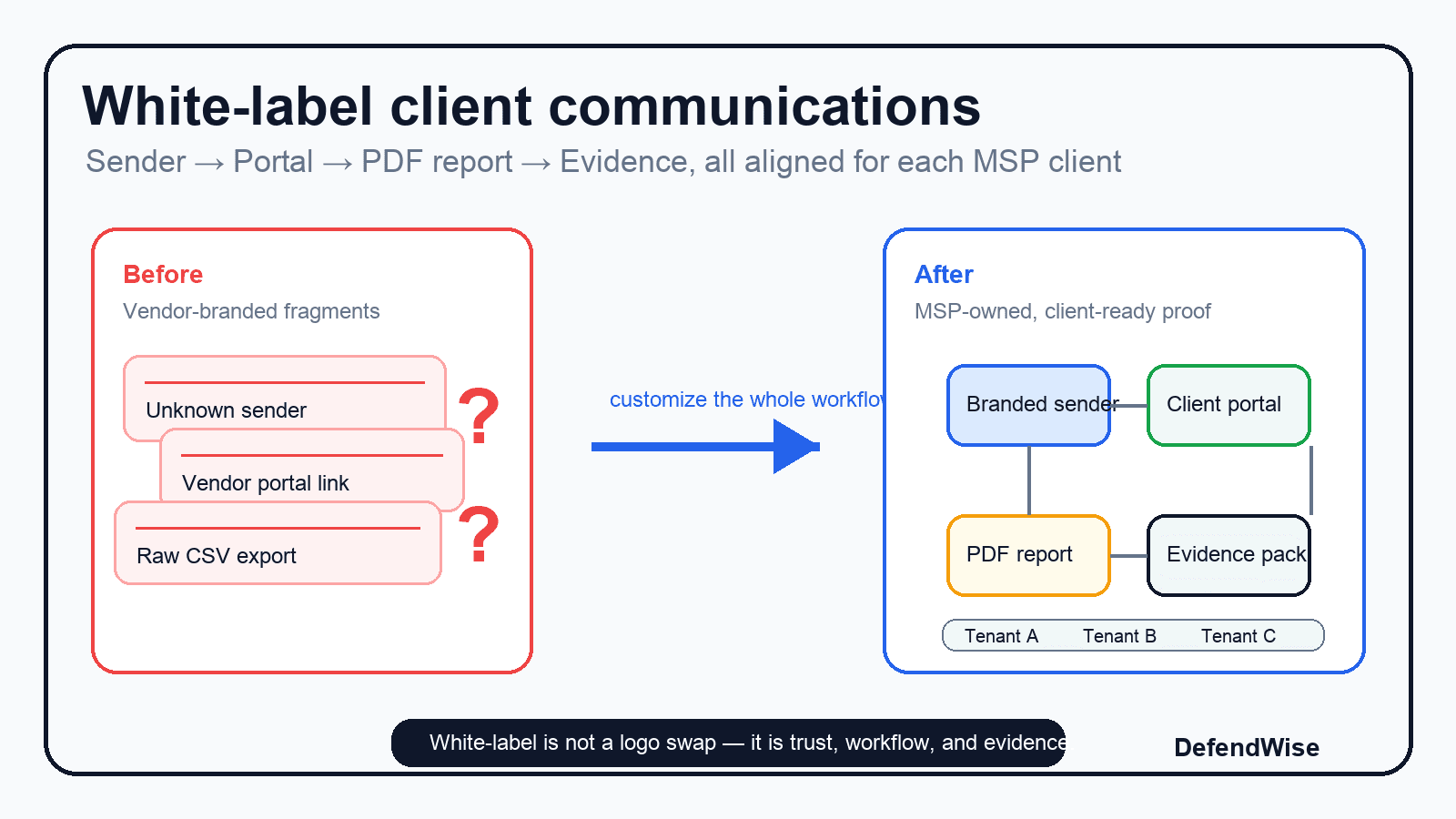
- Source TL;DR: White-label email and PDF customization is not a logo swap. MSPs need a trusted service workflow where sender identity, portal branding, reminders, reports, evidence scope, and client-ready next steps all line up across every tenant.
- Primary pillar: white-label-multi-tenant
- Infographic thesis: show a messy vendor-branded training flow becoming a clean MSP-owned client communication and evidence workflow.
- Suggested layout: before-after
- Short on-image text candidates: White-label is not a logo swap; Sender → portal → report → evidence; Client-ready, MSP-owned; No vendor confusion; Proof without spreadsheet work
- Key objects: messy email cards, branded sender badge, custom training portal, PDF report cover, tenant folders, QBR table with checkmarks
- Avoid: fake metrics, vendor logos, compliance badges, padlocks, hoodies, scary phishing bait, unreadable email screenshots, made-up UI labels
- Crop needs: 1200x628 blog/OG, plus social-safe 1200x627
Sources
- NIST CSRC — Awareness, Training, & Education publications: https://csrc.nist.gov/Projects/awareness-training-education/publications
- Microsoft Tech Community — End user email notifications are now customizable: https://techcommunity.microsoft.com/blog/microsoft-security-blog/end-user-email-notifications-are-now-customizable/3037788
- Practical 365 — Attack Simulation Training: RBAC and End User Notifications: https://practical365.com/attack-simulation-training-rbac-and-end-user-notifications
- Arctic Wolf documentation — Customize MA emails using private labeling: https://docs.arcticwolf.com/en-us/managed-security-awareness-ma/user-guide/ma-program-configurations/customize-ma-emails-using-private-labeling
- Symbol Security — Customize your User Portal (Whitelabel Feature): https://symbolsecurity.com/knowledge-base/admin-application-help/msp-administration/customize-your-user-portal-whitelabel-feature
- ConnectSecure — Professional White-Label Security Reports: https://connectsecure.com/white-label-reports
- Hook Security — Security Awareness Built for MSPs: https://www.hooksecurity.co/for-msps
- Todyl — 10 Steps for MSPs Implementing Security Awareness Trainings: https://www.todyl.com/blog/implementing-security-awareness-trainings-msp
- Infima — Security Awareness Training for MSPs: Complete Guide: https://infimasec.com/resources/guides/msp-security-awareness-training
- DefendWise — White-label security awareness training for MSPs: /features/white-label
- DefendWise — Automated SAT reports for MSP clients: /features/automated-reports
- DefendWise — Multi-tenant security awareness platform for MSPs: /features/multi-tenancy
- DefendWise — Flat-fee MSP security awareness training: /features/flat-fee