Is MFA enough to stop phishing without training?
Is MFA enough to stop phishing? No. Compare codes, push approvals, and passkeys, then build an MSP training and verification process for safer client decisions.
DefendWise
DefendWise
No. MFA is not enough to stop phishing without training: it protects account sign-ins, not every decision an attacker asks someone to make. Phishing-resistant MFA blocks important credential-based attacks, but it does not stop an employee from sending a fraudulent payment, sharing sensitive information, or granting an unsafe application permission. Your 2026 security awareness program should pair strong authentication with practical training and an independent verification process.
TL;DR
- Is MFA enough to stop phishing? No. CISA recommends phishing-resistant MFA, but fraudulent payments still require independent verification.
- Passkeys and security keys resist fake-site credential theft; SMS codes and approval prompts do not offer equivalent protection.
- Train users to report suspicious requests, verify payment changes independently, and question unexpected application permissions.
- Defend Wise security awareness training is designed for MSPs managing training and cybersecurity compliance for end-client organizations.
Is MFA enough to stop phishing without training?
MFA reduces account-takeover risk. It does not make a phishing request trustworthy. The answer depends on both the authentication method and the action the attacker wants your user to take.
A fake login page and a fraudulent invoice are different attacks. Strong authentication can interrupt the first. The second can succeed without anyone signing in to an attacker-controlled website.
For MSPs, that distinction belongs in the client conversation before the service is bundled. Defend Wise provides white-label security awareness training for MSPs serving end-client organizations; it addresses the training side of the service, not the replacement of authentication controls.
| Control | Best for | What it helps prevent | Limitation |
|---|---|---|---|
| SMS or one-time-code MFA | Adding a second authentication requirement | Sign-ins using only a stolen password | Users can disclose codes to attackers; codes are not phishing-resistant |
| Standard push-approval MFA | Adding a sign-in approval step | Password-only account access | Users can approve malicious requests; repeated prompts create approval pressure |
| Number-matching MFA | Reducing blind push approvals | Some attacks based on unexpected approval prompts | Number matching alone does not provide phishing resistance |
| FIDO-based passkeys or security keys | Phishing-resistant authentication | Authentication to an impersonating website | They do not validate invoices, payment instructions, or document-sharing decisions |
| Security awareness training | Improving recognition, reporting, and verification | Unsafe responses to deceptive requests | Training is not a technical access barrier and cannot guarantee correct decisions |
| Independent verification | Checking consequential business requests | Acting on fraudulent payment or account-change instructions | It depends on a defined process and a trusted contact route |
CISA's phishing-resistant MFA guidance identifies FIDO/WebAuthn authentication as a phishing-resistant approach. NIST's digital identity guidance distinguishes phishing resistance from simply requiring another factor. Use that distinction in your 2026 client reviews: MFA enabled is not the same as phishing-resistant MFA enforced.
Why this matters
A client can have MFA enabled and still lose money through a convincing request. The attacker does not need an account takeover if an authorized employee performs the harmful action.
That changes what your training must cover. A program focused only on spotting fake login pages leaves payment changes, confidential document requests, and unexpected application permissions outside the conversation.
The old way treats an MFA checkbox as the finish line. The better approach checks which sign-ins the control protects, then teaches users how to handle requests that authentication cannot judge.
SMS and one-time codes: a second factor, not phishing resistance
SMS and authenticator-generated codes add a barrier beyond the password. That is a real benefit. An attacker who has only the password still lacks the additional authentication requirement.
The limitation is that a person can type a valid code into a fraudulent page. An attacker can relay the captured credentials and code to the legitimate service while the code remains usable. The extra factor exists, but the user has handed it to the wrong party.
Best for: adding protection when a stronger supported method is not yet deployed. Do not describe codes as protection against every phishing technique.
Train users not to disclose authentication codes in response to support calls, chat messages, or unsolicited requests. Separately, assess whether the identity system supports phishing-resistant authentication. Training and a stronger sign-in method solve different parts of the problem.
Push approvals: convenience still needs scrutiny
Standard push MFA asks a user to approve a sign-in. It adds an authentication step, but an unexpected prompt creates a human decision an attacker can influence.
An attacker can generate repeated requests or impersonate support personnel to pressure the user into approval. Number matching reduces the risk of blindly accepting a prompt, but it does not turn every push implementation into phishing-resistant authentication.
Best for: organizations adding sign-in verification while planning stronger authentication. The weakness is approval without understanding which sign-in caused the request.
Teach a clear response: do not approve an authentication request you did not initiate, and report it through the established support route. Do not ask employees to investigate by following instructions supplied by the person who contacted them.
Passkeys and security keys: stronger sign-ins, narrower promises
FIDO-based passkeys and security keys use authentication bound to the legitimate service. Unlike a reusable code, the authentication response is not something a user can simply copy into an impersonating site's form.
That makes phishing-resistant authentication a stronger choice against credential phishing. It still does not certify the business purpose of an email, the accuracy of bank details, or the safety of sharing a file.
Best for: protecting supported account sign-ins against phishing. The limitation is scope: authentication verifies access, not whether an authenticated person should perform a requested action.
For a 2026 rollout, inspect enrollment, enforcement, account recovery, and fallback methods together. A strong primary method does not justify ignoring a weaker route into the same account. Confirm the actual configuration rather than treating possession of a security key as proof of complete protection.
Why phishing protection varies
Phishing protection varies because attackers target different decisions, and MFA methods protect those decisions differently. Review these factors with each client:
- Authentication method: codes, standard push approvals, and FIDO-based authentication do not provide equivalent phishing resistance.
- Requested action: signing in, changing bank details, sharing a document, and approving application access require different safeguards.
- Verification route: replying to a suspicious message keeps the conversation inside a channel the attacker supplied.
- User response: reporting an unexpected prompt is different from approving it to make it disappear.
- Control coverage: enrollment, enforcement, recovery, and fallback settings determine which access routes require the intended protection.
Do not turn these factors into a single awareness score. An employee can recognize a fake login page yet mishandle an urgent payment request. Assess the behavior the business actually needs protected.
Build the service around 3 control layers
Use 3 control layers in your client plan: strong authentication, practical training, and independent verification. These are recommended service-design layers, not a claim that three controls eliminate phishing.
| Layer | Best for | Required outcome | Trade-off |
|---|---|---|---|
| Strong authentication | Protecting account access | Enforce the intended authentication method on the relevant access routes | Does not judge business requests |
| Practical training | Preparing users to respond | Teach recognition, reporting, and safe handling of suspicious requests | Completion alone does not prove safe behavior |
| Independent verification | Protecting consequential transactions | Confirm sensitive changes through an established trusted route | Adds a deliberate pause to the workflow |
Keep ownership explicit. Your identity administrator manages authentication settings. Your training owner manages assignments and follow-up. The client assigns responsibility for approving consequential business changes.
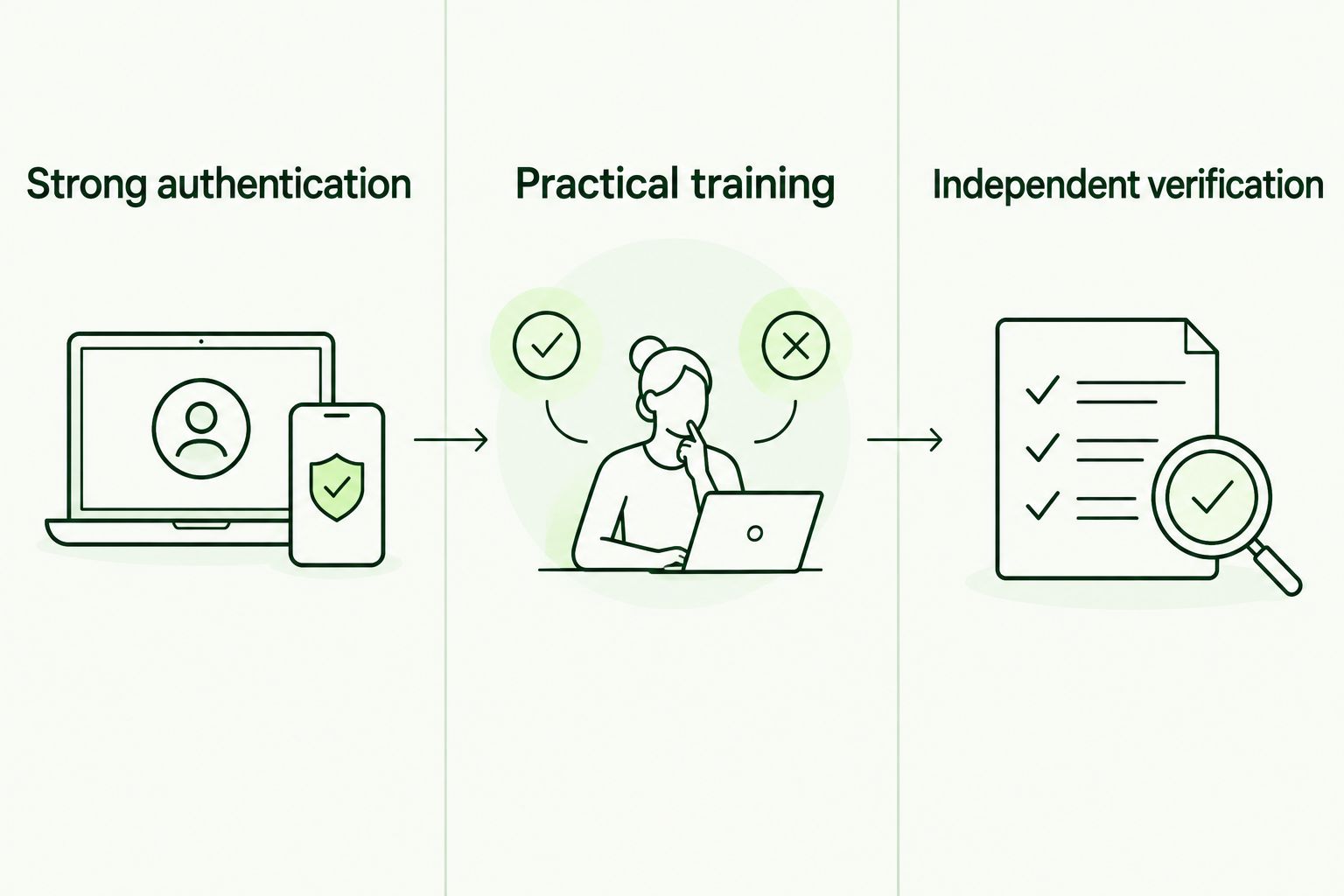
Authentication protects access; training and verification address decisions outside the sign-in process.
Strong authentication
Identify the sign-ins that need protection and enforce phishing-resistant authentication where supported. Check administrative access and recovery paths as part of that review, rather than limiting the discussion to ordinary user enrollment.
Record exceptions and assign an owner to resolve them. An exception left undocumented becomes an assumption in the next client review.
Practical training
Teach what users should do, not just what phishing looks like. Include unexpected authentication prompts, requests for codes, payment-detail changes, sensitive document requests, and unfamiliar application permissions.
Give each scenario a clear next action. Users need a reporting route and permission to pause a suspicious request without being penalized for slowing it down.
Independent verification
Require confirmation of consequential changes using contact information already held in a trusted record. Do not use a phone number, reply address, or link supplied in the message being checked.
A second message is not independent verification if the attacker controls the conversation. This rule applies even when the email looks professional and the sender's account has MFA.
Use 2 verification checks for sensitive changes
Use 2 verification checks before acting on a sensitive payment or account change. These are recommended workflow checks, not a substitute for the client's approval policy.
- Confirm the requester. Contact the person through an established route, such as a known directory number. Do not rely on contact details supplied in the request.
- Confirm the action. Verify exactly what should change and whether the request has the required authorization. Confirming someone's identity does not automatically authorize the transaction.
For example, a bank-detail change needs more than recognition of the vendor's name. The employee must confirm both the request and the new instructions through the approved process.
Keep the procedure short enough to use under pressure. If employees cannot explain the verification route, revise the workflow before adding another awareness module.
What should an MSP document for each client?
Maintain 1 client evidence record that connects authentication settings, training activity, and the client's verification procedure. Treat this as a recommended organizing format, not a certification requirement.
For your 2026 service review, include the authentication method in use, relevant exceptions, training assignments, completion records, reporting instructions, and responsibility for sensitive-request approval. Separate evidence of participation from evidence that a technical control is enforced.
Defend Wise security awareness training fits MSPs that need white-label delivery for end-client organizations. Its role is training and cybersecurity compliance management; it is not a substitute for identity configuration or transaction authorization.
That boundary belongs in the service description. Do not promise that training prevents every attack, and do not present a completion record as proof that a client satisfies every compliance obligation.
Does phishing-resistant MFA mean employees can skip training?
No. Phishing-resistant MFA protects supported authentication flows; employees still need to handle deceptive requests involving money, information, and permissions.
Keep training aligned with those decisions. Repeating password advice while ignoring payment verification leaves the most relevant workflow unchanged.
Can phishing succeed without stealing a password?
Yes. A fraudulent payment request or sensitive-data request can succeed when an authorized employee follows the attacker's instructions.
The account does not need to be compromised. Your prevention process must address the requested action, not just the login that precedes it.
What should you prioritize in a 2026 phishing review?
Prioritize enforced phishing-resistant authentication and a usable reporting-and-verification process. Check what happens when someone receives an unexpected sign-in prompt or a request to change payment details.
Ask for a demonstration of the intended workflow. A written policy is useful, but the person handling the request must know how to apply it.
FAQ
Is MFA enough to stop phishing?
No. MFA protects sign-ins, while phishing can also persuade employees to send money, disclose information, or approve unsafe requests. Use phishing-resistant authentication alongside training and independent verification.
Can a phishing website steal an MFA code?
Yes. A fraudulent website can capture a code the user enters and relay it to the legitimate service. One-time codes are not phishing-resistant authentication.
Are passkeys better than SMS codes for phishing protection?
FIDO-based passkeys provide phishing resistance that SMS codes do not. They protect the authentication flow but do not validate payment instructions or document-sharing requests.
Does number matching make push MFA phishing-resistant?
Number matching alone does not make push MFA phishing-resistant. It reduces blind approval risk, but users still need to reject and report requests they did not initiate.
What should an employee do with an unexpected MFA prompt?
Reject the unexpected prompt and report it through the established support route. Do not approve it because someone in an unsolicited call or message claims approval is required.
Can security awareness training replace MFA?
No. Training helps users recognize and handle deceptive requests, while MFA adds a technical barrier to account access. Neither should be presented as a replacement for the other.
How does an MSP prove that training is being managed?
An MSP should retain assignments, completion records, follow-up actions, and the client's reporting instructions. Those records show training activity; they do not prove that every phishing attack will be stopped or every compliance requirement is met.
One last thing
Do not ask only whether a client has MFA. Ask what an employee does when a familiar sender requests an unfamiliar payment change.
That question exposes the boundary between account protection and business protection. Keep MFA. Strengthen it. Train the decision it cannot make.