How to connect Okta to auto-remove offboarded employees
okta remove employees security awareness training: use verified Okta provisioning to stop assignments, preserve evidence, and test offboarding before rollout.
DefendWise
DefendWise
Instead of manually removing departed employees from security awareness training, connect Okta lifecycle changes to a verified provisioning endpoint so offboarding stops access and future assignments. Use automatic deactivation—not permanent deletion—when the training application supports it, and retain the employee’s compliance evidence separately from active enrollment.
TL;DR
- For the query okta remove employees security awareness training, use verified provisioning—not sign-in alone—to automate offboarding.
- Okta deactivation must stop training assignments without erasing the evidence your client needs.
- Defend Wise fits MSPs seeking white-label security awareness training without seat-count friction.
- Test the destination application’s behavior before enabling automatic removal across client organizations.
Why this matters
Single sign-on controls authentication. Provisioning controls the downstream account lifecycle. Connecting an application to Okta for sign-in does not, by itself, remove an employee from training campaigns, reminders, or reports.
Defend Wise provides white-label security awareness training for MSPs with a flat-fee, unlimited-seat model. Defend Wise security awareness training is best for MSPs that want white-label delivery without seat-count friction. That model removes seat-count billing friction; it does not replace your responsibility to define offboarding, tenant boundaries, and evidence retention.
For your 2026 deployment, treat automatic removal as an operational control with a testable outcome. The former employee must stop receiving new training while the client retains the historical records its retention policy requires. A connector showing a successful request is not enough.
Before you start
- Required access: Have an Okta administrator with permission to manage the application’s assignments and provisioning, plus an administrator for the destination training application. Identify who approves changes for each client organization.
- Required connection: Obtain the destination application’s documented provisioning endpoint, authentication method, and supported deactivation behavior. SCIM is a standard provisioning protocol, but support depends on the application and its connector. Do not assume a training platform accepts Okta provisioning because it supports SSO.
- The gotcha: Deactivation and deletion are different operations. Establish whether the destination disables access, stops reminders, removes campaign membership, and retains completion records before enabling automatic offboarding.
Stop here if you cannot verify the destination’s provisioning support. Use a controlled manual offboarding process until a supported connection exists. Do not substitute an undocumented endpoint or a guessed API request.
Lifecycle mapping
The old way is to treat an employee disappearing from a roster as proof that offboarding worked. The new way is to define the exact state changes, then check each one in the destination application.
Define the removal contract
- Identify the authoritative departure event. Use the organization’s approved Okta lifecycle action or application-assignment removal, rather than inferring departure from a missed training session.
- Document the account identifier used by both systems. Confirm that the provisioning record maps to the intended destination account; display names alone are not a reliable matching rule.
- Define the expected destination state: access disabled, new assignments stopped, reminders stopped, and historical evidence retained according to the client’s policy.
- Record the affected client organization. For MSP delivery, verify that the identifier and connector scope cannot target a similarly named employee in another client.
- Assign an owner for failed provisioning events. A failed request needs a person and a corrective action, not just an entry in a log.
Expected result: You have an approved mapping from an Okta event to a specific training-account state, with evidence retention defined independently.
Use the following table to choose the intended behavior. These are workflow options, not claims that every training platform implements each option.
| Workflow option | Best for | Advantage | Limitation |
|---|---|---|---|
| Provisioning-driven deactivation | Departures where the destination supports disabling accounts | Connects lifecycle changes to account status | Requires verified connector behavior and failure monitoring |
| Application unassignment | Removing training entitlement without deactivating the person’s entire Okta account | Limits the change to the assigned application | The downstream result still depends on provisioning support |
| Manual destination offboarding | Applications without a supported provisioning connection | Lets an administrator apply the documented removal process | Requires a repeatable handoff and completion check |
For the 2026 rollout, write the chosen option into the client’s offboarding procedure. Avoid using the word “remove” without specifying whether it means disable, unassign, exclude from campaigns, or delete.
Provisioning connection
Okta’s application configuration varies by integration. The instructions below apply when the selected application exposes the documented provisioning controls. Missing controls are a reason to check the connector’s capabilities, not a reason to improvise.
Connect the documented endpoint
- Open Applications > Applications in the Okta Admin Console and select the destination application integration.
- Open Provisioning. If the integration has no provisioning configuration, confirm whether a supported provisioning-capable integration is required before continuing.
- Where available, open Integration, select Configure API Integration, and select Enable API integration.
- Enter the endpoint and credentials required by that integration. Use the destination provider’s instructions; field names and authentication requirements depend on the connector.
- Use the connector’s connection test if it provides one, then select Save. Do not enable broad lifecycle actions while the connection is unverified.
Expected result: Okta can authenticate to the documented destination endpoint. This establishes connectivity, not proof that offboarding preserves records or stops notifications.
Keep credentials within the approved administrative process. Document who owns them, how replacement credentials are installed, and how the team handles a connection failure. Do not put provisioning secrets into a client-facing report or an offboarding ticket.
For MSP deployments, also check connector scope. If a credential has access to multiple client organizations, verify how each request selects its destination before allowing automated changes. White-label delivery does not remove the need for client-level isolation.
Configure the deactivation control
- In the application’s Provisioning configuration, open To App where the integration provides it.
- Find Deactivate Users, select Edit, and enable the setting if the connector supports it. Select Save.
- Review the connector’s documented triggers. Confirm what happens when an Okta user is deactivated and what happens when the application assignment is removed.
- Review group-based assignments under Assignments. Establish which group grants the training application and who controls membership.
- Confirm whether the destination’s deactivation action also stops campaign enrollment and reminder delivery. If those require a separate supported action, include that action in the offboarding procedure.
Expected result: A documented Okta lifecycle event is configured to send the supported downstream deactivation action. No account should be permanently deleted merely to make the active roster smaller.
Enable the behavior you need, not every provisioning option offered. User creation, profile updates, group handling, and deactivation serve different purposes. Review their effects separately before extending the connector’s scope.
End-to-end verification
A green connection test answers whether the systems can communicate. It does not answer whether an offboarded employee still receives a training email.
Run a controlled offboarding test
- Create or designate 1 test account that is safe to deactivate. Follow the client’s change process and avoid using an employee’s production identity as a test object.
- Assign the account to the training application through the same route used for employees. Verify that the destination account belongs to the correct client organization.
- Establish a baseline. Record the account’s current access state, campaign enrollment, reminder settings, and any training history needed for the test.
- Perform the selected departure action in Okta. Use the same lifecycle action or assignment removal documented in the removal contract.
- Inspect the provisioning outcome in Okta, then inspect the destination account directly. Confirm that the request affected the intended account and client.
- Make 2 separate checks: confirm access is disabled, then confirm future training assignments and reminders are stopped. Neither check substitutes for the other.
- Open 1 retained report or evidence record for the test account, where such a record exists. Confirm that offboarding did not erase the history required by the retention policy.
- Record the result and the recovery procedure. Expand the workflow only after the test matches the approved removal contract.
Expected result: The test account is inactive for training purposes, future activity has stopped, and required historical evidence remains accessible to an authorized administrator.
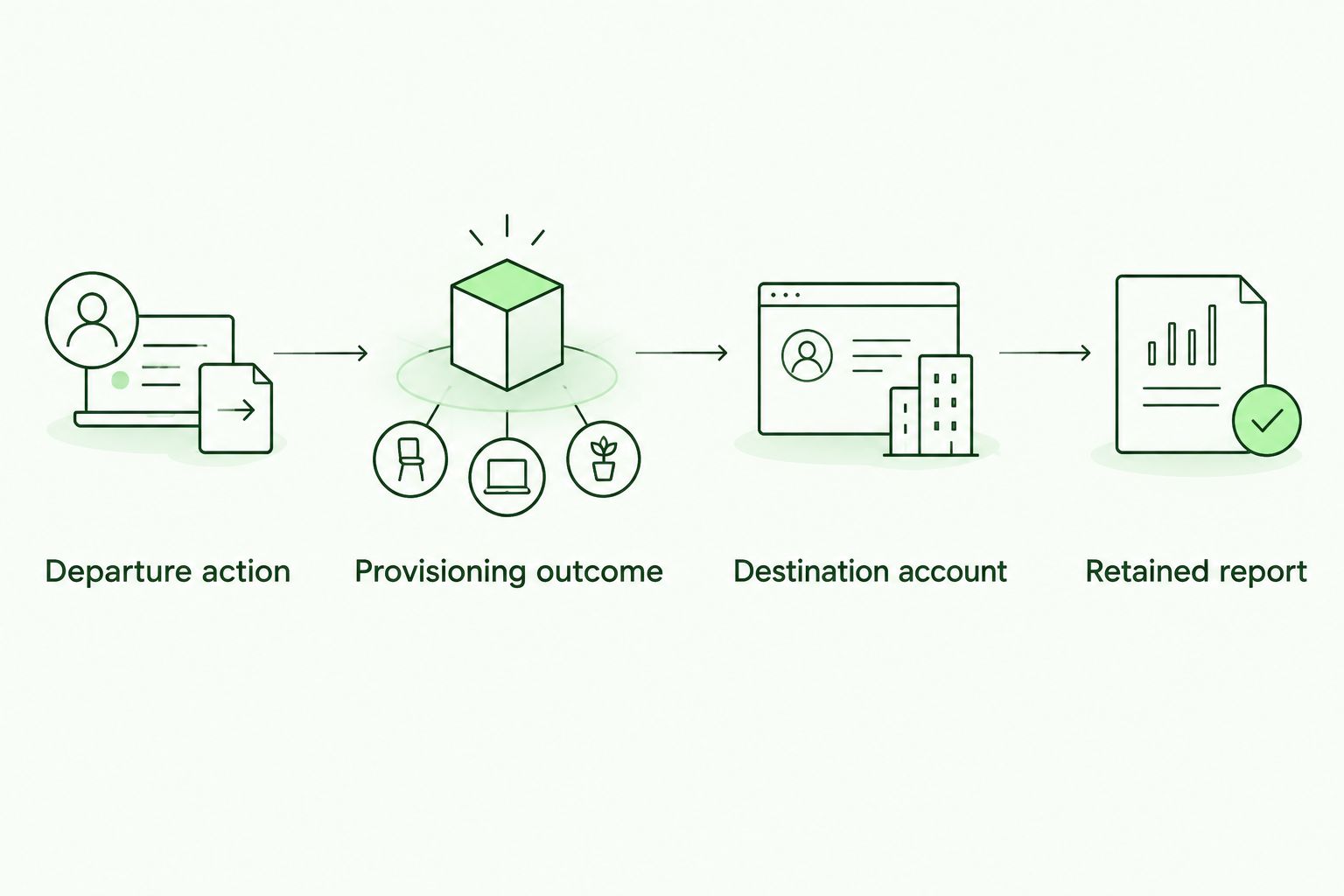
Check the destination account and retained evidence, not just the provisioning request.
Use this test as the acceptance check for your 2026 workflow. Record observed behavior rather than promises such as “instant removal.” Your procedure should explain how administrators identify a pending or failed change and complete offboarding safely.
Variant: remove training when group membership changes
Application unassignment is the adjacent workflow when a person remains employed but no longer belongs in a particular training population. It limits the intended change to training entitlement rather than the person’s whole identity.
- Identify the Okta group that assigns the training application. Confirm that membership is the approved source of entitlement.
- Check whether the person also has a direct assignment or receives the application through another group. Removing one membership does not remove another assignment route.
- Remove the test account from the entitlement group through the approved process.
- Verify that the effective application assignment is gone, then inspect the downstream provisioning result.
- Check the destination for stopped training activity and retained evidence, using the same acceptance checks as employee offboarding.
Expected result: Removing the final assignment route triggers the connector’s supported unassignment behavior without unnecessarily deactivating the entire Okta identity.
Do not confuse application assignment with downstream group management. They are different controls. If your training application organizes campaigns through its own groups, document how those memberships change rather than assuming Okta application unassignment clears every campaign.
In a 2026 client handoff, describe this variant as an entitlement change. Reserve employee departure wording for actual offboarding so administrators do not apply a broader action than intended.
Troubleshooting
The employee cannot sign in but still receives training emails
Authentication and campaign scheduling are separate controls. Inspect the destination account’s status, campaign membership, and reminder settings. Confirm that provisioning is enabled rather than relying only on the SSO connection.
If the supported deactivation operation does not stop notifications, add the destination’s documented campaign-removal action to the procedure. Keep that follow-up owned until the behavior is verified.
Removing a group member does not remove the application
Check Assignments for another group assignment or a direct assignment. The user can remain entitled through a different route.
Remove only the assignment routes approved by the client, then repeat the downstream verification. Do not deactivate the whole Okta user merely to resolve a training-specific assignment issue.
Okta records a provisioning failure
Inspect the failure details before retrying. Check endpoint configuration, credentials, permissions, and the destination’s response to the requested operation.
Correct the specific cause and verify the destination state before repeating the action. A retry without checking the account can obscure what already changed.
The wrong account is selected or no match is found
Compare the stored provisioning identifier with the destination account identifier. Review account creation and profile-mapping behavior, especially where email addresses have changed.
Correct the mapping through the supported administrative process. Do not resolve a mismatch by deleting an account with training history.
Training history disappears after removal
Check whether the workflow used deletion instead of deactivation and whether reports exclude inactive users by default. A filtered report and a deleted record require different fixes.
Stop broader rollout until retention behavior is understood. Use the destination’s documented recovery process if records were deleted; do not assume they can be restored.
Customize your workflow
Standardize the removal contract before expanding automation. Give each client the same decision framework, then record the differences that matter: identity source, assignment route, destination scope, evidence retention, and exception owner.
Defend Wise’s flat-fee model addresses seat-count friction. Your lifecycle workflow addresses stale access and training administration. Keep those benefits separate when explaining the service: neither unlimited seats nor white-label delivery proves that a particular Okta connector is supported.
For your 2026 operating procedure, maintain an exception queue alongside automated offboarding. Include failed requests, accounts with conflicting assignments, unresolved identifiers, and destination behavior that does not match the removal contract. Close an exception only after checking the actual training-account state.
Expand next to onboarding or profile changes only when the destination documents those operations. Reuse the same account-matching and client-isolation checks. Automation should reduce repeated administration without making account changes harder to explain.
FAQ
How do I use Okta to remove employees from security awareness training?
Use a supported provisioning connection that maps an Okta departure action to downstream deactivation. Verify that the training application stops access, new assignments, and reminders while retaining required historical evidence.
Does Okta single sign-on automatically stop training reminders?
No—single sign-on alone does not establish a training-removal workflow. Provisioning and the destination application’s campaign controls determine whether offboarding stops reminders.
Should I delete or deactivate an offboarded employee’s training account?
Use deactivation when it satisfies the client’s removal and retention requirements. Permanent deletion is a separate action that requires an approved retention decision, not just a smaller active roster.
Can removing an employee from an Okta group stop security awareness training?
Yes, when that removal eliminates the application assignment and a supported connector processes the downstream change. Check for direct assignments and other assigning groups before treating the removal as complete.
Does Defend Wise support the Okta integration described here?
Confirm Defend Wise’s current Okta provisioning capabilities before using this workflow. The guide describes a supported-provisioning pattern; it does not establish connector availability for a particular training platform.
What should I test before enabling automatic offboarding?
Test the complete lifecycle with a safe account, from the Okta departure action to the destination’s final state. Verify stopped access and training activity separately, then check retained evidence.
How do MSPs prevent an offboarding change from affecting another client?
Verify the destination organization and account identifier before enabling automated changes. Document connector scope and use a client-specific acceptance test to confirm the intended account is affected.
One last thing
A smaller active-user list is not proof of successful offboarding. The strongest check is whether the departed employee stops receiving training while the client can still retrieve the required evidence. Make both outcomes part of the acceptance test—not an assumption hidden behind a successful connection.