How to connect ConnectWise Manage to auto-bill training
Connect ConnectWise Manage billing to DefendWise's flat-fee security awareness training in 2026 - set up Agreements, Additions, and auto-invoicing step by step.
DefendWise
DefendWise
Billing security awareness training per seat inside ConnectWise Manage means someone has to update line items every time a client adds or drops a user — miss that update once and you either eat the margin or start a dispute at renewal. Set up DefendWise as a flat-fee product inside ConnectWise Manage's Agreements and Additions, lock the quantity at 1 regardless of headcount, and the invoice generates itself every billing cycle without anyone touching seat counts again.
TL;DR
- DefendWise bills one flat $399/month fee per client with unlimited seats - billing should not scale with headcount.
- Create a Security Awareness Training product in ConnectWise Manage, then attach it as a recurring Addition set to quantity 1.
- Lock the Addition so it never syncs to an asset or configuration count - that is what causes silent overbilling.
- A second setup variant auto-adds the product the moment a new company is onboarded from a template.
- Five recurring errors (duplicate agreements, stale price snapshots, missing effective dates) account for most ConnectWise Manage SAT billing complaints in 2026.
Why this matters
MSPs running security awareness training per seat spend real admin hours each month reconciling headcount against invoices. A client that hires five people mid-cycle either gets under-billed until the next reconciliation or triggers a manual correction that nobody enjoys making.
ConnectWise Manage auto bill security awareness training setups solve this by decoupling the invoice line item from seat count entirely. Instead of quantity tracking headcount, the Addition carries a fixed quantity of 1 tied to a flat monthly rate — the same rate whether the client runs 12 seats or 120. That matches how DefendWise prices Security Awareness Training: one flat fee per client, unlimited seats, so the PSA side of billing should be just as flat.
Before you start
- Agreement edit permissions in ConnectWise Manage — you need access to the Agreements tab and the Additions grid on the client Company record, not just read access.
- Product Catalog access under System > Setup Tables, since you'll either confirm an existing Security Awareness Training item or create one.
- Your flat monthly rate for the client before you touch the Addition, so you price it once correctly instead of editing it twice.
- The gotcha: ConnectWise Manage's default Addition behavior can tie invoice quantity to the Agreement's configuration or asset count. If that sync is left on, a flat-fee line item silently re-quantities itself on the next asset sync and either overbills or underbills the client — this is the single most common support ticket tied to flat-fee products in ConnectWise Manage.
Create the Security Awareness Training product
- Go to System > Setup Tables > Product Catalog.
- Click New Item.
- Set Identifier to something distinct like
SAT-FLATFEEand Description to "Security Awareness Training - Flat Fee". - Set Unit Price to your flat monthly rate and Unit of Measure to
Each. - Save.
Expected result: the product appears when you search "SAT" while adding an Addition to any Agreement.
Attach it to the client Agreement as a flat-fee Addition
- Open the client's record under Companies, go to the Agreements tab.
- Open the active recurring Agreement — create one first if this client is billed outside an Agreement.
- Inside the Agreement, click the Additions tab.
- Click New, search for your
SAT-FLATFEEproduct, and select it. - Set Quantity to
1and leave Proration unchecked. - Confirm the Billing Cycle field matches the Agreement's own cycle — monthly, for most MSP stacks.
- Save.
Expected result: the Addition shows up in the Agreement's Additions grid with quantity locked at 1, independent of configuration or asset count.
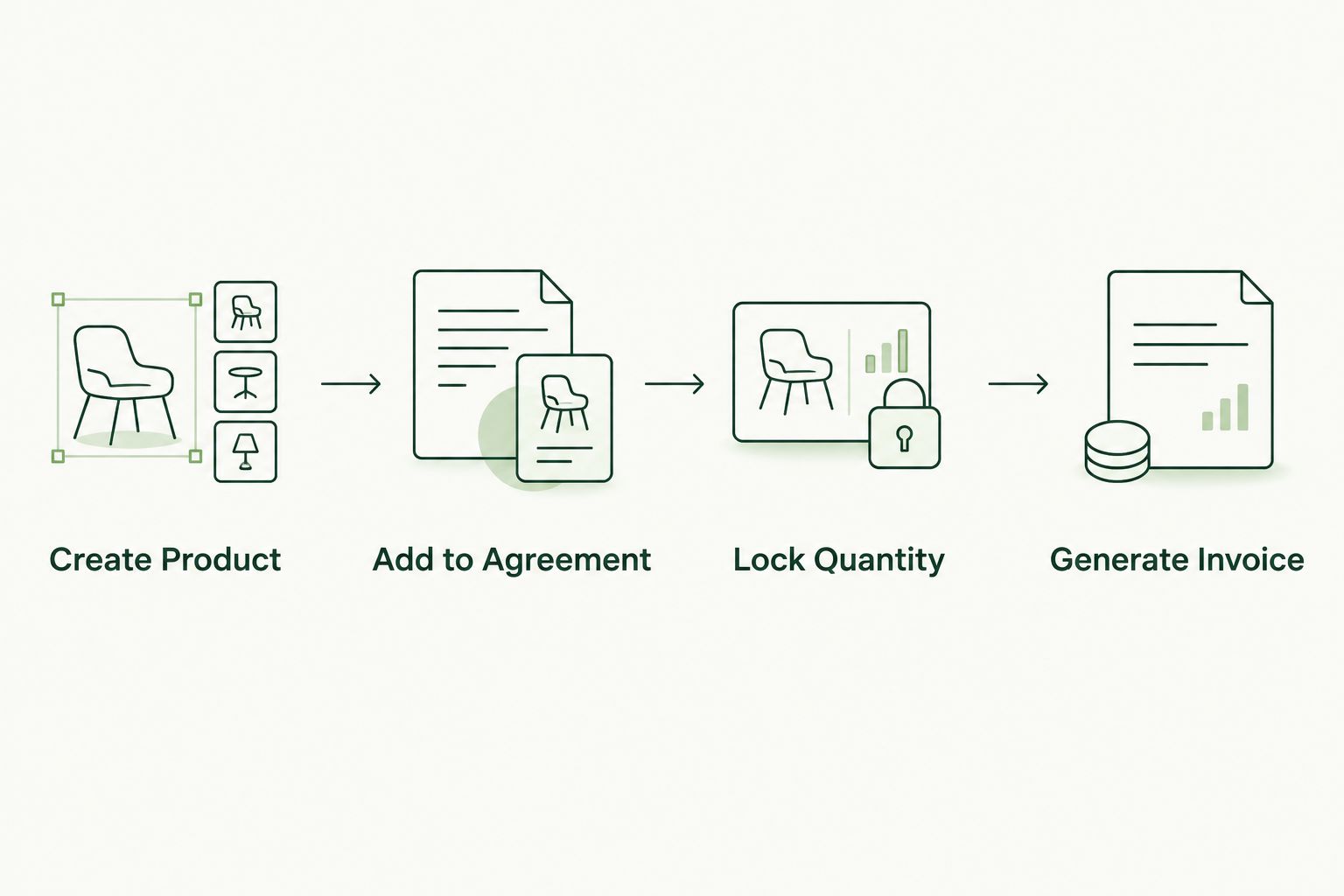
Quantity gets locked once, at setup - not adjusted every billing cycle.
Confirm the invoice trigger
- Go to Finance > Agreement Invoicing (or your installed invoicing template location — this shifts slightly by ConnectWise Manage version).
- Run or schedule the recurring invoice batch.
- Open the generated invoice and verify the
SAT-FLATFEEline item appears once, at your flat rate, with no quantity multiplier.
Expected result: every invoicing run after this pulls the flat security awareness training fee automatically — nobody touches the line item again unless the rate itself changes.
Auto-bill when you onboard a new subclient
If your MSP spins up a fresh Company record for every new client, add SAT-FLATFEE to the Agreement Template instead of adding it by hand each time.
- Go to System > Setup Tables > Agreement Templates.
- Open or clone the template used for standard onboarding.
- Add
SAT-FLATFEEunder that template's Additions, quantity1. - Save the template.
Expected result: every new Agreement built from that template already carries the flat security awareness training charge, so the first invoice for a new client includes it with zero manual steps.
Troubleshooting
- SAT line item bills at a quantity other than 1 — the Addition is syncing to an asset or configuration count. Open the Addition and disable quantity tracking against configurations.
- Product doesn't appear in the Addition search — the catalog item is inactive, or you're searching Services instead of Products (ConnectWise Manage separates the two tables in some configurations).
- Line item missing entirely from a generated invoice — check the Addition's Effective Date; it's either set in the future or was added after that cycle's invoice batch already ran.
- Flat fee charged twice in one month — look for a duplicate active recurring Agreement on the same Company; two Agreements each carrying the Addition will double-bill.
- A rate change didn't apply — editing the Unit Price on the catalog item doesn't retroactively update Additions already attached to live Agreements. Update the price on the Addition itself.
Customize your workflow
Once the flat-fee Addition is standard on every Agreement template, extend the same pattern to the rest of your onboarding checklist — phishing simulation reporting, compliance evidence exports, and quarterly training attestations can all ride the same recurring Agreement structure instead of separate manual invoices. The goal in 2026 is the same for every client: one line item, one flat rate, zero seat-count math.
See the flat-fee model in full
One flat fee, unlimited seats, white-labeled for your MSP.
FAQ
What is the best way to auto-bill security awareness training in ConnectWise Manage?
Attach the training product as a recurring Addition on the client's Agreement with quantity locked at 1, rather than tracking it against configuration or asset counts. That keeps the invoice flat regardless of how many seats the client adds in 2026.
Does DefendWise charge per seat or a flat fee?
DefendWise charges one flat $399/month fee per client with unlimited seats, not a per-seat rate. That's why the ConnectWise Manage Addition should also be set to a fixed quantity rather than a seat-synced one.
Can I bill security awareness training without a ConnectWise Agreement?
You can invoice it as a one-off product sale, but you'll lose the recurring automation. Attaching it to a recurring Agreement is what makes the billing run itself every cycle.
Why does my SAT line item change quantity every month?
The Addition is syncing to an asset or configuration count on the Agreement. Open the Addition settings and disable the quantity sync so it stays fixed at 1.
How do I add security awareness training to a new client automatically?
Add the training product to the Agreement Template your team uses for onboarding. Every new company built from that template inherits the flat-fee Addition automatically.
Is security awareness training billing different from managed security billing in ConnectWise Manage?
The mechanics are the same — both use Products, Additions, and recurring Agreements — but managed security services are often priced per device or per user, while flat-fee security awareness training should be priced per client regardless of count.
How much does DefendWise cost per client in 2026?
DefendWise is $399 per month per client with unlimited seats, white-labeled for MSPs to resell under their own brand.
One last thing
Most ConnectWise Manage billing errors on security awareness training trace back to one setting: an Addition left synced to a configuration or asset count. Check that single field across your existing Agreements before you build a new template in 2026 — it's faster than waiting for a client to flag a wrong invoice total themselves.