How to choose the right vendor for MSP security awareness training
How to choose the right vendor for MSP security awareness training, with a practical checklist for pricing, reporting, and client delivery.
DefendWise
DefendWise
TL;DR
If you are an MSP asking how to choose the right vendor for security awareness training, do not start with the longest feature grid. Start with the work you will have to repeat every month: onboarding clients, adding and removing users, launching training, chasing completion, reporting to each client, and keeping evidence clean.
The right vendor for an MSP is not simply the tool with the biggest content library. It is the platform that lets you deliver training across many clients without turning the service into a per-seat margin leak or an admin queue. Evaluate tenant separation, pricing model, reporting quality, automation, client branding, current-threat coverage, support, and the proof you can hand to clients in QBRs, audits, and cyber insurance conversations.
A good shortlist should answer one practical question: can this vendor help you train more users across more clients while keeping the MSP in control?
What “the right vendor” means for MSP security awareness training
For an MSP, vendor selection is different from buying an internal training tool for one company.
A single business can choose a security awareness training vendor by asking whether the content is good, employees will complete it, and reports satisfy management. An MSP has to answer a harder question: can we deliver this as a repeatable service across many clients without creating a support and billing problem every time a client adds staff?
NIST’s small-business guidance on choosing a vendor or service provider points buyers toward vendor security, outside support, and service-provider due diligence. That frame matters here. A security awareness training vendor does not just supply modules. It becomes part of how the MSP packages security, handles client evidence, and proves work was done.
For MSPs, the right vendor should help with:
- covering more users without awkward seat decisions,
- separating each client’s users, reports, and evidence,
- onboarding and offboarding users without manual chasing,
- presenting training under the MSP’s brand where appropriate,
- producing reports clients can understand,
- supporting current threat topics without constant content rebuilds,
- keeping the monthly service profitable.
Related DefendWise guides:
- Multi-tenant SAT
- Alternatives to per-seat SAT pricing for MSPs
- How to onboard clients to a multi-tenant SAT platform
Why MSP vendor selection goes wrong
Most bad SAT vendor decisions are not obvious on day 1.
The demo looks fine. The module list looks long. The phishing templates look active. The dashboard has charts. The pricing may even look reasonable for the first few clients.
Then the MSP tries to run it as a service.
A new client needs onboarding. Another client wants branded emails. A third wants a cyber insurance evidence pack. A fourth has seasonal workers. A fifth asks whether training can be included for every user without a surprise bill. Someone has to reconcile users, assign courses, resend reminders, pull reports, format screenshots, and answer questions from client managers.
That is where vendor fit shows up.
The question is not “does this vendor have security awareness content?” Most vendors do. The question is “does this vendor match the MSP operating model?”
NIST SP 800-50 Revision 1, Building a Cybersecurity and Privacy Learning Program, updates NIST’s awareness and training guidance around a learning-program lifecycle rather than a one-off training event. MSPs should borrow that mindset. Training needs planning, delivery, measurement, and improvement. A vendor that makes only the delivery step easy will still leave the MSP holding the rest of the work.
The vendor-selection scorecard for MSPs
Use this table before you fall in love with a demo.
| Selection area | What to ask | Why it matters for MSPs | Red flag |
|---|---|---|---|
| Client model | Can we manage multiple clients cleanly from one MSP view? | MSPs need tenant separation, not a pile of single-client accounts. | Client data, reports, or admin roles blur together. |
| Pricing | Does pricing support broad client coverage? | Per-seat billing can discourage universal training and squeeze fixed-fee packages. | Every extra user creates a margin argument. |
| User lifecycle | How do users get added, removed, grouped, and reassigned? | Staff changes are constant across clients. | Manual CSV work becomes the default. |
| Reporting | Can reports be exported by client, period, campaign, group, and exception? | Clients need evidence for QBRs, audits, and insurance conversations. | The vendor shows pretty charts but weak exports. |
| Branding | Can training emails, portals, and reports look like the MSP service? | Trust improves when clients see their MSP, not an unknown third party. | Vendor branding dominates the client experience. |
| Content freshness | How are current threats added and reviewed? | Phishing, BEC, vishing, AI impersonation, and deepfakes move quickly. | The library feels static or generic. |
| Admin automation | What reminders, nudges, campaign rules, and recurring reports can be automated? | Admin time kills margins. | The MSP has to chase every client by hand. |
| Evidence | Can the platform prove scope, assignment, completion, reminders, and exceptions? | Completion alone is a weak client-proof layer. | Evidence must be rebuilt from screenshots. |
| Support | Does support understand MSP delivery? | MSPs need partner support, not only end-customer support. | The vendor assumes one internal security team. |
| Exit path | Can you export data and evidence if you leave? | Client records must not be trapped. | Exports are unclear or locked down. |
The strongest vendor is not always the one that wins every row. It is the one with no fatal row for your service model.
Step-by-step: how to choose the right vendor
1. Decide what service you are selling
Before evaluating vendors, write the service promise in plain English.
Are you selling annual checkbox training? Monthly phishing simulations? A managed human-risk program? Compliance evidence packs? Client-branded awareness? Training bundled into a security package? Each answer changes the vendor requirements.
If the offer is “every client gets managed awareness training,” then pricing and automation matter as much as content. If the offer is “regulated clients get audit evidence,” then export quality and scope records matter. If the offer is “white-label security service,” then branding and client-facing reports matter.
Do not let the vendor define the service for you.
2. Map the client lifecycle
List the tasks you will perform for a typical client:
- create the client tenant,
- import or sync users,
- group users by role or department,
- assign onboarding training,
- schedule recurring training,
- run phishing or social-engineering practice where appropriate,
- send reminders,
- handle exceptions,
- export reports,
- review results in QBRs,
- offboard users,
- archive evidence.
Then ask the vendor to show those tasks live. Not the best dashboard. The workflow.
CISA’s Cybersecurity Awareness and Training resources treat awareness as part of broader cyber readiness, not a one-page exercise. That is the right standard for MSPs. If a vendor cannot show the lifecycle, the MSP inherits the missing pieces.
3. Test multi-tenant reality, not the brochure claim
“MSP-friendly” can mean many things.
For security awareness training, it should mean the MSP can manage many client organizations with clear boundaries. Client A’s users, reports, campaigns, managers, and evidence should stay separate from Client B’s. MSP admins should not need a separate login for every client. Reporting should not require copy-paste work across tenants.
Ask these questions:
- Can one MSP admin see all clients and drill into one client?
- Can client managers see only their own data?
- Can reports be exported per client and per date range?
- Can templates, branding, and default campaigns be reused safely?
- Can users be moved, disabled, or updated without corrupting history?
- Can the MSP prove which client received which training?
If the answer is fuzzy, assume the daily workflow will be fuzzy too.
4. Compare pricing against the package, not the demo account
Per-seat pricing can look fair when you are testing a small pilot. It can become uncomfortable when you want to include every user at every client in a fixed-fee service package.
This is not a moral argument against per-seat vendors. Per-seat pricing can be rational for a buyer who wants narrow usage and perfect user-count alignment. But MSPs often want the opposite: broad coverage, predictable margin, and less arguing about whether every part-time user, seasonal user, mailbox, or contractor should be included.
Ask:
- What happens when a client grows by 20 users?
- Do inactive users still count?
- Can we include every client without re-quoting every seat?
- Are there minimums, bundles, fair-use limits, or annual true-ups?
- Does the model support our gross margin at client 10, 50, and 100?
DefendWise uses a $399/month flat fee with unlimited users and unlimited client organizations. That model is designed for MSPs that want SAT to be a standard service layer, not a per-user negotiation every month.
5. Check reporting before content
A training module is only half the job. The other half is proving what happened.
CIS Control 14 says organizations should establish and maintain a security awareness and skills training program to influence workforce behavior and reduce risk. That program view gives MSPs a reporting target: show coverage, show activity, show exceptions, and show the next improvement.
A good MSP-ready report should answer:
- Which users were in scope?
- Which training was assigned?
- Who completed it?
- Who did not?
- Which reminders were sent?
- What phishing or scenario activity happened, if used?
- What changed after training?
- What risks or exceptions remain?
- What should the client do next quarter?
Microsoft’s Defender for Office 365 attack simulation training reports show why reporting detail matters. Simulation coverage, training completion, user activity, repeat behavior, and reported messages all tell a different story. MSPs need the same principle in their SAT vendor: not one completion number, but enough detail to manage the client.
6. Look for current-threat coverage with review discipline
Security awareness content should keep up with the threat mix clients actually face: phishing, credential theft, business email compromise, vishing, QR phishing, malicious attachments, MFA fatigue, AI-written lures, deepfakes, and social engineering across email, phone, SMS, and collaboration tools.
CISA’s Recognize and Report Phishing page notes that phishing can arrive through email, text, social media direct messages, or phone calls. That is the practical baseline. Training should not teach email-only habits if clients are facing multi-channel scams.
But “AI-generated content” is not automatically better. Ask how the vendor reviews content, checks sources, retires stale modules, and keeps training usable for non-security staff. The right standard is current and clear, not noisy.
DefendWise is AI-native and uses AI-generated training content, but MSPs should still evaluate any AI-native vendor on review quality, clarity, source discipline, and reporting fit.
7. Ask how the vendor handles client trust
Training emails are unusual by design. They ask users to click, sign in, watch, report, or respond. If the email looks like it came from a random third-party tool, some users will ignore it and some will report it as suspicious. That may be safer than blind clicking, but it can also lower completion and create support noise.
For MSPs, white-label delivery can help. The portal, emails, reports, and client-facing language should make it clear that the training is part of the MSP’s managed service.
Ask whether the vendor supports:
- MSP branding,
- client-specific branding where needed,
- custom sender identity or clear sender explanation,
- branded reports,
- manager-facing summaries,
- consistent templates across clients.
White-label is not decoration. It is part of service ownership.
8. Verify compliance evidence carefully
Security awareness training can support compliance and insurance conversations. It should not be sold as a magic compliance pass.
NIST’s Cybersecurity Framework gives organizations a way to organize cybersecurity outcomes. CIS Control 14 focuses specifically on awareness and skills training. ISO 27001 includes awareness, education, and training expectations, but exact audit evidence depends on scope, controls, the auditor, and the client’s broader management system.
For MSP vendor selection, the safe question is:
“Can this platform produce clean, tenant-specific training evidence that helps the client answer awareness and training questions?”
Avoid vendors that imply SAT alone proves compliance, lowers premiums, or satisfies a whole framework. The useful claim is narrower and stronger: the platform should help you preserve evidence for the training layer.
9. Run a small pilot with the worst workflow
Do not pilot the easiest client.
Pick a realistic client with a few messy edges: staff changes, managers who need reports, a few exceptions, multiple departments, maybe a compliance or insurance question. Run the pilot through the exact workflow you would use after purchase.
Track:
- time to create the tenant,
- time to import or sync users,
- training launch time,
- reminder setup,
- support questions,
- report export quality,
- manager usability,
- evidence quality,
- admin time after launch.
The pilot should reveal operational cost, not just learner experience.
10. Decide with a “Monday morning” test
After the demo, ask what Monday morning looks like when 15 clients are live.
Who handles new users? Who handles reports? Who explains low completion? Who updates campaign topics? Who answers a client manager? Who packages evidence for a renewal questionnaire? Who checks whether the vendor bill still fits the MSP package?
If those answers are clean, the vendor may fit. If the answers depend on heroic admin work, the vendor is only shifting the burden.
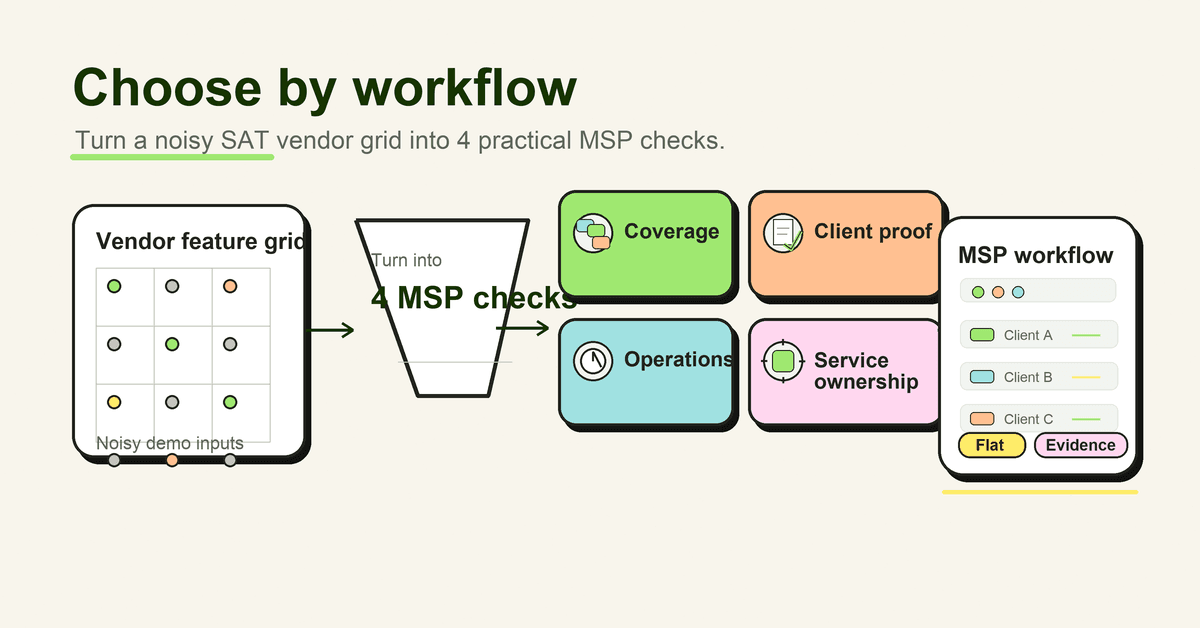
What good vendor fit looks like
A good MSP SAT vendor gives you confidence in four areas.
| Fit area | Weak fit | Strong MSP fit |
|---|---|---|
| Coverage | Training only the easy users to control spend | Broad coverage across every client without seat anxiety |
| Operations | Manual setup, reminders, exports, and report formatting | Repeatable client onboarding, reminders, reporting, and evidence |
| Client proof | A completion chart | Client-ready reports with scope, activity, exceptions, and next steps |
| Service ownership | Vendor-branded experience and disconnected support | MSP-branded delivery that feels like part of the managed service |
That is the vendor-selection shortcut. If the platform cannot help with coverage, operations, proof, and ownership, it will be hard to scale.
Mistakes to avoid
Choosing by content-library size alone
A big content library can still create a weak MSP service if users are hard to manage, reports are thin, and pricing punishes broad coverage. Content is necessary. It is not the whole operating model.
Treating phishing simulations as the entire program
Phishing simulations are useful when they are ethical, relevant, and connected to coaching. They are not the full awareness program. A mature program also covers role-based decisions, reporting, access, data handling, social engineering, and client evidence.
Microsoft’s simulation documentation is a useful reminder that simulations have setup, payload, user, reporting, and training steps. MSPs should evaluate the workflow, not only the lure library.
Ignoring pricing until renewal
Pricing is not a procurement detail. It shapes coverage. If every new user creates a new cost discussion, the MSP may under-train low-margin clients or avoid including all users. That weakens the service promise.
Accepting weak exports
Screenshots are not a reporting system. If you cannot export client-level evidence cleanly, you will rebuild reports by hand during QBRs, audits, and insurance renewals.
Overbuying enterprise features
Some platforms are built for one large enterprise security team. That can be powerful, but it may not be MSP-friendly. If the tool assumes a single tenant, a big internal team, and heavy configuration, it may be wrong for managed delivery.
Believing every “MSP-friendly” claim
Ask the vendor to show the MSP console, client separation, manager permissions, report exports, onboarding workflow, pricing model, and support process. If the MSP part exists only in the sales deck, keep looking.
A practical buying checklist
Before signing, get clear answers to these questions.
Service fit
- What exact client service will this vendor support?
- Does it work for small, mid-market, regulated, and high-turnover clients?
- Can we package it into our existing managed-service tiers?
- Does it support a free trial or pilot path for prospects?
MSP operations
- Is there a true multi-tenant MSP view?
- Can client managers have scoped access?
- How are users imported, synced, grouped, disabled, and audited?
- How are reminders automated?
- Can campaign templates be reused safely?
Reporting and evidence
- Can reports be exported by client, date range, user group, campaign, and completion state?
- Can we see reminders and exceptions?
- Can we produce QBR-ready summaries?
- Can evidence be retained if a user leaves?
- Can data be exported if we change vendors?
Pricing and margin
- Is pricing per seat, per active user, per client, tiered, flat-fee, usage-based, or fair-use?
- What counts as a billable user?
- Are there minimums or annual commitments?
- What happens when client headcount changes?
- Does the model protect our margin when adoption grows?
Client experience
- Can the training portal be white-labelled?
- Can emails and reports reflect the MSP brand?
- Does the vendor experience confuse users or look suspicious?
- Can managers understand the report without a security translation layer?
Risk and compliance posture
- What frameworks or evidence views are supported?
- Are framework claims high-level and honest?
- Does the vendor avoid promising that training alone proves compliance?
- Is vendor security due diligence available?
The FTC’s vendor security guidance is written for small businesses, but MSPs can use the same principle when reviewing any vendor that touches client data: understand what data the vendor can access, how it protects that data, and what happens if something goes wrong.
How a flat-rate MSP SAT platform helps
DefendWise is built around the MSP operating problem: one flat $399/month fee, unlimited users, unlimited client organizations, white-label and multi-tenant delivery, automated onboarding and reporting, Microsoft 365 sync, Zapier integration, and AI-native training content.
That does not remove the need for vendor due diligence. It does remove the most painful SAT buying trade-off for many MSPs: whether to train everyone or protect margin. If your service promise depends on broad coverage, low admin, and clean client proof, start with that operating model and choose the vendor that fits it.
Start with the workflow. Then pick the tool.
Frequently asked questions
How should an MSP choose the right security awareness training vendor?
Start with the operating model: client coverage, tenant separation, user lifecycle, reminders, reporting, evidence, pricing, support, and how the platform fits the MSP's service package. Content quality matters, but it is not enough on its own.
What is the biggest mistake MSPs make when choosing a SAT vendor?
The common mistake is choosing by content library size or phishing-template count before checking whether the vendor can support many clients with clean reporting, predictable pricing, and low admin work.
Should MSPs choose per-seat or flat-fee security awareness training?
Per-seat pricing can work for narrow deployments, but it can create margin and coverage pressure when an MSP wants to bundle training across every client. A flat-fee model is easier to package when the MSP wants broad coverage without a seat-by-seat bill.
What reporting should a security awareness training vendor provide?
MSPs should look for client-level reports that show scope, assigned users, completion, reminders, phishing or training activity where relevant, exceptions, and evidence that can support QBR, audit, and cyber insurance conversations.
Does a SAT vendor need multi-tenant management?
For MSP delivery, yes. A single-client tool can become hard to manage when the MSP has to onboard, report on, and support many clients. Multi-tenant management helps separate clients, reduce duplicate work, and keep evidence clean.
Should vendor selection include compliance mapping?
Yes, but only at the right level. Training can support awareness and evidence conversations for frameworks such as NIST CSF, CIS Control 14, ISO 27001, and cyber insurance questionnaires, but SAT alone does not prove full compliance.
Where does DefendWise fit in a vendor shortlist?
DefendWise is a flat-fee, white-label, multi-tenant, AI-native security awareness training platform for MSPs. It is built for MSPs that want predictable pricing, broad client coverage, and lower admin load across many tenants.
Source notes
- NIST — Choosing a Vendor/Service Provider: https://www.nist.gov/itl/smallbusinesscyber/guidance-topic/choosing-vendorservice-provider
- FTC — Vendor security: https://www.ftc.gov/business-guidance/small-businesses/cybersecurity/vendor-security
- ND-ISAC — MSP shopping questionnaire for SMBs: https://ndisac.org/wp-content/uploads/2022/12/NDISAC-SMB-WG-MSP-Shopping-Questionnaire-Rev-4.5.pdf
- NIST CSRC — SP 800-50 Revision 1 announcement: https://csrc.nist.gov/News/2024/nist-publishes-sp-800-50-revision-1
- NIST DOI — SP 800-50r1: https://doi.org/10.6028/NIST.SP.800-50r1
- CISA — Cybersecurity Awareness and Training: https://www.cisa.gov/cybersecurity-awareness-training
- CISA — Recognize and Report Phishing: https://www.cisa.gov/secure-our-world/recognize-and-report-phishing
- CIS — Control 14: Security Awareness and Skills Training: https://www.cisecurity.org/controls/security-awareness-and-skills-training
- NIST — Cybersecurity Framework: https://www.nist.gov/cyberframework
- Microsoft Learn — Attack simulation training reports: https://learn.microsoft.com/en-us/defender-office-365/attack-simulation-training-insights
- Microsoft Learn — Simulate a phishing attack with Attack simulation training: https://learn.microsoft.com/en-us/defender-office-365/attack-simulation-training-simulations
- Verizon — Data Breach Investigations Report archive/current report: https://www.verizon.com/business/resources/reports/dbir/
- CISA — Cybersecurity Performance Goals: https://www.cisa.gov/resources-tools/resources/cybersecurity-performance-goals