How MSPs can bundle security awareness training without losing margin
How MSPs can bundle security awareness training while protecting margin, reducing admin, and packaging SAT as a standard service.
DefendWise
DefendWise
TL;DR
Security awareness training is easier to sell than it is to package well. MSPs can bundle SAT into managed services, but only if the offer protects gross margin, keeps onboarding repeatable, and gives clients useful reporting without creating another admin loop.
The mistake is treating SAT as a small add-on that can be thrown into every agreement without changing the delivery model. If the pricing model, client packaging, and reporting workflow are messy, the bundle becomes a quiet margin leak.
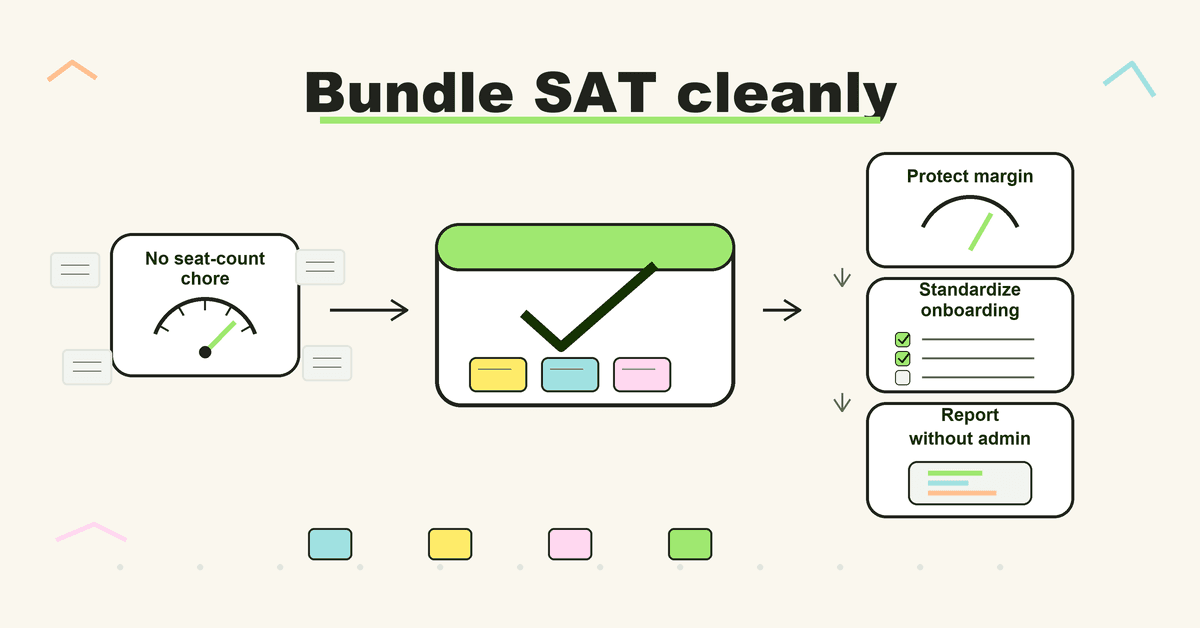
A good MSP bundle makes 4 things explicit: who is covered, how users are added, what evidence clients receive, and how the MSP keeps delivery profitable as client headcount changes.
Why SAT belongs in the MSP bundle
Security awareness training has moved from a nice add-on to a normal part of the security conversation. CISA tells small and medium-sized businesses to train employees to recognize and report phishing because phishing can expose credentials, business accounts, devices, and operations.
That is exactly why clients ask MSPs about it. They do not want another vendor login or another annual checkbox. They want their MSP to make it part of the managed security service.
For MSP owners, the commercial question is not whether SAT is useful. The question is whether it can be bundled without eating the margin in the rest of the agreement.
Bundled SAT works when it does 4 jobs:
- It gives every managed client a clear baseline of user training.
- It strengthens the MSP’s security package without turning the agreement into a pile of add-ons.
- It gives account managers something concrete to show in QBRs and renewals.
- It protects delivery teams from client-by-client campaign admin.
That last point is where many bundles fail. The MSP sells the promise once, then the service desk, operations lead, or security lead inherits the recurring work.
The margin problem hiding inside per-seat SAT
Per-seat pricing is simple for one company buying for one workforce. It gets harder when an MSP is managing many changing client workforces.
Every client adds questions:
- Are all users covered, or only the users in the security package?
- Do part-time workers count?
- Do contractors count?
- What happens when a 40-user client becomes a 55-user client?
- What happens when a small client needs the same evidence as a large one?
- Who reconciles vendor users against client billing?
Those are not security questions. They are margin and operations questions.
Lisa’s Monday MSP market pulse made the same point from a broader vendor-pricing angle: MSP owners need vendor commitments, live usage, and client invoices to tell the same story. If those 3 numbers drift apart, margin leaks through stale seats, unbilled users, or delivery work that was never priced into the agreement.
The same logic applies to SAT. A low per-user rate can still be a bad bundle if it forces the MSP to keep counting, reconciling, excluding, and explaining seats.
What a bundle needs before it goes into an MSA
Before adding SAT to a managed services agreement, define the offer as a service, not a tool.
A tool description says: “client gets training.”
A service description says:
- which users are included,
- how new users are enrolled,
- how often training runs,
- what happens when users do not complete it,
- what report the client receives,
- what the MSP reviews internally,
- where SAT fits in QBRs, renewals, cyber-insurance conversations, and compliance evidence requests.
That definition matters because MSP clients judge the service by outcomes they can see: clean onboarding, clear reminders, branded emails, useful reporting, and fewer awkward “who is included?” conversations.
NIST SP 800-53 AT-2 frames awareness as ongoing literacy and training, not a one-off event. It also points to topical refreshers, practical exercises, and updates based on new attack schemes, policy changes, incidents, or audit findings. For MSPs, that is a clue: SAT should be packaged as a recurring program, not an annual video link.
Practical bundle options for MSPs
Use the bundle model that matches the MSP’s commercial motion. Do not copy a vendor’s pricing page into the MSA.
| Bundle model | Best fit | What the client sees | Margin risk | How to protect margin |
|---|---|---|---|---|
| Included baseline | MSPs that want SAT as a standard security floor | SAT included for every managed user | Vendor seat count grows faster than client billing | Use predictable vendor pricing, define coverage, and review user sync monthly |
| Tiered security package | MSPs with good/better/best packages | SAT included in the security or compliance tier | Lower tiers may feel under-protected | Make the tier logic clear and avoid one-off exceptions |
| Compliance/evidence pack | MSPs serving regulated or insurance-sensitive clients | Training reports and completion evidence included | Reporting becomes manual work | Standardize report cadence and templates before selling |
| White-label client service | MSPs that sell under their own security brand | Client sees the MSP brand, not the vendor | Branding, emails, and reports take setup time | Use reusable brand templates and client onboarding checklists |
| Optional add-on | MSPs testing demand before standardizing | Client chooses SAT separately | Low attach rate and scattered delivery | Limit the test period and decide whether SAT becomes standard |
There is no universal right answer. The wrong answer is the one where sales promises broad coverage and operations has to deliver it with seat-by-seat exceptions.
Step-by-step: build the bundle without creating admin drag
1. Pick the commercial home
Decide whether SAT belongs in the base managed services package, a higher-value security tier, or an evidence/compliance add-on.
If the MSP wants SAT to become standard, avoid a model that requires a fresh sales conversation for every user count change. The easier it is to include every relevant user, the easier it is to make the service normal.
2. Define the coverage rule
Write the rule in plain English. For example: “SAT covers all active employees in managed Microsoft 365 tenants” or “SAT covers all named users under the managed security tier.”
The exact rule matters less than having one. Without it, the MSP ends up deciding user-by-user, which is where margin, security coverage, and client expectations drift.
3. Price against delivery work, not only vendor cost
Vendor pricing is only part of the margin model.
Include the delivery work:
- client setup,
- user enrollment,
- reminders,
- escalation handling,
- report review,
- QBR preparation,
- exceptions for small clients, seasonal workers, executives, and contractors.
If those steps are manual, bundle pricing needs to account for them. If they are automated, the MSP can price with more confidence.
4. Standardize onboarding before the first broad rollout
Create a repeatable setup path before the service is sold across the base.
A simple onboarding checklist should cover:
- client workspace or tenant setup,
- MSP branding,
- user import or sync,
- initial training assignment,
- reminder schedule,
- reporting recipients,
- escalation contact,
- QBR reporting cadence.
Do this once, then reuse it. Every custom setup path is a tax on future margin.
5. Decide what reporting clients actually need
Clients do not need a data dump. They need a report they can understand and reuse.
A useful MSP SAT report usually answers:
- who is enrolled,
- who completed assigned training,
- who is overdue,
- what topics were covered,
- what follow-up is needed,
- what evidence can be kept for insurance, compliance, or leadership review.
CISA’s ransomware guidance includes user awareness and training as part of practical cyber hygiene, including guidance on identifying and reporting suspicious activity. That makes reporting valuable, but it does not mean MSPs should overpromise compliance outcomes. Show evidence. Do not guarantee a result.
6. Put exceptions into the service design
Every MSP has clients that do not fit the default package.
Small clients, seasonal teams, temporary workers, outsourced finance roles, and executive users can all create exceptions. Decide in advance whether they are included, excluded, or handled through a defined add-on.
The goal is not perfect legal language in the blog draft. The goal is to stop exceptions from being solved by whoever gets the ticket.
7. Review gross margin after 30 to 60 days
Do not wait until renewal to find out the bundle is noisy.
After the first group of clients is onboarded, review:
- vendor cost,
- active user count,
- client billing coverage,
- time spent on onboarding,
- recurring support tickets,
- report production time,
- account manager feedback.
If those numbers do not line up, fix the package before expanding it.
What good looks like
A healthy MSP SAT bundle has a few obvious signs.
The MSP can explain the service in one sentence:
“Security awareness training is included for covered users, delivered under our brand, with recurring training and client-ready reporting.”
The service team can onboard a new client from a checklist, not from memory.
Account managers know which report to show and when to show it.
Client users get clear reminders and a consistent learner experience.
The MSP owner can look at the package and understand the margin floor without chasing 4 spreadsheets.
Most importantly, the MSP does not have to choose between broader coverage and protected margin every time a client adds users.
Mistakes to avoid
Selling SAT as “free” without pricing the work
If SAT is included in the package, it still has a cost. The MSP is paying for platform access, onboarding, reporting, support, and account management. “Free” language can make the service harder to defend later.
Letting every client have a custom program
Custom work is sometimes necessary. It should not be the default. A bundle needs a standard baseline, with controlled exceptions.
Treating completion reports as the whole service
Completion data matters, but it is not the only signal. Good reporting helps the client understand coverage, overdue users, risk themes, and the next action.
Hiding the vendor brand badly
If the MSP sells security under its own brand, a half-branded training portal can weaken the client experience. White-label delivery is not decoration; it is part of how the MSP owns the service relationship.
Using compliance language the evidence cannot support
SAT can support client conversations about cyber insurance, audit readiness, and frameworks. It should not be sold as a compliance guarantee. Keep the language tied to evidence and reporting, not promises.
Where flat-fee, multi-tenant SAT changes the economics
A flat-fee platform does not remove the need for packaging discipline. It removes one of the worst variables: the moving per-seat vendor bill.
DefendWise is built for MSPs that want SAT to be easier to include across the client base. The public offer is simple: $399/month flat, unlimited users, unlimited client organisations and subclients, white-label delivery, multi-tenant management, automated onboarding/reporting, and AI-native content.
That matters because a bundled service needs predictable inputs. When the MSP knows the platform cost, it can focus on the service design:
- which package includes SAT,
- how client onboarding works,
- how reports are delivered,
- how account managers explain the service,
- how the MSP keeps the experience consistent across clients.
The flat fee is not the whole strategy. It is what lets the strategy scale without turning every new learner into a pricing decision.
Frequently asked questions
Can MSPs bundle security awareness training into managed services?
Yes. MSPs can bundle security awareness training into managed services, especially when the client already expects security guidance from the MSP. The bundle works best when coverage, onboarding, reporting, and pricing are defined before rollout.
Should SAT be included for every managed client?
That is a commercial decision. Many MSPs will want a baseline level of SAT across managed clients because it makes the security package easier to explain. Others will start with a security tier or compliance pack before making it standard.
What is the biggest margin risk when bundling SAT?
The biggest margin risk is not only vendor cost. It is unmanaged delivery work: setup, reminders, user changes, reporting, exceptions, and account-management follow-up. If those steps are manual, the bundle can look profitable on paper and still drain time.
How should MSPs report SAT value to clients?
Keep the report practical. Show enrolled users, completion status, overdue users, topics covered, follow-up actions, and evidence the client can keep. Avoid turning the report into a raw export that the client will not read.
Can SAT support cyber-insurance or compliance conversations?
Yes, SAT can provide useful evidence for cyber-insurance and compliance conversations, especially when training cadence, completion, and follow-up are documented. It should not be described as a compliance guarantee or a promise that incidents will be prevented.
Why does multi-tenant management matter for MSP SAT?
MSPs are not managing one workforce. They are managing many client environments. Multi-tenant management helps keep client data separate, reporting organized, and rollout work repeatable from one MSP console.
How can an MSP test a SAT bundle before rolling it out broadly?
Start with a small client cohort. Use one package definition, one onboarding checklist, one report format, and one internal owner. After 30 to 60 days, review gross margin, tickets, reporting time, and client feedback before expanding.
Where does DefendWise fit?
DefendWise is a flat-fee, AI-native SAT platform built for MSPs. It is designed for MSPs that want to bundle training across clients without per-seat vendor pricing, with white-label delivery, multi-tenant management, and automated onboarding/reporting.