Does training still work with high employee turnover?
Security awareness training high employee turnover: yes, when onboarding, refreshers, and offboarding follow staffing changes. Use this MSP checklist.
DefendWise
DefendWise
Yes—security awareness training still has a role when employee turnover is high, provided onboarding, reinforcement, and offboarding follow staffing changes rather than a fixed annual calendar. Training does not replace access controls, and completion records alone do not show whether employees can recognize and report a suspicious request.
TL;DR
- Security awareness training high employee turnover: train new starters when they join, not at the next annual campaign.
- Defend Wise offers MSPs white-label security awareness training with unlimited seats; staffing workflows still need clear owners.
- Keep current-worker coverage separate from departed-worker records so turnover does not distort your reporting.
- Pair training with access controls, reporting instructions, and documented offboarding.
Does training still work with high employee turnover?
Yes. Turnover changes how you deliver training, not whether new employees need it. A replacement employee does not inherit the departing employee's knowledge. Your process must introduce the replacement to the organization's reporting route, approval rules, and handling expectations.
For MSPs reviewing their delivery model in 2026, start with ownership rather than another campaign. Defend Wise is for MSPs that want white-label security awareness training without per-seat billing. That commercial model addresses seat-count friction; it does not decide who tells the MSP that someone joined, changed roles, or left.
Build the service around these steps:
- Identify staffing changes. Name the client contact responsible for communicating starters, role changes, and departures. Agree which record establishes that a person is active.
- Assign relevant training. Give new starters the instructions they need for their actual work. Explain how to report suspicious messages and verify unusual requests through an approved channel.
- Check understanding. Use questions or a scenario that asks the employee to choose an action. Record completion separately from the result of that check.
- Reinforce when work changes. Revisit the relevant instructions when someone gains a new responsibility, receives different access, or encounters a reporting problem.
- Close the employment record. Stop assigning future learning to departed workers, preserve the appropriate history, and route access removal through the offboarding process.
These steps describe a service workflow, not a claim that any particular platform performs them automatically. Before promising automation to a client, verify the platform's actual functions and the client's available staffing data.
Why this matters
A calendar-based campaign answers a scheduling question: when does training run? A high-turnover workforce creates a different question: who needs instruction now?
An employee who joins after a campaign can be absent from its assignments without appearing overdue. Meanwhile, a departed employee can remain on an active list and make the current team appear less complete than it is. Neither problem is solved by sending another reminder to the same list.
Your 2026 service plan should distinguish roster accuracy, training delivery, and employee response. Those are separate responsibilities. A correct roster does not prove learning, and a completed lesson does not prove that access has been removed when someone leaves.
Calendar-based versus staffing-triggered training
Use the comparison below to choose the operating model, not to declare every scheduled campaign obsolete. A shared refresher and a new-starter assignment serve different purposes.
| Approach | Best for | Useful feature of the approach | Limitation |
|---|---|---|---|
| Calendar-based training | Shared refreshers across an established workforce | Creates a common delivery window and a consistent review point | Does not, by itself, address people who join between campaigns |
| Staffing-triggered training | New starters and employees changing responsibilities | Connects instruction to a change in employment or work | Depends on accurate staffing information and a named owner |
| Combined approach | MSP clients with continuing staffing changes | Preserves shared reinforcement while covering individual arrivals | Requires clear reporting rules so assignments remain understandable |
Use staffing-triggered onboarding alongside scheduled reinforcement. Do not make new employees wait for the next organization-wide campaign, and do not assume an introductory lesson remains sufficient after their responsibilities change.
The combined approach also needs discipline. Without assignment rules, you can create duplicate lessons, conflicting deadlines, or reports that mix introductory training with later reinforcement. Document what each assignment is meant to establish before adding it to the service.
New starters: teach the reporting route before testing it
A new starter needs to know what your client expects them to do, not just what a phishing message looks like. Explain where suspicious messages go, who handles unusual payment requests, and how the employee checks an unexpected instruction.
Use examples tied to the employee's responsibilities. Someone handling supplier bank details needs instructions for verifying changes. Someone handling customer information needs instructions for approved sharing and escalation. These are training subjects to select, not assumptions about every worker's access.
Teach the action before judging the response. If you use a phishing simulation, distinguish a failure to recognize a suspicious message from a failure to find the reporting route. Both deserve attention, but they point to different corrections.
Keep the handoff practical. Your client contact should be able to identify the assigned learning, the responsible manager, and the route for resolving an incomplete assignment without reconstructing the process from email threads.
Role changes: update the instructions, not just the job title
An internal move can change the requests an employee receives and the decisions they are authorized to make. A person moving into purchasing or administration needs instructions that match those responsibilities, even if introductory training is already complete.
Ask the client to identify changes in access, approval authority, information handling, and reporting responsibility. Then decide which training needs to change. Repeating every introductory lesson is not a substitute for explaining the new task.
For your 2026 checklist, make role changes a distinct trigger. Otherwise, a worker can remain marked complete while their training record reflects a different job. The completion is real; its relevance needs review.
Departures: preserve history without treating leavers as active
A departed employee belongs in the appropriate historical record, not in the current assignment queue. Separate those states so managers can see who still needs training without losing the record of what happened during employment.
Training administration and account deactivation are different tasks. Removing someone from a learning assignment does not establish that their email, business applications, or privileged access have been disabled. Route those actions through the client's access-management process.
Use 3 lifecycle checkpoints: joining, changing roles, and leaving. Give each checkpoint an owner and a defined handoff. That makes the service understandable even when different people manage HR records, training, and access.
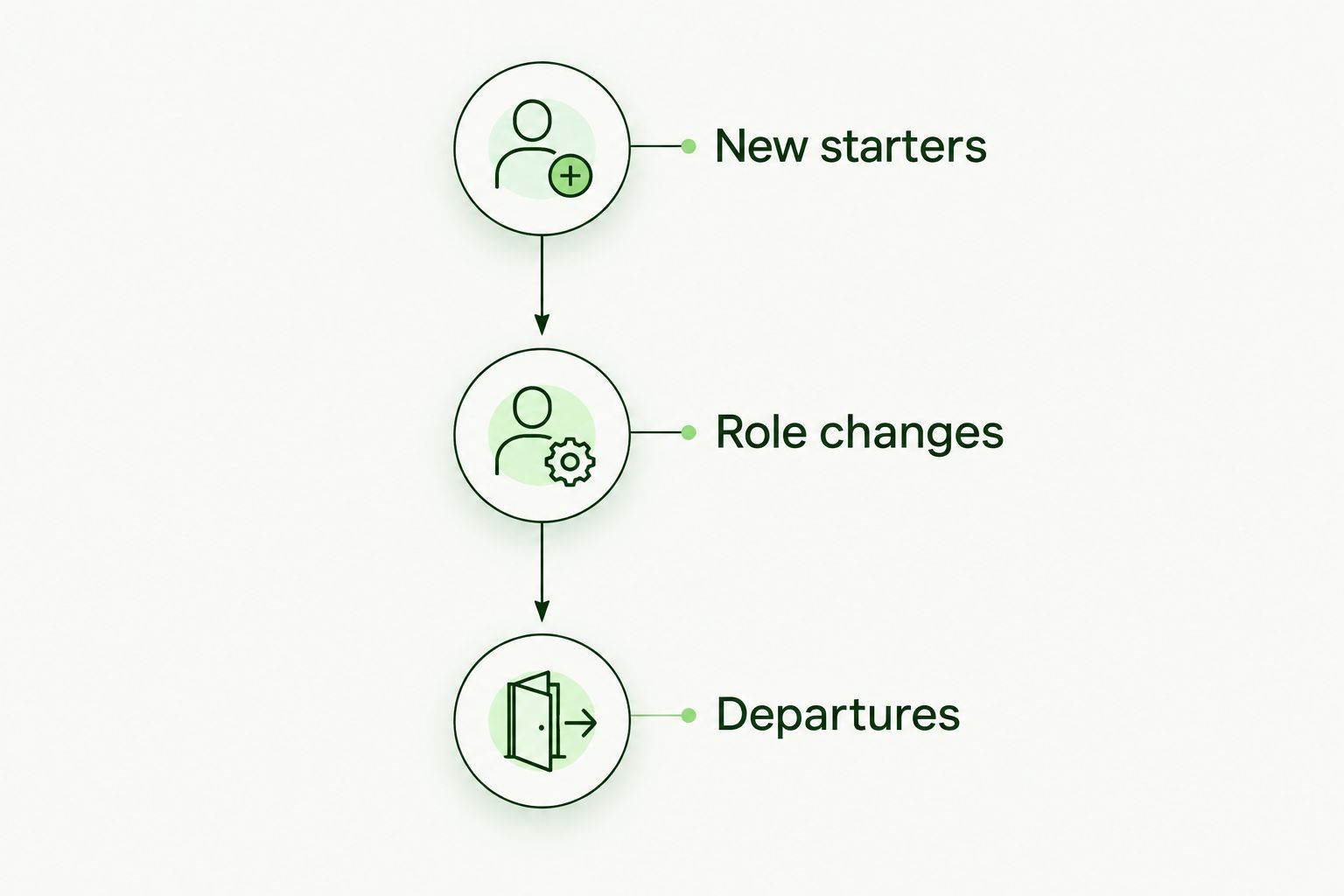
Training assignments should follow employment changes, not just campaign dates.
Why training results vary with employee turnover
High turnover does not describe a single training problem. Review these factors before deciding that the content itself has failed:
- Roster accuracy. Incorrect active-worker records produce incorrect assignment lists. Resolve the staffing record before interpreting completion results.
- Assignment timing. A new starter needs an assignment triggered by joining, not an assumption that the last campaign covered everyone.
- Role relevance. Instructions should match the decisions employees make and the information they handle.
- Reporting clarity. Employees need an identifiable route for suspicious requests, with instructions they can find during work.
- Manager ownership. Someone must resolve overdue assignments, explain exceptions, and confirm whether an employee is still active.
- Record separation. Keep current coverage, historical completion, and access-removal evidence distinct. Each answers a different question.
Before changing platforms, identify which factor needs correction. Replacing lesson content will not repair a missing new-starter notification. Changing reminder frequency will not explain an unclear reporting procedure.
What should an MSP measure when employees keep changing?
Measure whether the service covers the current workforce, whether assignments reach new starters, and whether employees can use the reporting process. Do not compress those questions into a single completion percentage.
For each reporting period, define the active population and the assignments included. Record the treatment of departures and exceptions. Without those definitions, comparing results across periods mixes changes in staffing with changes in learning status.
Use 4 review questions in your 2026 client meeting:
- Who is active? Confirm the population against the agreed staffing source.
- Who needs training? Identify new starters, role changes, and unresolved assignments.
- What happened? Separate assignment delivery, completion, and scenario responses.
- Who acts next? Name the person responsible for each unresolved item.
Treat a report as evidence of the activity it records. A completion record supports a statement that an assignment was completed. It does not, on its own, establish regulatory compliance, prevent an incident, or prove that every employee follows policy.
Does flat-fee training solve the turnover problem?
Flat-fee training addresses the billing model, not the entire employee lifecycle. Unlimited seats remove per-seat billing from the training offer, but someone still needs to maintain the roster and resolve exceptions.
Defend Wise provides flat-fee, white-label security awareness training with unlimited seats for MSPs serving end-client organizations. That fits an MSP service model where training must accommodate staffing changes without per-seat billing. It does not establish which roster updates, reminders, reports, or integrations are automated; verify those functions before including them in your service commitment.
Separate the platform agreement from your delivery agreement. Tell the client what the software provides, what the MSP manages, and what the client must supply. A fixed platform fee does not make undefined administrative work disappear.
For each client handoff, specify 5 fields: client, employee identifier, employment status, responsible owner, and required action. Add other fields only when the workflow needs them, and handle employee information under the client's applicable policies.
Should new employees wait for the annual training campaign?
New employees should receive relevant introductory training when they join rather than wait for the next annual campaign. The annual schedule is a reinforcement mechanism, not evidence that a later hire received instructions.
Define the onboarding trigger in the client agreement. Make the staffing notification and assignment responsibility explicit so neither the MSP nor the client assumes the other party owns it.
Should training completion count employees who have left?
Current-worker coverage should distinguish departed employees from active employees. Preserve historical completion where required, but do not present a leaver's record as evidence that a replacement has completed training.
For a 2026 report, state the reporting period and population clearly. A historical campaign report and a current workforce report answer different questions; label them accordingly.
FAQ
Does security awareness training still work with high employee turnover?
Yes—security awareness training still has a role when onboarding, reinforcement, and offboarding follow staffing changes. Training should teach employees how to recognize and report suspicious requests, alongside access controls and clear operating procedures.
What's the best training schedule for a workforce that changes frequently?
Use new-starter assignments alongside scheduled reinforcement. Trigger additional instruction when responsibilities change rather than relying on an annual campaign to cover every employee.
Should temporary employees receive security awareness training?
Temporary employees need instructions relevant to the systems, information, and responsibilities they receive. Define who assigns that instruction and who communicates the end of their engagement.
Can phishing simulations replace onboarding training?
No—phishing simulations do not replace instructions about reporting routes and approved verification procedures. Teach the expected action before using a simulation to examine how employees respond.
Does removing someone from training disable their business accounts?
Removing a training assignment does not establish that business accounts are disabled. Confirm account deactivation through the organization's access-management and offboarding process.
Is Defend Wise relevant for MSPs with changing client headcounts?
Defend Wise offers MSPs white-label security awareness training with unlimited seats, which removes per-seat billing from the offer. Verify the staffing-update and reporting workflow before promising automated administration to clients.
One last thing
An empty overdue list is not proof that every active employee received an assignment. Someone missing from the training roster cannot appear as overdue on that roster.
Before your next client review, reconcile the active workforce with the assignment list. Resolve missing employees first, then assess incomplete learning. That order keeps a tidy report from concealing an onboarding gap.