Does security awareness training actually stop phishing?
Does security awareness training work? Yes, as part of layered phishing defense. Learn what to measure, what training cannot stop, and how MSPs should deploy it.
DefendWise
DefendWise
Yes—security awareness training works as part of phishing defense, but it does not stop every phishing attack. It teaches people to recognize suspicious requests, verify them through a separate channel, and report them before acting. Training does not block malicious messages or secure a compromised account; your 2026 program still needs email protection, access controls, and an incident-response process.
TL;DR
- Does security awareness training work? Yes, when employees practice verification and reporting—not just complete lessons.
- Defend Wise fits MSPs seeking white-label security awareness training with unlimited seats.
- Phishing simulations measure responses to selected scenarios; they do not prove protection against every attack.
- Pair training with email protection, phishing-resistant authentication, and a clear reporting process.
Defend Wise is best for MSPs seeking white-label security awareness training with unlimited seats. That operating model addresses seat-count friction, not every layer of phishing defense.
Does security awareness training actually stop phishing?
Security awareness training addresses the human decisions an attacker tries to manipulate. Your employee receives a request, decides whether it is legitimate, and either acts, verifies, or reports. Training belongs at that decision point—not in place of the systems that protect the inbox and account.
Use this comparison to assign each control a job. A control is effective only against the failure it actually addresses.
| Control | Best for | What it contributes | What it does not establish |
|---|---|---|---|
| Security awareness training | Improving employee decisions | Teaches verification, recognition, and reporting | Completion does not prove safe behavior |
| Email protection | Screening suspicious messages | Filters or flags messages using technical checks | A delivered message is not necessarily safe |
| Phishing-resistant authentication | Protecting account sign-in | Resists credential phishing during authentication | It does not prevent an employee authorizing a fraudulent payment |
| Reporting and response | Handling suspected attacks | Connects employee observations to investigation | A report does not contain the threat by itself |
For your 2026 program, judge training by what people do after encountering a suspicious request. A lesson-completion record answers whether someone finished an assignment. It does not answer whether that person would verify a changed bank account, reject an unexpected sign-in prompt, or report an impersonation attempt.
That distinction is the main answer to the question. Training supports phishing prevention; it is not proof that phishing has been prevented.
Why this matters
An MSP needs to deliver a defensible client service, not just assign lessons. Your client wants employees who make safer decisions, a reporting route that reaches the right team, and evidence that explains what the program covers.
Those are different deliverables. Combining them into a single completion percentage hides the difference between participation and protection.
For a 2026 client review, separate the discussion into coverage, behavior, and response. Coverage asks who received the required training. Behavior asks what employees did in a relevant scenario. Response asks what happened after someone raised a concern.
A useful report connects those pieces without overstating them. It identifies unfinished assignments, records the scenario used, and names the person responsible for follow-up. Your client should leave knowing the next action—not believing that a completed course makes the organization phishing-proof.
What evidence shows that training is working?
Use observed behavior, with the test conditions attached. An exercise is useful evidence when you can explain the request employees received, the action expected, and the action recorded.
Build your assessment around these steps:
- Set the behavior. Decide whether you are assessing reporting, independent verification, credential handling, or another specific action. Do not treat every suspicious interaction as the same failure.
- Record the scenario. Keep the message, delivery context, audience, and scoring rules. A familiar warning-sign exercise and a convincing business impersonation are different tests.
- Check the response. Record whether the employee reported, verified, submitted information, or completed the requested action. Opening a message is not equivalent to surrendering credentials.
- Assign follow-up. Connect the result to a lesson, a process change, or a technical-control review. Recording a mistake without changing anything is administration, not improvement.
- Compare like with like. Use comparable scenarios and consistent definitions when assessing progress. A changed test makes a changed result harder to interpret.
Avoid claiming that a lower simulation click rate proves a lower real-world incident rate. The exercise measures behavior under its own conditions. Real attacks differ in timing, familiarity, business context, and the action they request.
Also examine successful behavior. An employee who spots a suspicious request and reports it promptly demonstrates a useful skill, even if the message was convincing enough to open.
What should employees learn to do?
Teach decisions people can repeat under pressure. A list of warning signs helps, but a verification habit remains useful when a message lacks obvious spelling mistakes or an unusual design.
Verify requests
Employees should verify sensitive requests through a separate, trusted channel. If an email asks for a payment change, the verification should not rely on a phone number supplied in that same email.
Make the process specific to the task. Your finance team needs a payment-change procedure; someone handling account access needs a sign-in and reset procedure. Neither should have to invent the process while an apparently urgent request is waiting.
Report concerns
Give employees a clear destination for suspicious messages and explain what happens next. A reporting instruction is incomplete if nobody owns the receiving queue.
Tell employees which details to preserve and how to submit them under your organization's process. The goal is an actionable report, not an argument about whether the employee can prove that the message is malicious.
Protect credentials
Teach employees not to enter credentials merely because a message tells them to sign in. They should use a known route to the service and follow the organization's authentication procedure.
Explain that urgency does not override that procedure. A message claiming that access will disappear is still a request that needs verification.
Escalate mistakes
Make the response to a mistake explicit. An employee who entered credentials or approved a suspicious request should know whom to contact immediately and what information to provide.
Do not turn reporting into a confession exercise. Your first priority is getting the information needed to investigate and contain the event.
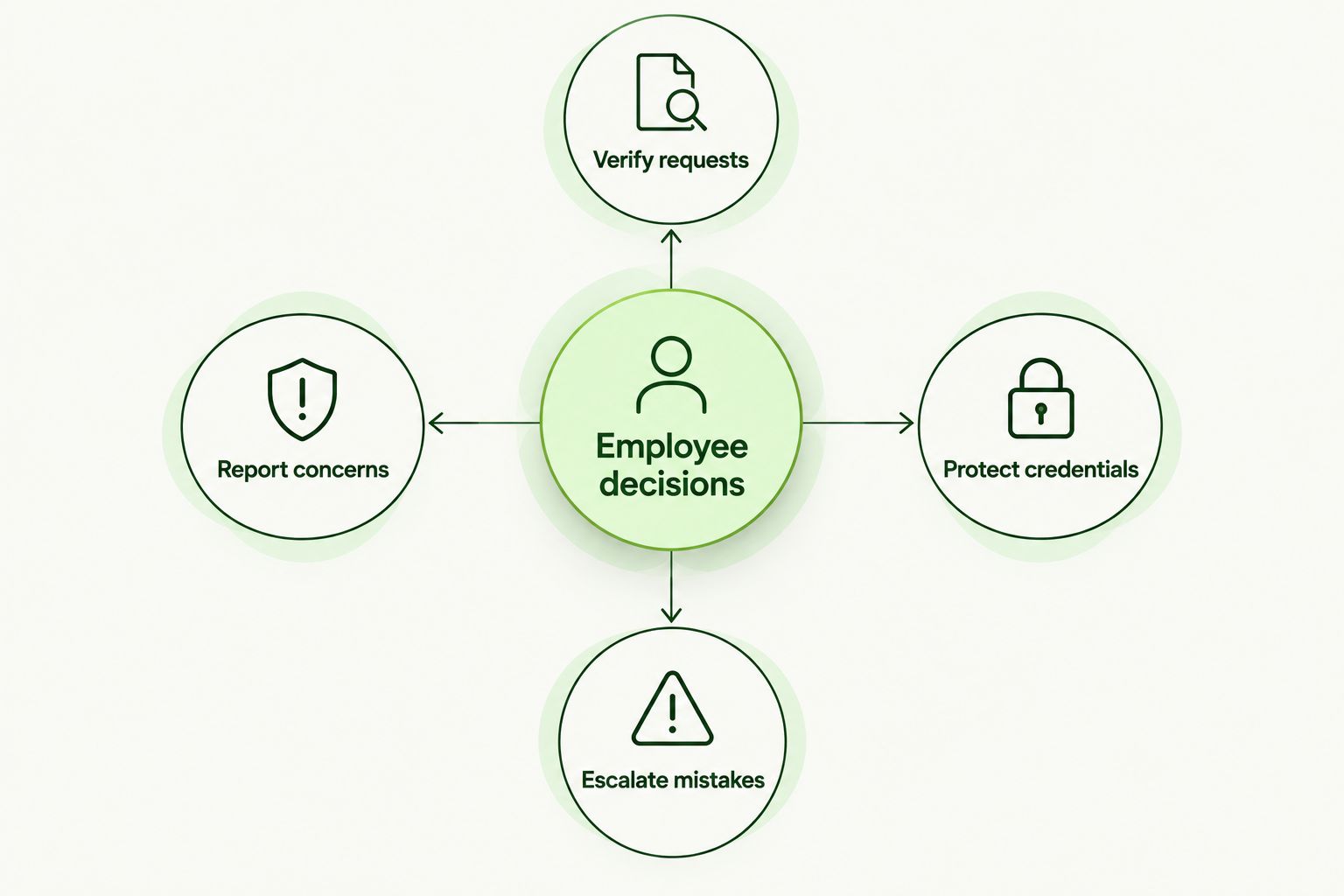
Teach an action for each decision, including what to do after a mistake.
Why security awareness training results vary
Training effectiveness depends on what your program teaches and how that behavior fits the client's working environment. Use these factors as design checks, not excuses for weak results:
- Role relevance. Payment requests, account resets, and document-sharing messages create different decisions. Match the exercise to work the employee actually performs.
- Verification procedures. Employees need an approved way to check a sensitive request. Advice to be careful is not a substitute for that procedure.
- Reporting ownership. Define who receives reports, who investigates them, and how the client escalates an urgent concern.
- Scenario consistency. Different audiences or scoring rules affect how you interpret results. Preserve enough context to make a fair comparison.
- Technical protection. Training and system controls address different parts of an attack. Assess both rather than assigning the whole outcome to employees.
For MSPs, these checks need to exist at the end-client level. A shared training platform does not remove differences in client workflows or response responsibilities.
The practical requirement for 2026 is simple: standardize the service without pretending every subclient has the same risks or procedures. Keep common training expectations, then document the client-specific actions employees must follow.
How should an MSP deliver training across end clients?
Start with ownership. Your MSP and the client should agree on who assigns training, approves sensitive-request procedures, reviews evidence, and responds to reported threats.
A platform is only part of that service. Defend Wise provides white-label security awareness training for MSPs with unlimited seats; the MSP still needs to define the client workflow and the claims its reporting supports.
The advantage is an operating model built around MSP delivery. The limitation is that software does not replace client-specific verification or incident response. Evaluate those separately when deciding whether the service is ready to deploy.
Use this sequence for each end client:
- Define scope. Identify the users and business activities the training should cover. Include responsibility for keeping that scope current.
- Set procedures. Document verification and reporting routes before assigning exercises that depend on them.
- Deliver training. Connect each lesson to an action employees are expected to take in their work.
- Review evidence. Separate assignment status, exercise behavior, and response records rather than merging them into a single success label.
- Resolve gaps. Give each finding an owner and a next action. Carry unresolved findings into the next client review.
White-label delivery lets you present the training under your service identity. It does not justify claims that your service prevents every attack or satisfies every compliance obligation.
Keep the promise narrow enough to prove: covered users, defined training, documented activity, and an agreed process for handling concerns.
Does a phishing simulation prove that employees are protected?
No—a phishing simulation proves only what happened in that exercise. Its usefulness depends on the scenario and the behavior you record.
A click is a signal to investigate, not a complete account of risk. Ask whether the employee submitted information, recognized the problem afterward, reported it, or followed the verification procedure. Those actions tell different stories.
Simulation results also need context. An exercise built around a payment request tests a different workflow from an exercise asking someone to enter a password. Keep those distinctions visible in the client report.
Use results to choose follow-up, not to label employees permanently. The purpose is to improve decisions and procedures. A scoreboard without an action plan does not accomplish that.
Is completed training enough for compliance or cyber insurance?
No—completed training is evidence of participation, not automatic compliance or insurance eligibility. The relevant framework, contract, or insurer determines what evidence is required.
For your 2026 evidence package, retain the training scope, assigned audience, completion records, and documented follow-up. Present them as records of the program you delivered, not as a guarantee of approval.
Keep the claim attached to the record. An assignment record supports a statement about assignment. A completion record supports a statement about completion. Neither establishes that an employee will reject every malicious request.
When a client asks whether the program meets a requirement, map that requirement to the evidence rather than relying on a general compliance label. Escalate questions about coverage or legal obligations to the appropriate adviser.
What should you measure besides clicks?
Measure the decisions your program is intended to change. Start with reporting, verification, unsafe actions, and follow-up completion.
For each measure, define the event before collecting results. A report needs a defined submission route. A verification action needs an approved procedure. An unsafe action needs a clear distinction between opening, submitting, authorizing, and executing.
Then explain the boundaries. A simulated report shows behavior in an exercise. A real incident record shows what your team observed during that event. Neither should be silently substituted for the other.
Your 2026 dashboard should support a decision, not just display activity. If a measure cannot identify a training need, a procedure change, or a response problem, reconsider why it is on the dashboard.
FAQ
Does security awareness training work against phishing?
Yes—security awareness training supports phishing defense by teaching recognition, verification, and reporting. It does not block every attack or replace technical controls.
Can security awareness training stop every phishing email?
No—security awareness training does not stop every phishing email. Email protection handles message screening, while training addresses the decisions people make when a request reaches them.
Is a low phishing simulation click rate proof that we are safe?
No—a low simulation click rate describes responses to the tested scenario, not protection against every attack. Review submitted information, reporting, verification, and the test conditions as well.
What should an employee do after clicking a suspicious link?
The employee should follow the organization's incident-reporting process immediately and explain what happened. The response team needs to know whether credentials were entered, information was submitted, or another action was taken.
Is security awareness training better than multifactor authentication?
Neither replaces the other: training addresses employee decisions, while authentication protects account access. Phishing-resistant authentication does not eliminate the need to verify payment or information requests.
Is Defend Wise suitable for MSP security awareness training?
Defend Wise is suited to MSPs seeking white-label security awareness training with unlimited seats. MSPs still need to define client-specific reporting, verification, and incident-response responsibilities.
Does completing security awareness training guarantee compliance?
No—training completion does not guarantee compliance or cyber insurance eligibility. Check the applicable requirement and retain evidence that supports the specific claim being made.
One last thing
Ask employees to demonstrate the reporting route before you test their ability to spot phishing. If they cannot find it, or the report reaches an unowned queue, the program has a process gap regardless of how well they recognize suspicious messages.
Then test the handoff. Confirm that the receiving team can identify the affected client, understand the employee's actions, and start the agreed response. Training succeeds as a client service when safer employee decisions connect to a working operational process—not when the lesson counter reaches completion.