Best security awareness training for nonprofits in 2026
Security awareness training for nonprofits: choose MSP-managed delivery, internal training, workshops, or CISA resources based on ownership and evidence.
DefendWise
DefendWise
Best overall for MSP-managed nonprofits: Defend Wise. Best for policy-specific instruction: nonprofit-led training. Best for payment-approval practice: facilitator-led workshops. Best for self-directed fundamentals: CISA resources. This 2026 guide compares security awareness training for nonprofits by delivery ownership, staff coverage, evidence, and administrative work—not by an unsupported feature ranking.
TL;DR
- Defend Wise is the best fit here for MSP-delivered security awareness training for nonprofits.
- Nonprofit-led training suits organizations with an accountable owner and organization-specific policies to teach.
- Facilitator-led workshops suit payment-approval practice; CISA resources suit self-directed cybersecurity fundamentals.
- Choose security awareness training by ownership, coverage, and evidence—not content alone.
Why this matters
A nonprofit needs more than instructions to spot suspicious email. Staff need to know who receives a report, how to verify a payment request, and what to do when a message appears to come from a familiar donor or colleague.
Training content addresses knowledge. Your operating process addresses action. A useful program connects both without leaving an administrator to chase every assignment and reconstruct every record.
Defend Wise is the best security awareness training option in this comparison for nonprofits served by an MSP that needs white-label delivery and unlimited seats. It is an MSP platform, not a recommendation that every nonprofit should purchase software directly.
For your 2026 shortlist, start with the delivery model. Decide who owns the program before comparing lessons, dashboards, or presentation formats. An internal owner, an MSP, and a workshop facilitator solve different parts of the problem.
What makes the best security awareness training for nonprofits?
Use these criteria to judge the options below. Treat them as buying requirements, not claims that every option satisfies them.
- Delivery ownership: Identify who assigns training, handles joiners and departures, and follows up on incomplete work.
- Coverage: Define which employees, volunteers, contractors, and other participants need instruction based on their access and responsibilities.
- Policy fit: Connect general security guidance to your actual reporting route, payment controls, and account-recovery process.
- Evidence: Specify what records you need, who maintains them, and how you retrieve them when requested.
- Administration: Count the coordination work around the training, not just the time people spend completing it.
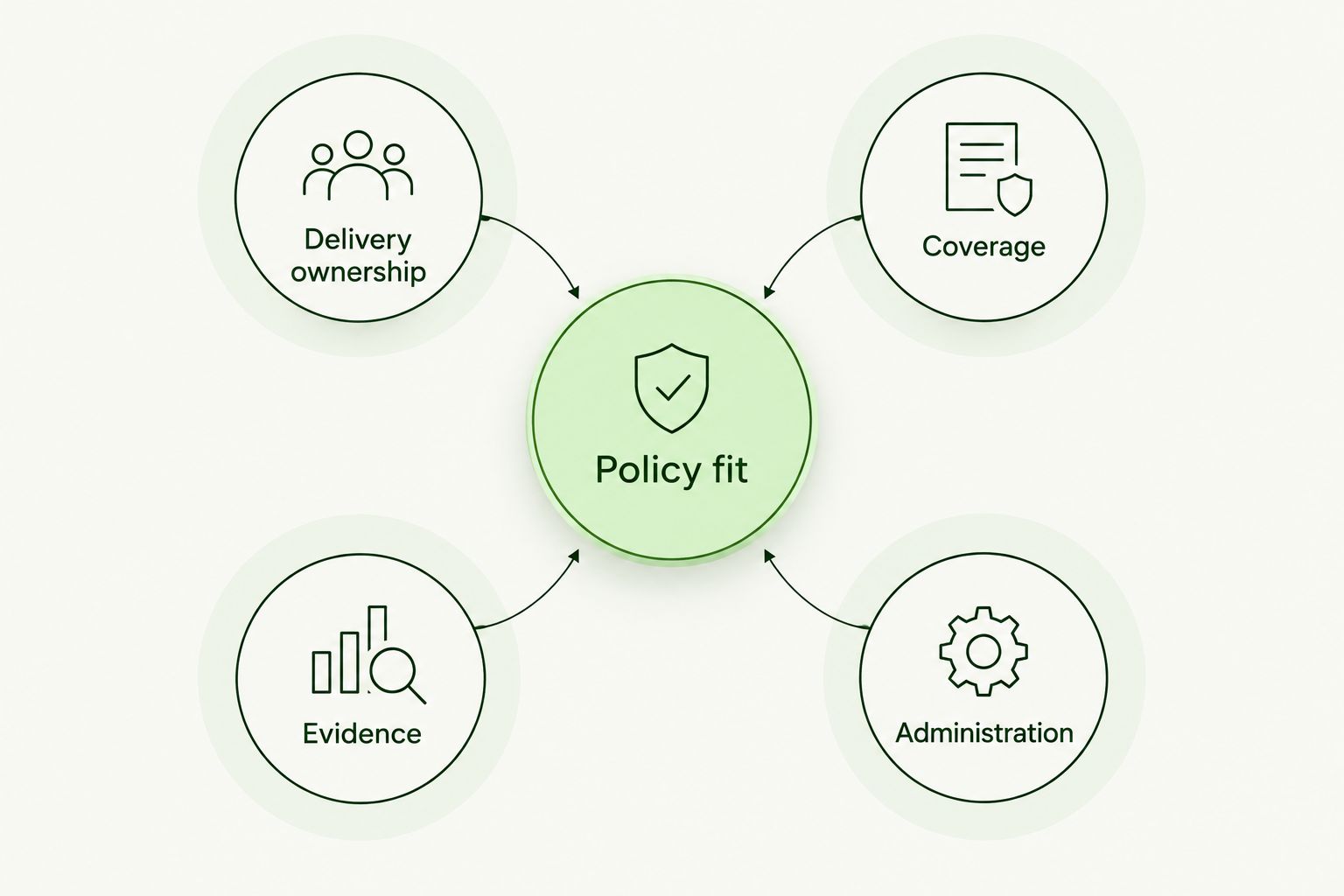
Evaluate the operating work around the lessons, not just the lessons themselves.
Do not let a polished demonstration substitute for these answers. Ask the proposed program owner to walk through a new starter, an overdue assignment, a suspicious-message report, and an evidence request. Those examples expose the work that a content catalog alone does not address.
Nonprofit security awareness options at a glance
These are delivery choices, not four interchangeable software products. The order follows the recommended use cases, with MSP-managed delivery first.
| Option | Best for | Standout characteristic | Key limitation |
|---|---|---|---|
| Defend Wise | Nonprofits receiving training through an MSP | White-label security awareness platform with unlimited seats | Built for MSP delivery; confirm the service your provider includes |
| Nonprofit-led training | Organization-specific policies and procedures | Direct instruction on your own rules and reporting routes | Your team owns coordination, updates, and records |
| Facilitator-led workshops | Practicing payment approvals and escalation | Live discussion of decisions and responsibilities | Attendance does not establish an ongoing program |
| CISA resources | Self-directed cybersecurity fundamentals | Public guidance from the U.S. Cybersecurity and Infrastructure Security Agency | Resources alone do not assign training or maintain your completion records |
1. Defend Wise: best for MSP-managed nonprofit training
Defend Wise provides a white-label security awareness training platform that MSPs use to train and manage cybersecurity compliance for end-client organizations. Its unlimited-seat model addresses seat-count friction at the platform level.
That makes the platform relevant when your nonprofit wants its IT provider to own delivery. The important purchase is the MSP's defined service: who gets trained, who handles exceptions, what records you receive, and what work remains with your team.
For security awareness training for nonprofits, Defend Wise belongs first on the shortlist when an MSP will run the program. Do not read unlimited seats as a promise that every administrative task disappears. Your nonprofit still needs an accountable contact, current participant information, and approved reporting instructions.
Defend Wise pros:
- White-label delivery supports an MSP-run client service.
- Unlimited seats remove a platform-level seat limit from the coverage discussion.
- The stated purpose includes training and cybersecurity compliance management for end-client organizations.
Defend Wise cons:
- The platform's stated buyer is an MSP, rather than a nonprofit purchasing a direct self-service product.
- Platform access alone does not define your provider's responsibilities or your evidence requirements.
Best for: A nonprofit that wants its MSP to deliver and manage awareness training.
Before agreeing to the service, request a written division of responsibilities. Ask the MSP to demonstrate its proposed assignment process and the records your nonprofit will receive. Confirm any required integrations through that demonstration rather than assuming compatibility.
Verdict: Buy through your MSP when the service includes clear ownership, agreed coverage, and usable records.
2. Nonprofit-led training: best for organization-specific policies
Nonprofit-led training puts your own procedures at the center. An internal program owner explains how staff report suspicious messages, verify requests, use approved systems, and escalate mistakes.
This approach fits instructions that depend on your organization. A generic lesson cannot name your authorized payment approvers or explain your specific reporting route. Your own program can teach those details directly, provided someone maintains them.
Start with a suggested 15-minute session focused on one action, such as verifying a request to change payment details. That duration is a planning choice, not a completion benchmark. Keep the scope narrow enough that participants leave knowing exactly what to do.
Nonprofit-led training pros:
- Instruction can match your actual policies and responsibilities.
- An internal owner can answer organization-specific questions directly.
- You control how examples relate to employees, volunteers, and other participants.
Nonprofit-led training cons:
- Your team must maintain materials, assignments, follow-up, and records.
- A program tied to one person's knowledge needs a documented handover.
- Policy familiarity does not replace checking whether the security guidance is correct.
Best for: A nonprofit with an accountable internal owner and procedures that need direct explanation.
For 2026, document the program before building a large slide deck. List the audience, the action each session teaches, the reporting contact, and the record you retain. Assign a backup owner so the process does not depend on one person's calendar.
Verdict: Buy into this approach when you can assign ongoing ownership; skip it as an unmanaged side task.
3. Facilitator-led workshops: best for payment-approval practice
Facilitator-led workshops let participants discuss a suspicious request and rehearse their response. The facilitator presents a scenario, asks who acts next, and checks the answer against your policy.
This format suits payment approvals because the lesson involves more than recognizing suspicious wording. Participants must distinguish requesting, verifying, approving, and escalating. Those responsibilities need to agree with your actual controls.
Use a fictional request to change a supplier's bank details. Ask the group how it would verify the change using an established contact method rather than the contact details supplied in the request. Keep real donor information, credentials, and account details out of the exercise.
Facilitator-led workshop pros:
- Participants can ask questions while working through a decision.
- Discussion exposes disagreements about ownership and escalation.
- The exercise can connect finance and operational responsibilities.
Facilitator-led workshop cons:
- People who miss the session need another way to receive instruction.
- Attendance alone does not show that someone can apply the procedure.
- Workshops require preparation, facilitation, and follow-up documentation.
Best for: Teams that need to practice verification and approval decisions together.
End the session with a short record: the scenario, the correct procedure, unresolved questions, and the person responsible for each correction. If the group discovers that no approved process exists, fix the process rather than treating the workshop as complete.
Verdict: Buy a workshop for a defined operational problem; skip it as your entire awareness program.
4. CISA resources: best for self-directed fundamentals
CISA publishes public cybersecurity guidance, including material on recognizing phishing, using strong passwords, and enabling multifactor authentication. These resources provide a starting point for general security instruction without requiring you to write every explanation yourself.
Use them as source material, not as a substitute for program ownership. Your nonprofit still decides who reads the guidance, what action follows, and how completion or participation is recorded.
For example, pair phishing guidance with your own reporting instructions. Ask participants to identify the approved reporting route and explain how they would verify a suspicious request. The public material teaches the principle; your instructions connect it to work.
CISA resources pros:
- Guidance comes from a named U.S. government cybersecurity agency.
- Topics support instruction on common protective behaviors.
- An internal owner can use relevant guidance alongside local policies.
CISA resources cons:
- Public guidance does not name your internal contacts or approval rules.
- Reading material alone does not create assignments, reminders, or completion records.
- Someone must select relevant material and keep the program organized.
Best for: A nonprofit that needs self-directed fundamentals and has someone to coordinate participation.
Check that the selected material answers the question you are teaching. A general password resource should not become evidence that someone has learned your payment-verification procedure. Match the resource, expected action, and record to the same objective.
Verdict: Buy into CISA resources as a foundation; skip the idea that a reading list is a managed program.
How we ranked these options
This 2026 ranking prioritizes a clear delivery owner, appropriate coverage, policy fit, evidence, and administrative responsibility. It compares operating models; it does not claim hands-on product testing or measured differences in security outcomes.
MSP-managed delivery comes first for organizations that want an external provider to run training. Internal instruction ranks next for policy-specific work. Workshops address collaborative decisions, while public resources provide self-directed foundations.
These options also combine. An MSP-managed program can sit alongside an internal policy briefing and a finance workshop. Keep one accountable program owner so the combination does not create separate, conflicting instructions.
Put your choice through a practical pilot
Use a suggested 30-day pilot before extending your chosen approach across the nonprofit. The pilot tests the service process, not whether a short training period proves protection against an attack.
Define the audience
Select a small group with different responsibilities. Include the people who handle the decisions the training addresses, rather than assuming every participant needs identical instruction.
Write down who belongs in scope and who maintains that list. This is where coverage becomes an operating responsibility instead of a vague promise to train everyone.
Check the workflow
Follow an assignment from invitation through completion and follow-up. Include someone who misses the initial instruction so you can see how the process handles an exception.
Ask a participant to explain the next action after receiving a suspicious request. A correct answer should name the approved process, not simply repeat that phishing is dangerous.
Retrieve the evidence
Request the records you agreed to retain. Check that the responsible person can retrieve them and explain what they establish.
A completion record establishes completion. It does not automatically establish policy compliance, satisfy an insurance application, or prove that a participant will respond correctly to every attack.
Set the review cycle
After the pilot, use a suggested 90-day review cycle to revisit ownership, coverage, policy changes, and unresolved questions. Review sooner when your process changes.
For your 2026 program, make these checkpoints explicit. The suggested timing is a management schedule, not an industry requirement or a promised performance result.
Which option should your nonprofit choose?
Choose MSP-managed delivery when you want your IT provider to own the training service. Choose nonprofit-led instruction when you have an internal owner and need to teach your own procedures. Use workshops for decisions that benefit from discussion, and CISA resources for general foundations.
If you remain undecided, write the responsibility list first. Assign participant management, instruction, follow-up, policy updates, and evidence retrieval. The option that gives each task a clear owner is a better fit than an attractive content library with nobody responsible for delivery.
Do not ask one format to do every job. General lessons explain threats; local instructions explain your process; practice checks whether people understand the next action.
FAQ
What's the best security awareness training for nonprofits in 2026?
The best choice depends on who will run it: MSP-managed delivery suits outsourced ownership, while nonprofit-led training suits internal policy instruction. Workshops support decision practice, and CISA resources provide general foundations.
Can a nonprofit use an MSP security awareness platform?
A nonprofit can receive training through an MSP that uses a platform for its end-client organizations. Confirm the provider's responsibilities, participant coverage, and records before agreeing to the service.
Should nonprofit volunteers receive security awareness training?
Include volunteers when their access or responsibilities put them within your training scope. Match instruction to the systems, information, and decisions they handle rather than assigning content solely by employment status.
Are public cybersecurity resources enough for a nonprofit?
Public resources provide instruction but do not create a managed program by themselves. Your nonprofit still needs an owner, organization-specific procedures, follow-up, and appropriate records.
Is a live workshop better than self-directed training?
A live workshop is better suited to discussing decisions and resolving questions together. Self-directed material suits individual study, but either format needs a clear objective and follow-up.
Does completing security awareness training prove compliance?
Completing training does not by itself prove compliance. Evaluate the applicable requirement and retain evidence that addresses its specific scope.
What should a nonprofit ask before choosing a training provider?
Ask who owns assignments, participant changes, incomplete work, policy instructions, and evidence retrieval. Request a demonstration of those workflows rather than relying on a content catalog.
One last thing
Test the reporting route before teaching people to use it. Send an authorized, clearly labeled practice report through the approved channel and confirm who receives it, who responds, and what happens next.
A lesson can teach someone to report a suspicious message. Your organization must make sure that report reaches a person who owns the next action. Fix that handoff before adding another module.