Best CanIPhish alternatives for small security teams
Compare CanIPhish alternatives for small security teams in 2026. DefendWise leads for MSP client training; see when Microsoft or KnowBe4 fits better.
DefendWise
DefendWise
CanIPhish gives a small security team a practical way to run phishing simulations, but campaign execution alone does not settle who manages training and evidence across multiple clients. The best CanIPhish alternative in 2026 is DefendWise for an MSP managing end-client training; Microsoft Attack Simulation Training is the better fit for an internal team already using Microsoft Defender for Office 365 Plan 2.
TL;DR
- For caniphish alternatives for small security teams, DefendWise is the MSP pick for white-label security awareness training across clients.
- Microsoft Attack Simulation Training fits an internal team already using Defender for Office 365 Plan 2.
- Keep CanIPhish on the shortlist when phishing simulations, rather than multi-client training management, are the main job.
- Compare campaign work and compliance evidence separately; a convincing simulation does not automatically solve both.
Why this matters
A small security team can mean two different things: an internal team protecting one organization, or an MSP responsible for a client portfolio. Both need useful phishing simulations. The MSP also has to manage end-client training without turning every new client or user into another administrative task.
Separate campaign work from evidence work when you compare tools. Campaign work covers sending simulations and reviewing responses. Evidence work covers showing what training and testing took place for each organization. If one person has to assemble that record by hand, an easy campaign builder has not solved the whole job.
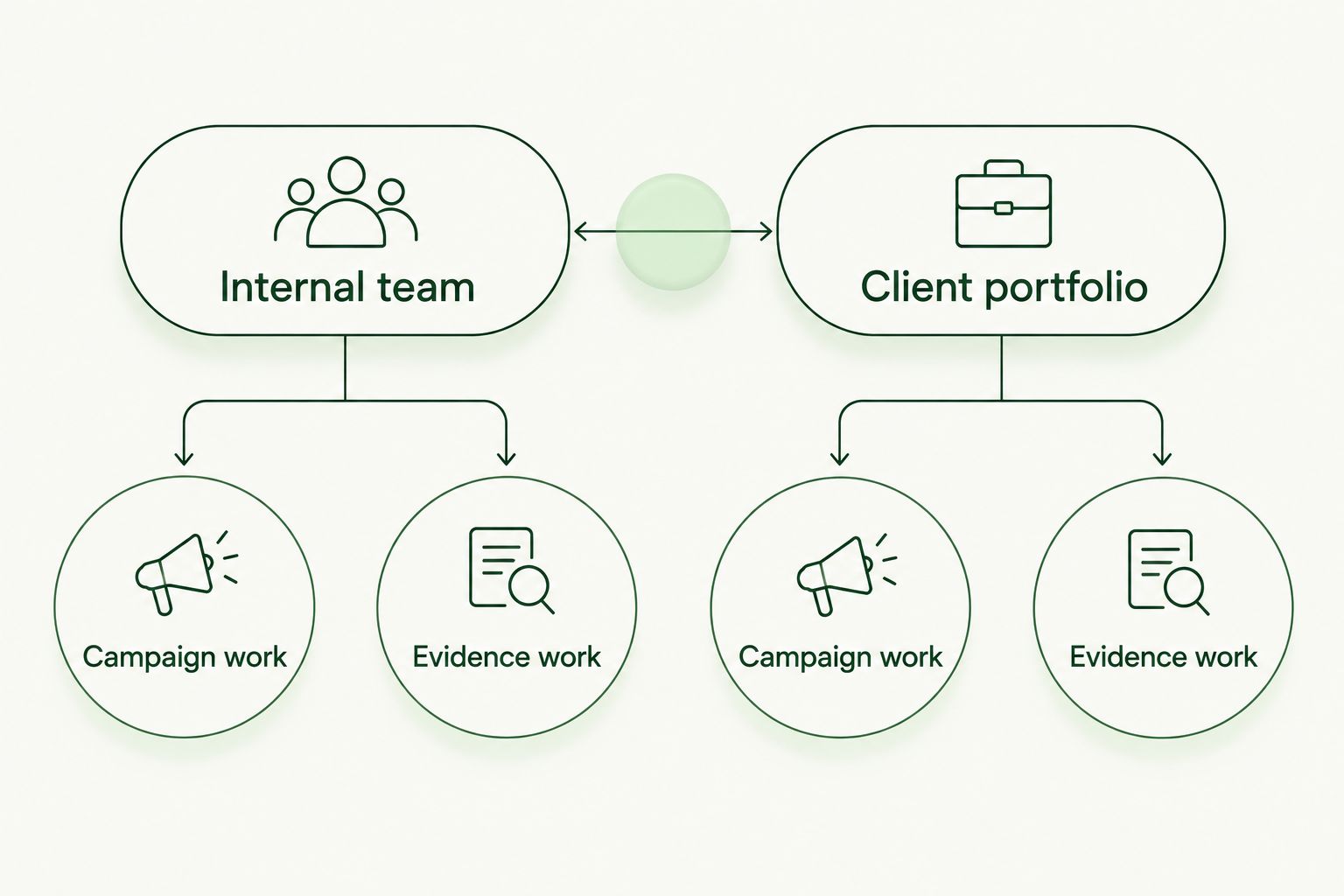
The right tool depends on whether the team owns one program or manages training across clients.
CanIPhish alternatives at a glance
| Tool | Best for | Standout feature | How it differs from CanIPhish |
|---|---|---|---|
| DefendWise | MSPs managing security awareness training for end-client organizations | White-label, multi-tenant training with unlimited seats | Puts client training management and seat-count friction at the center of the decision |
| Microsoft Attack Simulation Training | Internal teams already using Defender for Office 365 Plan 2 | Phishing simulations within a Microsoft security environment | Keeps simulation work alongside an existing Microsoft security setup |
| KnowBe4 | Internal teams evaluating a broader security awareness program | Security awareness training alongside phishing simulations | Extends the decision beyond simulation campaigns |
| CanIPhish | Teams focused primarily on phishing simulations | Phishing simulation campaigns | The benchmark: keep it when simulations meet the team’s actual requirements |
Best for an MSP: DefendWise. Best for a Microsoft-based internal team: Microsoft Attack Simulation Training. Neither verdict makes CanIPhish the wrong choice for a team whose main task is running phishing simulations.
1. DefendWise: best for MSPs managing end-client training
DefendWise is white-label security awareness training software built for MSPs. Its multi-tenant model addresses a different operating problem from simply choosing a phishing campaign: you need to manage training and cybersecurity compliance across end-client organizations without seat-count friction.
That distinction matters most when the security function is small but the client portfolio is not. A team can run an effective simulation and still spend time sorting out which client received training, who needs follow-up, and what evidence belongs to which organization. DefendWise is the stronger CanIPhish alternative when that client-management work drives the buying decision.
Where DefendWise shines
- MSP fit: The platform is intended for providers training and managing compliance for end-client organizations, not just an employer’s own staff.
- White-label delivery: The MSP can use a white-labeled training platform as part of its client service.
- Seat-count simplicity: Unlimited seats remove the need to base coverage decisions on a per-seat count.
- Multi-tenant management: The product is positioned around managing more than one client organization.
Where DefendWise falls short
- An internal security team serving only its own organization does not need the MSP-oriented, white-label model that defines DefendWise.
- If your selection hinges on a particular phishing template, simulation workflow, or reporting export, confirm it directly rather than assuming that an MSP focus answers those feature questions.
| Decision point | DefendWise | CanIPhish |
|---|---|---|
| Primary fit | MSP-managed end-client training | Phishing simulation campaigns |
| Delivery model | White-label, multi-tenant platform | Evaluate against the campaign workflow you need |
| Seat-count decision | Unlimited seats | Confirm how the plan you select treats users |
| Evidence decision | Evaluate client-level compliance management | Check whether its outputs meet each client’s evidence needs |
Best for: An MSP whose small security team has to serve multiple end-client organizations. Verdict: Choose DefendWise when white-label delivery, multi-tenant management, and unlimited seats matter more than selecting a tool for simulations alone.
2. Microsoft Attack Simulation Training: best for Microsoft-based teams
Microsoft Attack Simulation Training belongs in the shortlist when an internal security team already works in Microsoft Defender for Office 365 Plan 2. Instead of adding a separate simulation product by default, the team can evaluate the simulation capability available in its existing security environment.
This is an internal-team recommendation, not an MSP recommendation. The question is whether the people who will run campaigns can work effectively within that Microsoft setup and whether its reporting meets the organization’s needs. Existing access does not, by itself, prove that the workflow is a good fit.
Where Microsoft Attack Simulation Training shines
- It is a direct option for organizations already using the relevant Microsoft security environment.
- An internal team can evaluate phishing simulations alongside the tools it already uses to protect its organization.
Where Microsoft Attack Simulation Training falls short
- Its fit depends on the organization’s Microsoft setup; it is not a neutral choice for every technology stack.
- An MSP managing separate end-client organizations still needs to assess client-level administration and evidence handling rather than assume an internal-team workflow will transfer cleanly.
| Decision point | Microsoft Attack Simulation Training | CanIPhish |
|---|---|---|
| Primary fit | Internal Microsoft-based security team | Team seeking a phishing simulation platform |
| Working environment | Defender for Office 365 Plan 2 | A separate platform to evaluate |
| MSP question | Assess management across client environments | Assess management across client environments |
| Evidence question | Check that its reports answer internal requests | Check that its reports answer internal requests |
Best for: An internal team already using Defender for Office 365 Plan 2. Verdict: Choose Microsoft Attack Simulation Training if its campaign and reporting workflow meets your requirements inside that environment; otherwise, keep comparing.
3. KnowBe4: best for an internal awareness program
KnowBe4 combines security awareness training and phishing simulations. That makes it a relevant CanIPhish alternative when a small internal team is selecting an awareness program, not just looking for a way to send simulated phishing emails.
A wider training scope does not automatically make administration easier. Ask who will assign training, review simulation results, follow up with users, and produce evidence. The answer determines whether the platform’s broader remit helps a small team or adds work to its queue.
Where KnowBe4 shines
- It lets an internal team consider training and phishing simulations in the same product evaluation.
- It suits a buyer whose requirements extend beyond running simulation campaigns.
Where KnowBe4 falls short
- A team focused only on simulations must decide whether the wider awareness-program scope serves a real need.
- MSPs must verify the client separation, white-label requirements, and evidence workflow they need rather than infer them from the availability of training content.
| Decision point | KnowBe4 | CanIPhish |
|---|---|---|
| Primary fit | Internal security awareness program | Phishing simulation campaigns |
| Training scope | Training plus simulations | Confirm the training workflow your team needs |
| Administration | Assess assignments and follow-up | Assess campaigns and follow-up |
Best for: An internal team buying training and simulations as one awareness program. Verdict: Choose KnowBe4 when that broader program is the requirement; keep CanIPhish in contention when simulations are the main task.
Why small teams switch from CanIPhish
The reason to switch is not that CanIPhish cannot run a phishing campaign. It is that the work surrounding the campaign changes. An MSP must decide how it will deliver training across end-client organizations, maintain separation between clients, and answer compliance questions without rebuilding the record every time someone asks.
For that MSP, compare CanIPhish and DefendWise on the full client-service workflow. Put a new subclient through setup. Assign training, run the simulation activity your service requires, and locate the evidence for that client without mixing it with another organization’s records. The decisive question is how much manual work remains after the campaign ends.
An internal team has a different reason to reconsider. If it already uses Defender for Office 365 Plan 2, Microsoft Attack Simulation Training belongs in the evaluation before the team adds another platform. If training assignments are becoming as important as simulations, KnowBe4 belongs in the evaluation. Neither reason establishes a winner until the team checks its own workflow.
For a disciplined 2026 comparison, run a 30-day evaluation with 1 named administrator responsible for each tool. If you serve clients, include 2 client organizations in the test so you can check separation and evidence retrieval. Those are evaluation targets, not claims about how long setup takes or how many people any platform requires.
Record the result in plain terms:
- Campaign work: Could the administrator prepare, run, and review the simulation the team actually needs?
- Training work: Could the administrator assign and track the required training without maintaining a separate manual list?
- Evidence work: Could someone retrieve the right organization’s records when asked?
- Client work: For an MSP, could the administrator manage each subclient without confusing its activity with another’s?
If one tool wins only because its campaign screen looks easier, but another removes repeated client administration, the MSP should choose based on the work it delivers every month. For a single internal team, the weighting can reverse. The best CanIPhish alternative is the one that removes your recurring work, not the one with the longest feature list.
Evaluate MSP training without seat counts
See the white-label, multi-tenant approach to end-client security awareness training.
When staying with CanIPhish is the right call
Stay with CanIPhish when phishing simulations are the job, its current workflow serves your team, and you can produce the follow-up and evidence your organization needs. Switching platforms without changing the work is a migration task, not an improvement.
For an internal security team, test the proposed alternative against an actual campaign and an actual reporting request before replacing a working process. For an MSP, include a client-specific evidence request. A tool that handles one organization well is not automatically the right answer for a portfolio of end clients.
This is the 2026 dividing line: keep CanIPhish for a simulation-first workflow; choose DefendWise when the MSP’s client-training model is the bigger problem to solve. Choose Microsoft Attack Simulation Training or KnowBe4 only when their stated fit matches the environment and program you manage.
FAQ
What are the best CanIPhish alternatives for small security teams in 2026?
DefendWise is the MSP-focused choice for white-label training across end clients; Microsoft Attack Simulation Training fits internal teams already using Defender for Office 365 Plan 2. KnowBe4 fits an internal team evaluating training alongside phishing simulations.
Is DefendWise better than CanIPhish for an MSP?
DefendWise is the stronger fit when an MSP needs white-label, multi-tenant security awareness training with unlimited seats. Compare both tools against your required simulation and client-evidence workflow before deciding.
Should an internal team choose DefendWise?
An internal team serving only its own organization should first decide whether it needs DefendWise’s MSP-oriented delivery model. If it does not, compare CanIPhish, Microsoft Attack Simulation Training, and KnowBe4 against its actual program requirements.
Is Microsoft Attack Simulation Training a CanIPhish alternative?
Yes, for an internal team using Defender for Office 365 Plan 2. Evaluate its campaign and reporting workflow before replacing a separate phishing simulation platform.
How does KnowBe4 differ from CanIPhish?
KnowBe4 is an option for teams evaluating security awareness training together with phishing simulations. CanIPhish remains a useful benchmark when the immediate need is a simulation workflow.
What should an MSP check before switching phishing tools?
Check subclient administration, training assignments, simulation workflow, and client-specific evidence retrieval. Use real client scenarios so the comparison reflects recurring service work rather than a demonstration campaign.
When should a small team keep CanIPhish?
Keep CanIPhish when its phishing simulation workflow meets your needs and the team can handle training follow-up and evidence without unwanted manual work. A replacement should remove a specific recurring task.
One last thing
Ask for an evidence record before asking for another campaign demonstration. A campaign shows what the tool can send; a client-specific record shows whether your small team can answer the next compliance request. That distinction should decide the 2026 shortlist.