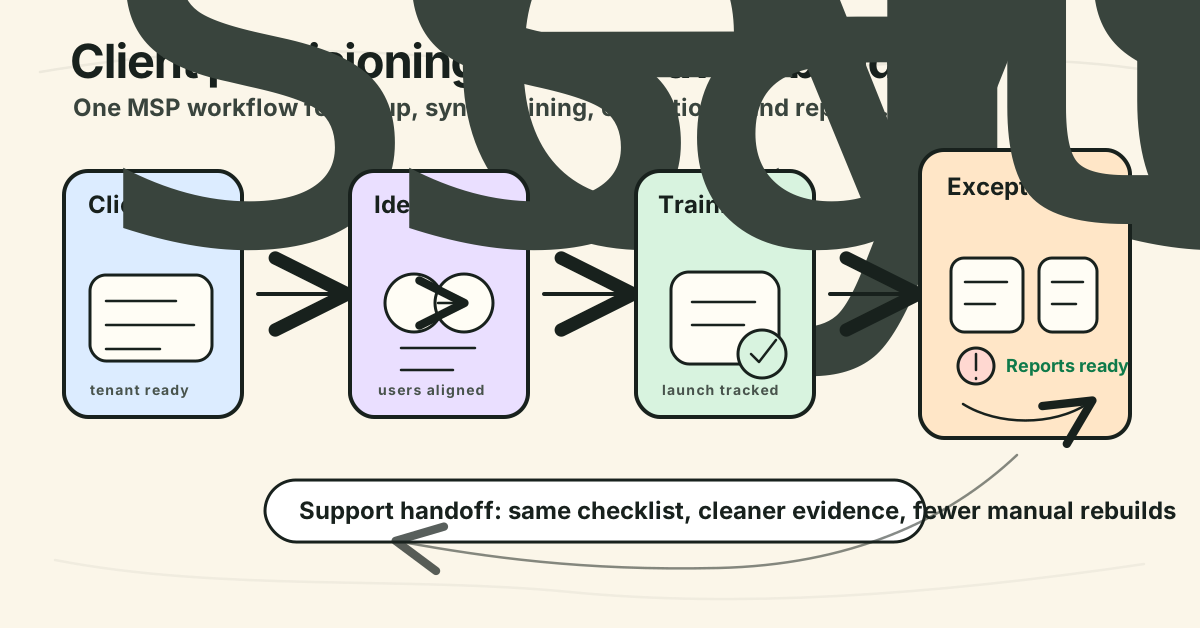
Automating client provisioning for MSPs: a practical workflow
Automating client provisioning for MSPs reduces onboarding drag, keeps client tenants clean, and turns setup into repeatable service delivery.
DefendWise
DefendWise
TL;DR
Automating client provisioning for MSPs is not just a faster way to create accounts. It is the operating layer that turns a signed client into a ready, governed, reportable service without a technician rebuilding the same checklist every time.
The best workflow starts with a clear source of truth, then provisions the client tenant, access model, user lifecycle, service templates, security awareness assignments, reporting, tickets, and offboarding rules. Automation should handle the repeatable steps. Humans should still own discovery, exceptions, risk decisions, and client sign-off.
For MSPs, the test is simple: can you onboard the next 10 clients with the same clean process, the same client separation, the same evidence trail, and fewer manual touches? If the answer is no, provisioning is still a project, not a scalable service.
What is client provisioning for MSPs?
Client provisioning is the process of turning a new managed services client into a live, controlled, supportable operating environment.
It is broader than onboarding. Onboarding is the client journey. Provisioning is the behind-the-scenes setup that makes the journey real.
For an MSP, client provisioning can include:
- creating the client record in the PSA,
- setting the client tenant or customer container in each service platform,
- connecting identity sources such as Microsoft 365 or Microsoft Entra,
- importing or syncing users,
- assigning baseline services and templates,
- configuring access roles for MSP staff and client admins,
- applying standard security baselines,
- setting up training assignments and reminders,
- creating report templates,
- generating launch or exception tickets,
- documenting what is in scope,
- confirming handoff to support.
That is why automating client provisioning for MSPs is different from a generic SaaS onboarding checklist.
A single internal IT team can sometimes tolerate a partly manual setup path. An MSP repeats the same kind of setup across many client environments, each with its own users, domains, managers, policies, risk tolerance, and reporting expectations. Every manual step becomes margin drag when it repeats across 20, 50, or 100 clients.
Microsoft’s automatic user provisioning guidance is useful here because it names the problem clearly: manual provisioning through CSV uploads or custom scripts is error-prone, insecure, and hard to manage at scale. Microsoft Entra automatic user provisioning is designed to create, maintain, and remove identities in target applications based on business rules Microsoft Entra automatic user provisioning.
MSPs should apply the same principle to the broader client launch. The goal is not only “create users faster.” The goal is to make the whole client service model repeatable.
Why this matters for MSPs
Client provisioning quality decides whether the MSP can scale service delivery without drowning in admin.
When provisioning is manual, problems appear later:
- the client record exists in the PSA but not in the training platform,
- the Microsoft 365 tenant was connected but the wrong group was synced,
- the onboarding ticket closed before reports were checked,
- new starters are in the directory but not in the training scope,
- leavers remain in completion reports,
- the QBR deck has no clean evidence trail,
- support does not know which exceptions are normal and which are broken.
None of those failures feel dramatic on day 1. They become expensive when a client asks a simple question: “Are all our users covered?”
MSP onboarding guides usually emphasize discovery, agreement, deployment, training, launch, and check-ins. MSP360’s onboarding checklist, for example, frames onboarding as a structured process that starts with gathering client details, understanding the environment, and then moving through service setup, user training, launch, and follow-up MSP360 client onboarding checklist. That is useful, but automation adds a second question: which parts of that process should become a reusable workflow rather than a technician’s memory?
CISA and NSA’s identity and access management guidance also matters for MSPs because provisioning touches access, MFA, SSO, and lifecycle hygiene. CISA notes that IAM guidance addresses gaps that limit secure adoption of MFA and SSO, and encourages defenders to review the recommendations with vendors CISA and NSA IAM guidance. For MSPs, the practical takeaway is that client provisioning is a security control surface, not only an operations task.
Client provisioning is bigger than user provisioning
User provisioning is one layer. It covers creating, updating, and disabling users in connected systems.
Client provisioning is the full service container around those users.
| Layer | User provisioning question | Client provisioning question |
|---|---|---|
| Source of truth | Where do users come from? | Which systems define client, contact, user, service, and billing state? |
| Identity | Can users be created, updated, or disabled automatically? | Is the identity workflow tied to client scope, roles, approvals, and exceptions? |
| Tenant setup | Not usually included | Is the client separated from other clients across tools and reports? |
| Service templates | Not usually included | Which default services, policies, reports, and training paths apply? |
| Security awareness | Are learners synced? | Are assignments, reminders, reports, and evidence created for the right client? |
| Support workflow | Not usually included | Which tickets are created, who owns exceptions, and when is handoff complete? |
| Evidence | Provisioning logs | Client-ready proof: scope, dates, assignments, exceptions, and reports |
SCIM is a good example of the difference. RFC 7644 defines the System for Cross-domain Identity Management protocol for provisioning and managing identity data across domains RFC 7644. That protocol helps identity providers and applications keep users and groups aligned.
But SCIM alone does not decide your MSP service package, your client naming standard, your report handoff, your help desk exception rule, or your QBR evidence. Those are provisioning design decisions.
What MSPs should automate first
Do not begin by trying to automate the entire onboarding program.
Start with repeatable steps that meet 3 tests:
- They happen for nearly every client.
- They create risk or rework when missed.
- They can be tested with a clear pass/fail outcome.
A practical first wave looks like this.
| Provisioning component | Automate first? | Why | Human check still needed |
|---|---|---|---|
| Client container / tenant | Yes | Prevents wrong-client setup and speeds repeat launches | Confirm legal name, display name, domain, and owner |
| PSA company/contact creation | Usually | Keeps support and account workflows aligned | Check duplicates and billing handoff |
| Microsoft 365 or directory sync | Yes, where available | Keeps user scope closer to the source of truth | Review permissions, group scope, and leaver behavior |
| Baseline group mapping | Yes | Drives role-aware services and training | Confirm client-specific exclusions |
| Security awareness assignment | Yes | New users should receive the right baseline without manual chasing | Check topic set and due dates before launch |
| Exception tickets | Yes | Overdue training, failed sync, missing manager, or report errors need owners | Define severity and closure rules |
| Monthly report template | Yes | Creates repeatable client proof | Preview first report before client delivery |
| Offboarding hygiene | Yes | Stops future assignments and preserves useful history | Align with client retention and access policy |
| Custom risk decisions | No | They depend on discovery and client context | Keep human-owned |
This is the right order because it protects the operating model before adding clever integrations.
If the client container, source fields, user scope, and report output are messy, extra automation only moves bad data faster.
Step-by-step: automating client provisioning for MSPs
1. Define the client provisioning source of truth
Before automating anything, decide which system owns which field.
For many MSPs, the PSA owns the client account, agreement, service package, account manager, billing contact, and support queues. Microsoft 365 or Entra owns users, groups, and identity state. The RMM owns devices and agents. The security awareness platform owns learners, assignments, reminders, reports, and training evidence.
Do not let every tool become its own source of truth.
Create a short field map:
| Field | Source | Used by | Notes |
|---|---|---|---|
| Client legal name | PSA | Billing, agreement | May differ from display name |
| Client display name | PSA / approved onboarding form | Portals, reports, tickets | Use client-safe spelling |
| Primary domain | Microsoft 365 / onboarding form | Tenant checks, sync | Confirm before automated matching |
| Client owner | PSA | Escalations, QBRs | Account manager or vCISO |
| User roster | Microsoft 365 / Entra | Training, access, reports | Group scope matters |
| Manager / department | Directory if reliable | Escalations, training depth | Treat as optional if inconsistent |
| Training template | MSP service package | SAT platform | Baseline vs role-specific paths |
| Report recipient | PSA / client approval | Reports | Confirm before external delivery |
This field map is boring. It is also where many provisioning projects succeed or fail.
2. Create a client template before creating client tenants
A template prevents every new client from becoming a custom build.
For security awareness and human-risk work, the template should include:
- default client settings,
- MSP branding,
- baseline training assignment,
- reminder cadence,
- report schedule,
- exception categories,
- admin roles,
- standard exclusions,
- launch QA checklist,
- offboarding behavior.
DefendWise’s live site describes the MSP model in similar terms: multi-client management, white-label portals, automated onboarding, branded PDF reports, Microsoft 365 sync, Zapier integration, and flat-fee pricing for unlimited users are all positioned around reducing client-by-client setup drag DefendWise platform. Use only the confirmed product claims in the claim register. Do not add unverified integration or outcome claims.
A good client template should still allow local exceptions. The point is not to pretend every client is identical. The point is to make the 80% repeatable so the 20% receives proper attention.
3. Connect identity and user lifecycle deliberately
Identity is usually the first real automation layer.
Microsoft Entra’s provisioning documentation describes source systems, target systems, CRUD operations, SCIM, provisioning logs, and incremental cycles. It also says provisioning can automate creation, maintenance, and removal of identities in SaaS applications based on business rules Microsoft Entra automatic user provisioning.
For an MSP, that means the trial or pilot should test at least 4 events:
- Starter: a new user appears in scope and receives the right baseline.
- Mover: a user changes group, role, or manager and the downstream state updates as expected.
- Leaver: a user is disabled or removed from scope without corrupting historical evidence.
- Exception: a sync failure or missing attribute creates a visible owner and follow-up path.
Microsoft Entra Lifecycle Workflows use a joiner-mover-leaver model and include templates such as onboard pre-hire, onboard new hire, employee job profile change, real-time termination, and offboard employee Microsoft lifecycle workflow templates. MSPs do not need to copy Microsoft’s workflow names into every tool. They should copy the discipline: starter, mover, and leaver events each need a governed path.
4. Decide which provisioning events create tickets
Automation fails when every event becomes a ticket.
A ticket should exist when someone must act, approve, investigate, or close the loop.
For example:
- new client tenant created: maybe no ticket if it is part of the onboarding project,
- Microsoft 365 sync failed: yes, ticket,
- new user assigned baseline training: no ticket,
- user overdue after reminder window: maybe ticket,
- leaver still receiving reminders: yes, ticket,
- monthly client report generated: no ticket,
- monthly client report failed or missing scope: yes, ticket,
- client asks for cyber insurance evidence: yes, ticket or account task.
Zapier’s ConnectWise Manage guidance shows the shape of this integration pattern: Zapier can trigger on new or updated contacts, projects, tickets, and ticket notes, and can create companies, contacts, tickets, ticket notes, and updates when the right API member credentials and permissions are configured Zapier ConnectWise Manage help.
That does not mean every MSP should route provisioning through Zapier. It means the PSA handoff is a practical design surface. Provisioning events need a service owner, not just a log entry.
5. Put security awareness into the provisioning path
Security awareness is often added after the “real” onboarding work.
That is how it becomes manual.
If awareness training is part of the managed service, the provisioning workflow should answer these questions before the client is marked live:
- Which users are in training scope?
- Which users are excluded, and why?
- Which baseline training is assigned on launch?
- What happens to new starters after launch?
- How are leavers handled?
- Who receives reminders and reports?
- What evidence will the MSP use for QBRs, audits, or cyber insurance requests?
- What exception creates a ticket?
NIST SP 800-50 Revision 1 frames cybersecurity and privacy learning as a lifecycle program that should support behavior change, risk management, and ongoing evaluation NIST SP 800-50 Rev. 1. That matters because training is not a one-time onboarding video. It is a managed program with scope, delivery, measurement, and improvement.
DefendWise’s related guide on automated onboarding for MSP SAT makes the same MSP-specific point: user sync is only the input. The operating model includes tenant setup, assignments, reminders, reporting, exceptions, and offboarding.
6. Build the first client pilot with failure checks
Do not scale until the workflow has failed in a controlled way.
A useful pilot should include one realistic client tenant and a small test group. Then run the workflow as if it were live.
Check:
- client name and domain are correct,
- tenant separation is clean,
- MSP and client admins have the right access,
- Microsoft 365 or directory sync imports only intended users,
- new starter appears in scope,
- leaver stops receiving future assignments,
- training assignment launches correctly,
- reminder copy is branded and accurate,
- exception tickets contain client, user, event, owner, and source link,
- first report is client-safe,
- logs are visible enough to troubleshoot.
Microsoft’s Lifecycle Workflow deployment guidance recommends starting with a small subset of users, monitoring audit logs, testing workflows on demand, reviewing test results, and then rolling out more broadly Microsoft Lifecycle Workflow deployment. That pilot-first posture is exactly what MSPs need for client provisioning.
The first client should teach you where the template is too rigid, where the data is weak, and where your automation creates noise.
7. Keep a provisioning evidence trail
Provisioning should leave proof.
Not every proof point needs to be client-facing. But the MSP should be able to answer:
- when was the client tenant created?
- which template was applied?
- which user source was connected?
- which group or scope was selected?
- which users were included or excluded?
- when did baseline training launch?
- which reports were enabled?
- what exceptions were found?
- who approved go-live?
- what changed after launch?
Microsoft Entra provisioning logs are a useful model because Microsoft says they record provisioning requests and can help track who has access to applications from a single screen Microsoft Entra automatic user provisioning. An MSP does not need every service platform to expose logs in the same way. It does need enough evidence to avoid relying on memory.
For client-facing proof, keep it simpler: scope, assignment, completion, exceptions, and report status.
Common mistakes to avoid
Mistake 1: Automating before naming the owner
Automation without ownership creates orphaned failures.
Every workflow needs a named owner for exceptions. If Microsoft 365 sync fails, who gets the ticket? If a client report has no recipients, who fixes the account record? If a user is in the wrong group, who decides whether that is a directory problem or a training-scope problem?
Mistake 2: Treating CSV upload as automation
CSV import can be a useful fallback. It is not the same as lifecycle automation.
If the MSP exports a user list every month, cleans it, uploads it, checks duplicates, and chases errors manually, the work is still manual. The file just moved the labour into a different format.
Mistake 3: Ignoring leavers
Leavers are where provisioning quality becomes visible.
A poor leaver workflow can keep sending reminders to departed users, distort completion rates, and create messy evidence. A better workflow stops future assignments and reminders while preserving historical records where policy or reporting requires them.
Mistake 4: Creating tickets for normal events
If every normal event creates a ticket, the service desk learns to ignore the queue.
Provisioning tickets should represent exceptions, approvals, handoffs, or tasks with a closure condition. Normal successful automation should feed logs and reports.
Mistake 5: Hiding sync errors from the client-facing team
A sync error may look technical, but the outcome is commercial. A client sees missing users, wrong reports, and late proof.
Make failures visible to the account owner or vCISO when they affect client commitments.
What good looks like
A good MSP client provisioning workflow is boring in the best way.
It has:
- a clear source-of-truth map,
- standard client templates,
- tenant-separated setup,
- scoped identity sync,
- starter/mover/leaver handling,
- role-aware service assignments,
- branded security awareness launch,
- exception tickets with owners,
- first-report QA,
- client-ready evidence,
- a clean handoff from onboarding to support.
The MSP can add a client without asking, “Who remembers how we did this last time?”
The client can ask, “Who is covered?” and the MSP can answer without building a spreadsheet from scratch.
The support team can see real exceptions instead of a sea of automation noise.
And the owner can sell a repeatable service package without worrying that every new client consumes a different chunk of technician time.
How a flat-rate MSP SAT platform helps
Automating client provisioning for MSPs is a whole-stack operating problem. Security awareness is one important layer inside it.
DefendWise helps with that layer by giving MSPs flat-fee pricing, unlimited users, unlimited client organisations, multi-tenant management, white-label delivery, Microsoft 365 sync, Zapier integration, automated onboarding, and branded reporting. That means awareness training can be provisioned as part of the client service workflow rather than treated as a separate portal and monthly CSV chore.
For MSPs trying to cover every client without adding a seat-tax problem or another admin-heavy tool, that matters.
Start a free 7-day trial when you are ready to test the workflow against a real client.
Frequently asked questions
What does automating client provisioning for MSPs mean?
It means turning repeatable setup work for a new client into governed workflows: tenant creation, identity and user sync, service templates, security baselines, security awareness assignment, reporting, and handoff checks.
The goal is not to remove judgement. The goal is to stop rebuilding the same launch path by hand for every client.
Which client provisioning tasks should MSPs automate first?
Start with client tenant setup, Microsoft 365 or directory sync, baseline groups, security awareness assignment, report templates, exception ticketing, and offboarding hygiene.
Those tasks repeat across most clients and create visible risk when missed. Keep discovery, scope decisions, and client-specific risk calls human-owned.
Is client provisioning the same as user provisioning?
No. User provisioning is about creating, updating, and disabling user identities.
Client provisioning is broader. It sets up the client container, service package, access model, reporting path, evidence trail, and support workflow around those users.
How should MSPs prevent duplicate records during provisioning?
Use a single source-of-truth map, match on stable identifiers where possible, test the PSA/company/contact path before scaling, and require an exception review when a record cannot be matched confidently.
Do not let an automation create a new company, contact, learner, or ticket just because a search step was too weak.
How should MSPs handle offboarding in client provisioning automation?
Leavers should stop receiving future access, assignments, and reminders. Historical records should remain available where the client’s policy, audit need, or reporting model requires it.
Test leaver behavior in the pilot. Do not assume a disabled Microsoft 365 account automatically creates clean downstream reporting.
Does client provisioning automation help with security awareness training?
Yes, if it keeps client tenants, users, assignments, reminders, reports, and evidence aligned.
A training platform should be part of the client operating workflow. If it depends on someone remembering a CSV export each month, it is not really provisioned as a managed service.
Where does DefendWise fit?
DefendWise supports the security awareness layer of MSP client provisioning with flat-fee pricing, unlimited users, unlimited client organisations, multi-tenant management, white-label delivery, Microsoft 365 sync, Zapier integrations, automated onboarding, and branded reporting.
That lets MSPs treat awareness training as a repeatable client service instead of a client-by-client admin project.
Related DefendWise reading
- What is included in automated onboarding for MSP SAT?
- Is Microsoft 365 sync essential for SAT platform selection?
- How to use Zapier to automate training ticket creation
- Multi-tenant control
- Automated onboarding
Sources
- Microsoft, Plan an automatic user provisioning deployment in Microsoft Entra ID
- Microsoft, Lifecycle Workflows templates and categories
- Microsoft, Plan a Lifecycle Workflow deployment
- IETF, RFC 7644: System for Cross-domain Identity Management: Protocol
- NIST, SP 800-50 Rev. 1: Building a Cybersecurity and Privacy Learning Program
- CISA, CISA and NSA Release New Guidance on Identity and Access Management
- MSP360, Client Onboarding Checklist for a Managed Service Provider
- Zapier, How to get started with ConnectWise Manage on Zapier
- DefendWise, DefendWise platform
Ready to cover every client?
$399/month. Unlimited users under fair use, with automated onboarding and reporting workflows. See how DefendWise changes the SAT cost curve for your MSP.