Fixed-fee MSP services: price the hidden work before you bundle SAT
Fixed-fee MSP services protect margin only when hidden admin work is removed. Here is how to package SAT without leaking time.
DefendWise
DefendWise
TL;DR
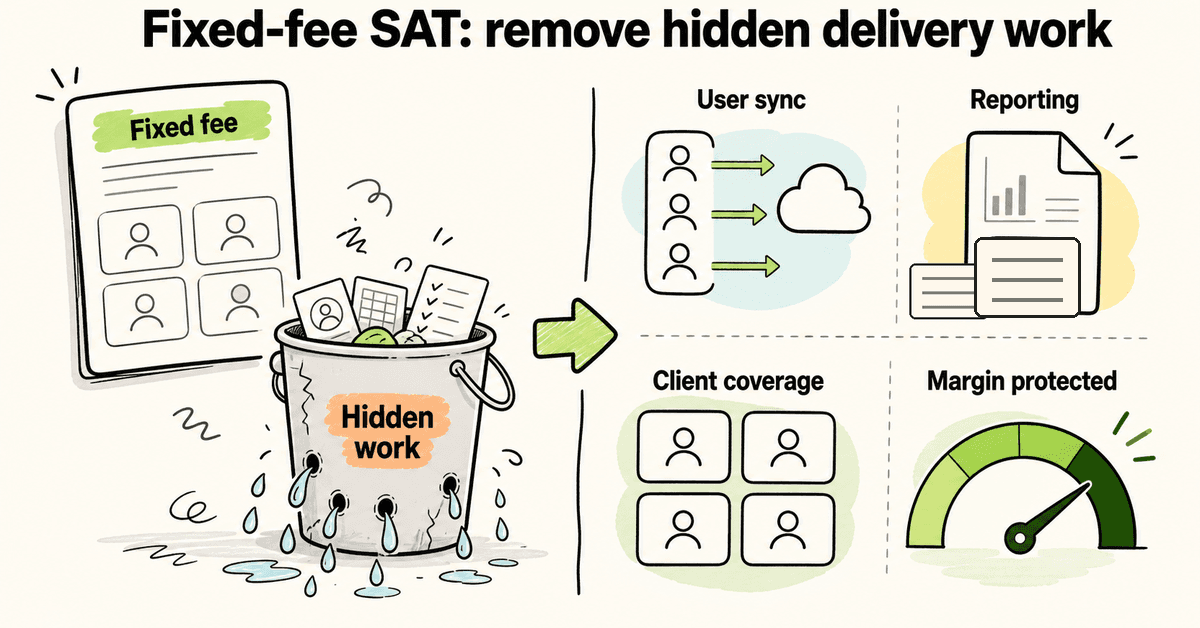
Fixed-fee MSP services protect margin only when the delivery work is genuinely standardized. If security awareness training still needs manual client setup, spreadsheet reporting, completion chasing, and billing debates every time users change, the flat fee is just hiding labor. MSP owners should evaluate SAT by total delivery workload, not only the per-seat content price. DefendWise is built for MSPs that want flat-fee SAT, unlimited users, unlimited client organizations, white-label delivery, and automated reporting without turning growth into another seat-tax problem.
What are fixed-fee MSP services?
Fixed-fee MSP services are managed services sold for a predictable monthly amount rather than billing every task by the hour. Clients like the model because the bill is easier to understand. MSP owners like it when the service is scoped, repeatable, and profitable.
That last part is the whole game.
A fixed-fee offer can look clean on the quote and still lose money after it lands. The client sees one line item. The MSP carries the setup work, tool noise, reporting cleanup, project coordination, exceptions, stale-user cleanup, and support follow-up behind the scenes.
That is why fixed-fee MSP pricing cannot be judged by the rate card alone. Flat-rate models are usually sold on predictability for the client. The missing question is whether the delivery model is predictable for the MSP too.
Security awareness training is a useful test case. It is easy to quote as “training per user.” It is harder to deliver across every client without creating recurring admin.
Why this matters for MSP owners
For an MSP owner, the question is not “can we add SAT to the stack?”
The better question is: “can we include SAT in a fixed-fee package without turning every client into a manual program?”
When MSPs price fixed-fee work, the recurring inputs are familiar: loaded engineer cost, utilization, PTO, buffers, PM overhead, vendor noise, and the margin target that has to survive after delivery starts.
Those inputs point to the same practical truth: margin is won or lost in the operating model.
For SAT, hidden work often shows up in 6 places:
| Hidden work area | What happens in practice | Margin risk |
|---|---|---|
| Client onboarding | Each client needs a bespoke setup project | Fixed fee starts with unpaid project work |
| User changes | New starters, leavers, shared mailboxes, stale users need cleanup | Seat counts and reports drift |
| Campaign cadence | Each client wants a different schedule or exception | Service desk and PM work creep in |
| Reporting | Someone exports, cleans, screenshots, and explains results | QBR prep becomes manual labor |
| Billing | Every new user or client changes the commercial conversation | Growth creates friction instead of margin |
| Branding | Vendor-branded portals and emails make the MSP look like a reseller | The MSP owns the support, but not the client experience |
If those jobs remain manual, a cheap per-seat tool can become expensive. If they disappear into templates, sync, multi-tenant controls, and automated reporting, the fixed fee starts to make sense.
What MSPs should check before bundling SAT
Before an MSP bundles SAT into a fixed-fee service, the owner should check the delivery model with the same discipline they would use for backup, endpoint protection, or M365 management.
1. Can every client start from a standard template?
Client-by-client setup is where a lot of “simple” services become expensive.
A good SAT delivery model should let the MSP start with a reusable baseline: training cadence, phishing cadence if used, branding, email templates, reporting expectations, and escalation rules. The point is not to make every client identical. The point is to avoid designing the service from zero every time.
If setup needs a senior tech and a project manager for each small client, the offer is not fixed-fee yet. It is a project wearing a monthly price.
2. Can users sync without monthly cleanup?
Security awareness training gets messy when the user list is messy.
MSPs need to know whether Microsoft 365 sync or another user source can keep the learner list current. New starters should not become a billing argument. Leavers should not stay in reports for months. Shared mailboxes and service accounts should not inflate the training population if they are not meant to be trained.
Per-seat pricing makes this more sensitive because every count can affect cost. Flat-fee pricing can remove the billing argument, but it does not remove the operational need for clean user data.
3. Can reports be client-ready?
Reporting is where fixed-fee services often leak time.
A client does not want a raw export from a training tool. They want a simple answer: who was covered, what happened, what improved, what still needs follow-up, and what the MSP is doing next.
If someone on the MSP team has to export a CSV, clean the data, take screenshots, build a PDF, and rewrite the same explanation for every QBR, that work belongs in the cost model. Better still, remove it with branded, scheduled, client-ready reporting.
4. Can the service cover all users without commercial friction?
Many MSPs want SAT to be part of the managed security baseline. That is hard if every extra user creates a pricing discussion.
Per-seat models can make owners think twice before covering lower-margin users, seasonal staff, contractors, or smaller clients. That is not only a commercial problem. It becomes a coverage problem.
A flat-fee MSP model is cleaner when the goal is broad coverage. DefendWise’s confirmed public model is $399/month flat, with unlimited users and unlimited client organizations/subclients. That lets the MSP think in terms of client coverage and package design rather than counting every seat before deciding whether training is worth it.
5. Can the MSP own the client experience?
Clients do not always understand where the vendor ends and the MSP begins.
If the portal, emails, and reports are vendor-branded, SAT can feel like a third-party add-on. If the MSP is the one explaining results and handling questions, the MSP should get the client-facing value.
White-label delivery matters for this reason. It helps the MSP present training, reports, and client materials as part of the managed service, not a bolt-on subscription the client could shop around directly.
A practical margin test for MSP SAT
Use this before adding SAT to a fixed-fee package.
| Question | Good sign | Warning sign |
|---|---|---|
| How long does client onboarding take? | Template-driven setup with clear defaults | Bespoke setup every time |
| How are users maintained? | Sync and exception handling are clear | Manual list cleanup is normal |
| How are reports delivered? | Branded client-ready reports | Exports, screenshots, and manual PDFs |
| What happens when a client adds users? | Coverage expands without a billing fight | Every user change triggers margin anxiety |
| Who owns the client experience? | MSP-branded portal, emails, and reports | Vendor brand dominates the service |
| Can one operator manage many clients? | Multi-tenant view with repeatable controls | One login/workflow per client |
| Does the price support bundling? | Predictable platform cost | Seat tax grows with every client/user |
If most answers land in the warning column, the issue is not the blog copy, the sales deck, or the client’s attitude. The service is not operationally ready for fixed-fee packaging.
How to price the hidden work
MSPs do not need a perfect spreadsheet to improve this. They need to stop pretending hidden work is free.
Start with the recurring jobs:
- Setup — who touches the client during onboarding, and for how long?
- User maintenance — how often does someone clean up lists, sync errors, or stale users?
- Campaign/report management — who checks whether training is running and reports are usable?
- Client explanation — who turns raw results into something a business owner understands?
- Billing exceptions — how often does user growth or client scope trigger a pricing conversation?
- Support noise — how many tickets or questions does the service create?
Then decide which jobs should be priced and which should be removed.
Pricing manual work is better than ignoring it. Removing the work is better again.
For SAT, that usually means choosing a platform with multi-tenant management, white-label delivery, automated onboarding/reporting, and a pricing model that does not punish user growth.
What good looks like
A fixed-fee SAT package should feel boring to operate.
That is a compliment.
A new client starts from a known setup path. Users sync. Training runs on the agreed cadence. Reports are branded and client-ready. The MSP can see what is happening across clients without logging into 20 places. The owner can include training in the managed service without re-opening the seat-count discussion every month.
The client still sees value. The MSP team does not have to rebuild the value proof from scratch.
That is the difference between a fixed-fee service and hourly labor wearing a cleaner quote.
Mistakes to avoid
Mistake 1: pricing only the software license
A low software price does not automatically mean a high-margin service. If the platform needs manual setup, manual reports, and manual user cleanup, that work has to be counted.
Mistake 2: using per-seat economics for a coverage goal
If the goal is to cover every user across every managed client, a per-seat cost model can fight the strategy. The MSP ends up deciding who is “worth” training instead of making SAT part of the baseline.
Mistake 3: letting vendor branding own the value
If the client only sees the vendor, the MSP becomes the reseller and support desk. White-label delivery helps the MSP keep the client-facing value attached to the managed service.
Mistake 4: treating reporting as an afterthought
Reporting is not admin garnish. It is how the MSP proves the service happened. If reporting is manual, it belongs in the margin model.
Mistake 5: selling “set and forget” without checking exceptions
Every service has exceptions. The question is whether exceptions are rare and manageable, or whether they become the normal workflow.
How a flat-rate MSP SAT platform helps
DefendWise is built for MSPs that want to include security awareness training without turning user growth into a seat-tax problem.
The confirmed public model is simple: $399/month flat, unlimited users, unlimited client organizations/subclients, white-label portal/emails/reports, multi-tenant management from one MSP dashboard, Microsoft 365 sync, and automated onboarding/reporting.
That combination matters because fixed-fee MSP services only work when the operations support the promise. Predictable pricing is useful. Predictable delivery is what protects margin.
If you want to see whether SAT can fit your managed service package without another per-seat bill, start the free 7-day trial and inspect the branded MSP flow.
What not to automate away
Low-admin does not mean no judgement. MSP owners still need clear scope, sensible escalation rules, and a human owner for client exceptions. The mistake is using human judgement for recurring clerical work.
Do not automate away the client conversation about what the program is for. The client should still understand why users are receiving training, what reports mean, and what happens when risk shows up. Automate the repeatable production work around that conversation: user sync, campaign assignment, reminders, report generation, and branded delivery.
Do not automate away accountability. If a client has a department with poor completion or repeat click behaviour, the MSP still needs a way to raise that in a QBR or security review. The difference is that the MSP should not have to build the evidence pack by hand every time.
Do not automate away scope. A fixed-fee SAT package should say what is included, what cadence is standard, what report the client receives, and what kind of follow-up is outside the normal service. Flat pricing works best when it removes billing friction, not when it invites unlimited custom work.
That is the useful middle ground for MSPs: standardise the machinery, keep the advisory judgement.
How to use this in a client package
A practical MSP package might frame SAT as part of the security baseline, not as a separate optional tool. The client does not need to understand every platform detail. They need to understand coverage, cadence, reporting, and what the MSP will do with the evidence.
A simple package description could say:
- users are synced from Microsoft 365;
- training and awareness content runs on a standard cadence;
- reports are delivered under the MSP brand;
- the MSP reviews trends and follow-up items with the client;
- new users are covered without a new sales conversation.
That is enough for most owner-level conversations. If a client needs a deeper compliance mapping or security-program review, that can be scoped separately. The baseline stays clean, repeatable, and margin-aware for profitable growth.
This also keeps sales honest. The MSP is not promising magic. It is promising a defined awareness program, delivered under its brand, with enough reporting to prove the work happened and enough automation to keep the team from rebuilding the same service every month.
Frequently asked questions
What are fixed-fee MSP services?
Fixed-fee MSP services are managed services sold for a predictable monthly amount rather than billed only by the hour. The model works when scope, delivery, reporting, and support expectations are clear enough for the MSP to protect margin.
Why do fixed-fee MSP services lose money?
They lose money when the quote hides work the MSP still has to do manually. Client setup, reporting, stale-user cleanup, project coordination, and support noise can quietly turn a clean monthly line item into unpaid labor.
Should MSPs bundle security awareness training into managed services?
Many MSPs should consider it, especially when clients need recurring evidence for security, insurance, or compliance conversations. The key is to package SAT in a way that is repeatable, client-ready, and low-admin.
Is per-seat SAT pricing bad for MSPs?
Not always. Per-seat pricing can be understandable for some buyers. The problem is that it can punish MSP growth when the MSP wants to cover every user across every client without re-opening pricing each time the client headcount changes.
What makes SAT MSP-friendly?
MSP-friendly SAT should support multi-tenant management, white-label delivery, user sync, repeatable onboarding, client-ready reports, and pricing that lets the MSP include training across the book.
How should an MSP calculate SAT margin?
Start with platform cost, then add the time required for setup, user maintenance, campaign management, reporting, support, and billing exceptions. If those jobs are manual, they are part of the real cost.
How does DefendWise support fixed-fee MSP packaging?
DefendWise gives MSPs flat-fee SAT at $399/month with unlimited users and unlimited client organizations/subclients. It also supports white-label delivery, multi-tenant management, Microsoft 365 sync, and automated onboarding/reporting.
What should an MSP do before changing its SAT package?
Audit the hidden work first. Check onboarding, user sync, reporting, billing friction, tenant management, and brand ownership. Then decide whether the current tool supports the service you want to sell.