How MSPs can help clients prevent social engineering attacks
How MSPs can prevent social engineering attacks with layered controls, role-aware training, reporting, and repeatable client workflows.
Defendwise
DefendWise
TL;DR
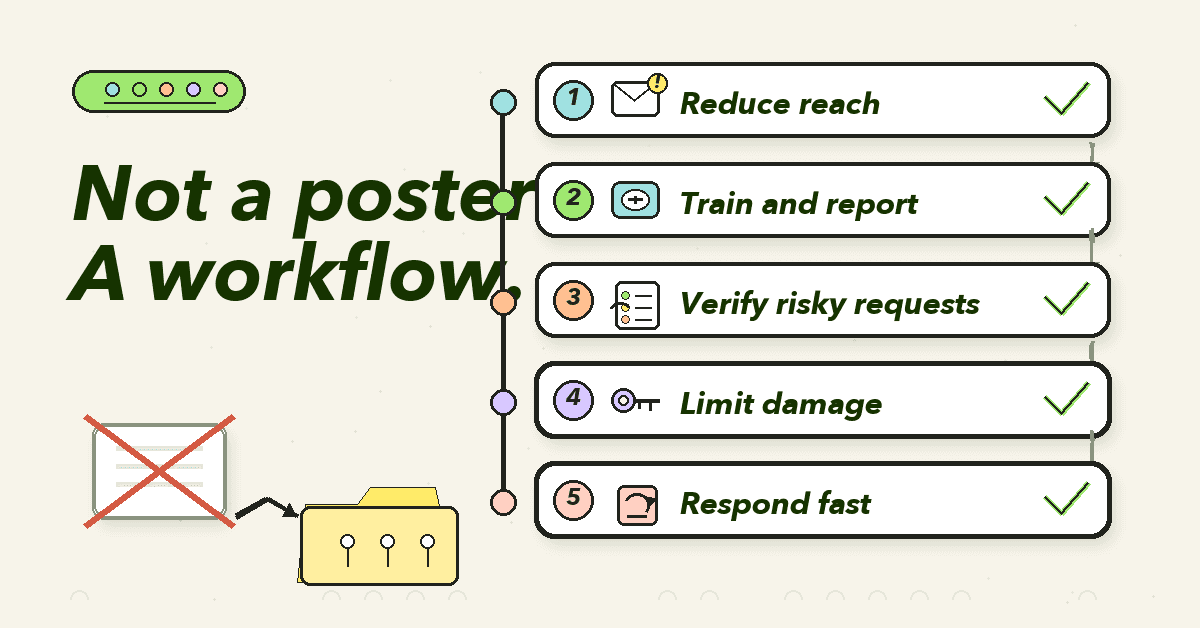
You do not prevent social engineering attacks with 1 poster, 1 annual module, or 1 scary phishing test.
For MSPs, social engineering prevention works best as a repeatable client operating layer: reduce what reaches users, train staff on realistic pressure, make reporting easy, verify risky requests, limit damage when someone clicks, and show proof in client-ready reports.
The commercial point is simple. If that operating layer takes manual effort for every tenant, it will not scale. MSPs need prevention workflows that are relevant enough for the client and standardized enough to protect margin.
What it means to prevent social engineering attacks
Social engineering attacks use trust, urgency, authority, fear, curiosity, or routine business habits to make someone do something unsafe.
CISA defines social engineering as an attacker using human interaction to obtain or compromise information about an organization or its systems. Phishing is one form of that pattern. It uses email or malicious websites to collect information by pretending to be a trusted organization. CISA also calls out vishing through voice communication and smishing through SMS or text messages.
That matters because clients often reduce the problem to "teach people to spot bad emails."
That is too narrow.
A modern social engineering program has to cover:
- Phishing emails.
- Spear phishing and whaling.
- Business email compromise.
- Vendor invoice changes.
- Fake payment instructions.
- Help desk impersonation.
- MFA fatigue and account recovery abuse.
- Vishing and fake support calls.
- Smishing and messaging-app scams.
- QR phishing.
- AI-polished emails and voice scams.
- Social media reconnaissance.
NIST's small business phishing guidance now warns that AI can craft increasingly convincing phishing attacks, so staff should take a second or third look at messages that ask them to click, download, transfer funds, log in, or submit sensitive information.
That is the right frame for MSPs.
The enemy is not only bad spelling. The enemy is a request that feels normal enough to slip into a busy workday.
Why MSPs should treat social engineering as a managed service problem
The source evidence is not subtle.
The FBI's 2024 Internet Crime Report says IC3 received 859,532 complaints of suspected internet crime and reported losses above $16 billion in 2024. The FBI press release says phishing/spoofing was the top cyber crime by complaint count, followed by extortion and personal data breaches.
The full IC3 report lists 193,407 phishing/spoofing complaints in 2024. It also lists 21,442 business email compromise complaints with reported losses of $2.77 billion.
Verizon's 2025 Data Breach Investigations Report says the human element was involved in around 60% of breaches in its dataset. It also says social engineering accounted for 17% of breaches in 2025, and that synthetically generated text in malicious emails doubled over 2 years in one partner dataset.
That does not mean every client needs a heavy enterprise human-risk program.
It does mean the client conversation has changed.
A small business owner does not need another abstract cyber lecture. They need to know whether their staff can spot a payment-change scam, report a suspicious email, verify a fake CEO request, and avoid handing over credentials to a convincing login page.
The MSP needs something more operational again:
- Can we roll this out to every client?
- Can we keep content current as scams change?
- Can we cover email, voice, SMS, and business process pressure?
- Can we prove training and reporting activity later?
- Can we do all of that without adding tenant-by-tenant admin work?
That is why social engineering prevention belongs in the managed service layer, not the once-a-year compliance drawer.
The layered model for preventing social engineering attacks
The UK's NCSC makes the useful point plainly: phishing mitigations often put too much weight on users spotting every phishing email. NCSC recommends a multi-layered approach across technology, process, and people.
Its 4 layers are a strong starting point for MSP service design:
- Make it difficult for attackers to reach users.
- Help users identify and report suspected phishing messages.
- Protect the organization from the effects of undetected phishing.
- Respond quickly to incidents.
MSPs can turn that into a practical client checklist.
| Layer | Client outcome | MSP operating work | Evidence to show |
|---|---|---|---|
| Reduce what reaches users | Fewer obvious scam messages reach inboxes | Email filtering, SPF, DKIM, DMARC, safe-link controls where used, domain-spoofing review | Email-authentication status, filtering notes, remediation actions |
| Train and report | Staff understand pressure tactics and know how to report | Role-aware training, phishing and social engineering scenarios, report button or clear reporting path, no-blame guidance | Training completion, topics covered, reporting route, reported message counts where available |
| Verify risky requests | Payment, credential, and data requests do not rely on one message | Callback rules, vendor bank-change policy, help desk identity checks, executive approval process | Policy notes, training assignments, process checklist, QBR summary |
| Limit damage | A click does not become a full incident | MFA, least privilege, patching, password manager guidance, endpoint protection, backup, account review | MFA coverage notes, admin review, backup status, remediation ticket links |
| Respond fast | The client knows what to do when something feels wrong | Incident response playbook, escalation contacts, bank contact steps, mailbox review process | Response plan, contact list, incident notes, lessons learned |
This is the MSP advantage.
A client on its own may see social engineering as a set of disconnected tasks. The MSP can package it into a rhythm: baseline, train, remind, verify, report, review, improve.
Start with the requests that create real damage
Not every social engineering scenario deserves equal weight.
For MSP clients, the highest-value training usually starts with requests that can create a direct loss or open the door to a wider compromise.
1. Credential requests
Credential phishing is still central because stolen credentials are useful after the first click. Verizon's 2025 DBIR says use of stolen credentials remains a major initial access vector, and phishing can feed later credential abuse.
Teach users to pause on:
- Unexpected login prompts.
- Shared document links that ask for credentials.
- MFA prompts they did not trigger.
- Password reset emails they did not request.
- Cloud file alerts from unknown senders.
- Links that do not match the claimed service.
Then pair that training with MFA, phishing-resistant authentication where practical, and password manager behavior that helps users avoid fake domains.
2. Payment and bank-change requests
The FBI calls business email compromise one of the most financially damaging online crimes. Its BEC page explains common patterns: spoofed accounts, spearphishing, malware, vendor invoice changes, gift card requests, and wire instructions that look legitimate.
This is where process beats memory.
Clients should not rely on staff to "feel" whether a payment request is real. They need a known verification path:
- Bank-detail changes require out-of-band confirmation.
- Gift card requests are treated as suspicious by default.
- Payment urgency does not bypass approval.
- Vendor changes are confirmed using stored contact details, not details in the message.
- Executives follow the same process as everyone else.
The MSP can help the client document the process and reinforce it through training.
3. Files and attachments
CISA lists suspicious attachments as a common phishing indicator and notes that unsolicited requests to download or open attachments are a common malware delivery method.
The training point should be concrete:
- Was the file expected?
- Is the sender known?
- Does the request match the normal process?
- Is the attachment type unusual for the task?
- Would the sender confirm through another channel?
This should connect to technical controls: endpoint protection, patching, restricted macros, least privilege, and backup.
4. Voice, SMS, and QR requests
CISA defines vishing as social engineering over voice communication and smishing as social engineering through SMS. NIST also tells small businesses that phishing can arrive through text messages, phone calls, social media, and physical postal mail.
That matters because clients often train only around email.
A finance user may get the fake payment instruction by email. A manager may get the confirmation request by text. A help desk analyst may get a phone call from someone pretending to be a locked-out executive. A staff member may scan a QR code that opens a fake login page.
The right behavior is not "trust email, distrust everything else."
It is "verify risky requests through a known path, no matter where they start."
Build role-aware training without creating admin drag
Generic training is easy to assign and easy to ignore.
Role-aware training is better because social engineering follows job pressure. Finance sees invoices and bank changes. HR sees resumes and identity documents. Executives see authority abuse and whaling. Help desks see account recovery pressure. Admins see privileged access risk.
The mistake is turning role-aware training into a custom content project for every client.
MSPs need a middle path.
Use a standard topic library, then map role emphasis:
| Role | Social engineering pressure | Training emphasis |
|---|---|---|
| Finance | Invoice changes, wire transfers, gift cards, payroll changes | Payment verification, vendor callbacks, urgency resistance |
| Executives | Whaling, fake legal requests, authority abuse, travel scams | Out-of-band checks, assistant workflows, public-profile risk |
| HR | Resume attachments, employee data requests, payroll changes | Attachment caution, identity checks, data handling |
| Help desk | Password resets, MFA reset pressure, fake VIP calls | Caller verification, recovery policy, escalation path |
| Admins | Privileged access, OAuth consent, secrets, remote access | Least privilege, MFA, account review, suspicious login handling |
| All users | Phishing, smishing, vishing, QR phishing | Recognize, resist, report, and verify through known channels |
This is where AI-native training can help if it is used carefully.
The point is not to flood users with more content. It is to keep topics current, make scenarios more relevant, and reduce the work required to refresh campaigns across many clients.
For MSPs, relevance only counts if it does not become a custom admin tax.
Make reporting the success metric, not shame
Phishing simulations can be useful. They can also go wrong fast.
NCSC warns that no training package, including phishing simulations, can teach users to spot every phishing attempt. It also warns that punishing people for clicking can erode trust and reduce reporting.
That is a good warning for MSPs.
If a simulation becomes a monthly trap, clients learn the wrong lesson. Users get defensive. Managers chase click rates. Real reports may drop because people are embarrassed or afraid.
A better simulation program asks:
- Did users report the message?
- Did the reporting path work?
- Did the internal team respond quickly?
- Did high-risk roles understand the process?
- Did the scenario match real business pressure?
- Did the client learn which process needs tightening?
NIST's Phish Scale User Guide is useful here because it says click rates and reporting rates alone do not provide a complete picture of phishing risk. The difficulty of the email and the recipient context also matter.
That is the mature position.
A low click rate on an easy phish does not prove readiness. A higher click rate on a hard, role-aligned phish may show a training need, not a people problem.
MSPs should help clients move from blame to feedback.
Tie training to business process
Social engineering prevention fails when it lives only inside the LMS.
Training should point people to the exact process they should follow at work.
For example:
- If a vendor changes bank details, call the known number in the vendor record.
- If an executive asks for gift cards, treat it as suspicious and verify through a known channel.
- If a login page appears from an email link, type the service URL directly or use the saved app launcher.
- If a caller asks for an MFA reset, follow the identity verification process.
- If a message feels urgent, pause and report.
- If you clicked, report quickly. You will not be punished for reporting.
The FTC's small business guidance is practical on this point. It recommends regular training, updating staff about new risks, email authentication, MFA, staff reporting paths, backups, and incident response planning. It also recommends verification policies for business email imposter risk, such as calling to confirm wire transfer requests.
That is exactly the kind of advice an MSP can translate into client service packaging.
Training tells people what to do. Process makes it possible.
What MSPs should report to clients
Client reporting should not be a screenshot of a completion percentage.
Completion matters, but it is only the start. A client owner wants to know whether the organization is less exposed than last quarter, whether staff understand the major risks, and whether the MSP has evidence for insurance, audits, or board discussions.
A useful social engineering report includes:
- Users covered.
- Training assigned.
- Training completed.
- Overdue users.
- Topics covered.
- Role-specific modules assigned.
- Phishing simulation outcomes where used.
- Reported-message activity where available.
- Repeat-risk areas.
- Recommended next actions.
- Client-specific notes for QBRs.
- Evidence export date.
This is where tenant separation matters.
An MSP cannot afford to rebuild a report by hand for every client. The report needs to be clean by tenant, readable by a non-technical owner, and easy to attach to a QBR, cyber insurance evidence pack, or audit folder.
Defendwise is built for MSPs that need this operating layer across many clients: multi-tenant management, automated onboarding, client-ready reporting, white-label delivery, and flat-fee pricing.
The MSP runbook: 30 days to a stronger social engineering program
A simple rollout beats a perfect plan that never leaves the PSA.
Here is a practical 30-day workflow MSPs can use as a starting point.
Days 1 to 5: Baseline the client
Check the basics:
- Who are the high-risk roles?
- Is MFA required?
- Are SPF, DKIM, and DMARC configured?
- Is there a clear reporting path?
- Are payment-change rules documented?
- Are backups in place?
- Is there an incident response contact list?
- Who receives the monthly or quarterly report?
Keep this light. The goal is a working baseline, not a consulting thesis.
Days 6 to 10: Launch core training
Assign short, practical training on:
- Phishing.
- BEC.
- Credential theft.
- Vishing and smishing.
- Suspicious attachments.
- Reporting.
Set reminders and make the client owner aware of the timeline.
Days 11 to 15: Add role emphasis
Add focused training for high-risk roles:
- Finance: payment verification.
- Executives: whaling and authority abuse.
- HR: attachments and personal data.
- Help desk: identity verification.
- Admins: privileged access and MFA reset risk.
Do not overdo it. A few relevant assignments will outperform a content dump.
Days 16 to 20: Fix process gaps
Training will expose gaps.
Common fixes include:
- Add a payment-change callback rule.
- Update vendor contact records.
- Publish the reporting route.
- Clarify who can approve urgent payments.
- Document what to do after a clicked link.
- Confirm bank escalation contacts.
Days 21 to 25: Run a measured scenario
If you use simulations, choose a scenario that matches the client's risk.
Do not punish clicks. Measure:
- Report rate.
- Time to report.
- Repeat risk.
- Role exposure.
- Process breakdown.
- Whether staff used the correct channel.
Days 26 to 30: Report and reset
Send a simple client report:
- What was assigned.
- Who completed it.
- What was overdue.
- What was tested.
- What was reported.
- What needs fixing next.
Then schedule the next monthly or quarterly cycle.
That is how social engineering prevention becomes a service, not a campaign.
Mistakes MSPs should avoid
Mistake 1: Treating annual training as prevention
Annual training helps with baseline awareness and compliance evidence. It does not keep pace with active scams, client turnover, new roles, or AI-polished lures.
Use it as the floor, not the program.
Mistake 2: Measuring only clicks
Clicks are easy to count. They are not enough.
Measure reporting, completion, repeat risk, role exposure, and whether the client's process changed.
Mistake 3: Training everyone on the same risk
Everyone needs baseline training. Not everyone needs the same depth.
Finance, HR, executives, help desk, and admins need different scenarios because attackers pressure them differently.
Mistake 4: Forgetting non-email channels
CISA and NIST both make the point that social engineering is not limited to email. SMS, voice, social media, and physical mail can all carry the attack.
If training only says "check the sender address," it is too narrow.
Mistake 5: Making reporting feel dangerous
If users fear blame, they report later or not at all.
The client needs a clear message: report quickly, even if you clicked. Fast reporting reduces damage.
Mistake 6: Selling a service your team cannot operate
MSPs should be careful not to create a manual promise.
If every client needs hand-built training, custom reminders, manual evidence exports, and bespoke QBR notes, the service will become a margin drain.
The safer model is standardized operations with client-relevant content.
Where Defendwise fits
Defendwise is built for MSPs that want security awareness training to be a standard service, not a seat-count headache.
It is flat-rate at $399/month, with unlimited users and unlimited client organizations under fair use. It is white-label, multi-tenant, and designed around low-admin delivery across a client base.
For social engineering prevention, that means MSPs can package the operating layer:
- Launch training across clients.
- Keep topics current with AI-native content support.
- Use tenant-separated reporting.
- Deliver under the MSP's brand.
- Reduce manual onboarding and reminder work.
- Keep pricing predictable as user counts change.
If you want social engineering prevention to become part of your managed service bundle, start with the workflow. Then choose the platform that lets your team repeat it without losing the margin you were trying to protect.
Start a free 7-day trial and build the client operating layer around the attacks people actually face.
Source notes
External sources used:
- CISA, Avoiding Social Engineering and Phishing Attacks
- CISA, Recognize and Report Phishing
- NIST, Phishing, Small Business Cybersecurity Corner
- NCSC, Phishing attacks: defending your organisation
- FTC, Cybersecurity for Small Business
- FBI, Business Email Compromise
- FBI, FBI Releases Annual Internet Crime Report
- FBI IC3, 2024 Internet Crime Report PDF
- Verizon, 2025 Data Breach Investigations Report PDF
- NIST, NIST Cybersecurity Framework 2.0
- NIST, NIST Phish Scale User Guide
- NIST, NIST Phish Scale User Guide PDF
Internal links used: