Alternatives to KnowBe4 for MSPs
Alternatives to KnowBe4 for MSPs compared by pricing, admin load, multi-tenancy, white-label fit, and reporting.
DefendWise
DefendWise
TL;DR
Alternatives to KnowBe4 for MSPs should be judged by MSP operating fit, not by who has the longest content catalogue.
KnowBe4 is a serious SAT platform with scale, recognition, partner programs, and a large training library. For many MSPs, the question is whether that strength comes with the pricing, admin, and client-account workflow they want to carry across 10, 50, or 100 clients.
A good KnowBe4 alternative for MSPs should make 4 things easier: predictable margin, tenant-separated delivery, white-label client experience, and reporting that proves value without turning into monthly admin work.
What "alternatives to KnowBe4 for MSPs" really means
Most MSPs searching for KnowBe4 alternatives are not asking, "Is security awareness training useful?"
They are asking a more commercial question:
Can we deliver security awareness training to every client, under our brand, with clean evidence, without adding a new admin burden or a seat-tax problem?
That is a different buying job from an internal IT team choosing a training platform for 1 company.
Internal IT usually cares about content depth, policy fit, user engagement, phishing simulation quality, and reporting for 1 organisation. MSPs care about those things too, but they also need the service to work across many clients at once.
That changes the checklist.
An MSP-friendly SAT platform needs to handle:
- Many client tenants from 1 operating layer.
- New-client setup without a ticket pile.
- User onboarding and offboarding without manual chasing.
- Branded emails, portals, and reports.
- Client-ready evidence for QBRs, cyber insurance, ISO 27001, NIST CSF, and other frameworks.
- Pricing that does not punish growth.
- Packaging that lets the MSP include SAT in managed service bundles.
The NIST Cybersecurity Framework frames cybersecurity risk as something organisations should understand and manage over time. Awareness and training are part of that operating rhythm. The older NIST CSF PR.AT reference says personnel and partners should receive cybersecurity awareness education and training consistent with related policies, procedures, and agreements.
For MSPs, that means awareness is not only a training module. It is a managed service workflow.
Why MSPs compare KnowBe4 alternatives
KnowBe4 has earned its place in the market. It has broad name recognition, a mature product footprint, and a partner program for channel partners, MSPs, and consultants. Its partner page claims about 70,000 global customers, 70+ integration partners, and a channel program built for organisations that want to sell or support KnowBe4.
The reason MSPs compare alternatives is usually not that KnowBe4 cannot do SAT.
It is that MSPs feel pressure in 4 places.
1. Seat economics become service economics
Per-user or bulk-seat licensing can be normal for internal IT. For an MSP, it changes the service margin.
If an MSP sells awareness training as a line item and passes every cost through, per-seat can work. If the MSP wants to include SAT in a fixed managed services bundle, each new user can become a margin leak.
KnowBe4's partner and multi-account guide describes bulk subscription fields, bulk purchased seats, bulk active users, active accounts, trial accounts, and free accounts inside the partner dashboard. Its MSP standards also say bulk MSP partners agree to true-up overages within 48 hours of occurrence.
That may be reasonable for the right partner. It also means MSPs should model seat movement before they bundle the service.
2. Client-account workflow matters more than feature depth
A big enterprise platform can have deep features and still be heavy for an MSP service desk.
KnowBe4's partner guide shows a real multi-account management console: partner dashboards, account settings, managed phishing campaigns, managed training campaigns, notification templates, ModStore libraries, admin roles, and reports. That is useful. It is also a system the MSP has to operate.
The guide also notes that adding an account through the partner portal requires information such as company legal name, domain, address, initial user count, console manager, permission to phish and train the domain, and whether the account is paid or trial. It says the MSP will receive a response within 24 business hours.
That process may be fine for many MSPs. It is still worth comparing with platforms built around faster client provisioning and fewer account-management steps.
3. White-label ownership affects client value
MSPs do not only deliver training. They sell trust.
If the client sees another vendor as the hero, the MSP gets less credit for the work. That is why white-label portals, white-label reports, branded client emails, and MSP-owned service packaging matter.
This is where MSP-first alternatives such as usecure, Hook Security, Phin Security, and Defendwise tend to speak more directly to the channel model. usecure's MSP page highlights one dashboard, white-labelling, automated onboarding, campaigns, and reporting. Hook Security's MSP page promises a multi-tenant platform, one dashboard, client-ready white-label reports, and global campaign deployment. Phin's MSP guide lists multi-tenant management, flexible billing, directory and PSA integrations, automation, white-labelling, and reporting as core MSP buying criteria.
Those are not nice-to-have details. They are how the MSP keeps the service attached to its own brand.
4. Reporting has to prove value without stealing time
Security awareness training often gets pulled into compliance, insurance, QBR, and board conversations.
The Verizon DBIR archive describes the annual DBIR as an analysis of real-world data breaches and notes that the human element, including social engineering, phishing, and stolen credentials, continues to feature heavily in common breach causes. CISA's phishing and social engineering guidance gives plain indicators of phishing attempts and reinforces why user education still matters.
But useful reporting is not only a completion percentage. MSPs need clean client-level exports, tenant separation, topic context, overdue users, evidence dates, and enough narrative for a client to understand what changed.
If each monthly report requires manual cleanup, the platform is not low-admin for MSPs.
What KnowBe4 does well
A fair comparison starts here.
KnowBe4 is not a weak platform. It is one of the best-known names in security awareness training.
Its security awareness training page says the product combines a large security awareness library with AI-native defense agents, threat intelligence, personalised recommendations, user risk scoring, phishing templates, and board-ready reporting. It also promotes recognised customer brands, awards, customer testimonials, and a broad partner ecosystem.
Its partner program positions KnowBe4 for channel partners, managed service providers, and consultants. Its support documentation shows detailed partner and multi-account functionality for accounts, users, campaigns, templates, libraries, admins, and reports.
That makes KnowBe4 a good fit when an MSP wants:
- A widely recognised SAT brand.
- A large content catalogue.
- Mature phishing and training workflows.
- Enterprise-style reporting and risk scoring.
- A partner program with established materials.
- A platform that many buyers and auditors already know.
The question is not whether KnowBe4 can support awareness training. It can.
The question is whether the MSP wants to build its managed service around KnowBe4's seat, account, and campaign workflow, or around an MSP-first operating model.
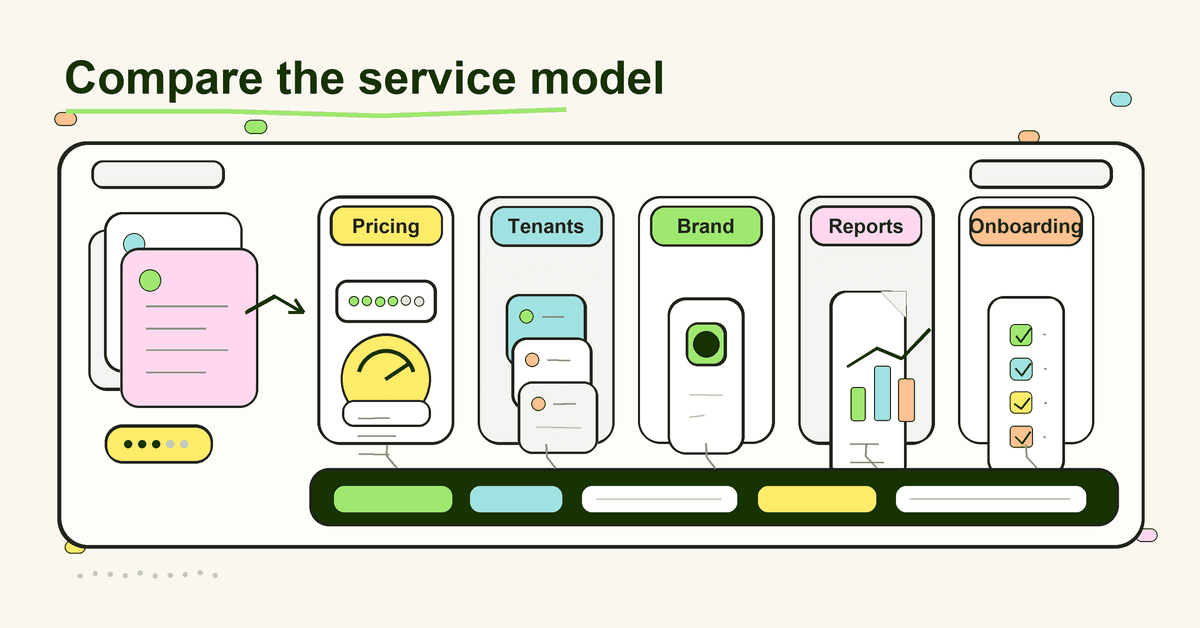
KnowBe4 alternatives for MSPs: practical comparison
Use this table as a first pass. It is not a full procurement decision. It is a way to sort the shortlist by MSP operating fit.
| Option | Strong fit when | Watch carefully | MSP angle |
|---|---|---|---|
| KnowBe4 | You want a mature, recognised SAT platform with a large library, advanced phishing features, risk scoring, and a broad partner ecosystem | Seat economics, bulk subscription rules, client account setup, and how much campaign/report admin the MSP keeps | Strong platform; check service-model fit before bundling broadly |
| Defendwise | You want a flat-fee MSP-first SAT platform with unlimited users, white-label delivery, multi-tenant management, automated onboarding, and client-ready reporting | Newer brand recognition versus long-established enterprise vendors | Built for predictable MSP packaging: flat fee, white-label, and multi-tenant delivery |
| Huntress SAT | You want managed security awareness training with story-led content, threat-intel backing, onboarding support, and low internal admin | How much control, customisation, and MSP-owned packaging you need | Strong managed SAT option, especially where the MSP already sells Huntress |
| usecure | You want an MSP-focused human-risk platform covering training, phishing, policy management, breach monitoring, automation, white-label, and flexible billing | Confirm current pricing, contract, feature packaging, and reporting needs against your client base | Broad MSP human-risk bundle with strong channel language |
| Hook Security | You want a multi-tenant MSP SAT platform with global campaigns, client customisation, white-label reports, and no stated minimums on its MSP page | Validate current pricing, content fit, integrations, and support model | MSP-first positioning around one dashboard and portfolio management |
| Phin Security | You want an MSP-focused SAT vendor with multi-tenant workflows, month-to-month positioning, automation, user sync, and PSA/directory integration language | Check content-language needs, current PSA coverage, and whether active-user pricing fits your margin model | Strong checklist for what "MSP-friendly SAT" should mean |
| Enterprise SAT tools | You need deep enterprise features for a specific large client or compliance-heavy environment | Often less friendly for multi-client packaging, white-label ownership, and small-client economics | Useful for certain clients, but rarely the cleanest default MSP bundle |
The pattern is clear: the best alternative is not always the platform with the most features.
For MSPs, the best alternative is the one that protects the service model.
How to choose a KnowBe4 alternative for MSPs
Start with the way you plan to sell the service.
If security awareness training is a bill-through line item, you can tolerate more per-user complexity. If you want SAT included in every managed services package, pricing and admin load matter much more.
Here is the evaluation checklist.
1. Pricing model
Ask how the bill changes when client user counts move.
- Is pricing per seat, active user, client tier, usage, or flat fee?
- Are there minimums?
- Are there true-ups?
- Are inactive users billed?
- Are seasonal staff handled cleanly?
- Can the MSP include every user without checking margin on every mailbox?
If you want SAT to become a standard part of your managed service bundle, the pricing model is not a finance detail. It is the product strategy.
2. Tenant management
Ask what happens when you add your 40th client.
- Can you see every client from 1 dashboard?
- Can you launch or monitor campaigns across clients?
- Can you drill into a client without logging into a separate portal?
- Are client reports separated by tenant by default?
- Can admin roles be scoped cleanly?
A platform can be technically multi-account without being comfortable for daily MSP work.
3. Client onboarding
Ask how long it takes to onboard a normal small client.
You are looking for fewer handoffs, fewer manual forms, and fewer waiting points.
A good onboarding process covers domain setup, branding, user import or sync, default campaigns, reminders, report schedules, and client-facing launch emails. Better still, it lets the MSP repeat the same workflow without reinventing it for each client.
Defendwise leans into this through automated onboarding, while other MSP-first vendors use their own forms of sync, templates, or guided setup.
4. White-label delivery
Ask who the client thinks delivered the value.
- Can the portal carry your brand?
- Can emails send with your identity?
- Can reports use your brand?
- Can the training experience avoid pushing the vendor ahead of the MSP?
- Can you package the service as your own managed human-risk or security awareness offering?
This is not vanity. White-label delivery helps the MSP keep trust, margin, and renewal value.
5. Reporting and evidence
Ask what the client can open without your engineer explaining it for 30 minutes.
Good MSP reporting should show:
- Users covered.
- Training assigned.
- Training completed.
- Overdue users.
- Phishing simulation outcomes where used.
- Topics covered.
- Trend over time.
- Export date.
- Tenant name.
- Client-ready summary.
The ISO/IEC 27001 page describes ISO 27001 as a standard for information security management systems and risk management. SAT reporting will not prove the entire ISMS, but it can support the awareness evidence layer when packaged clearly.
6. Content and simulation fit
Do not ignore content.
KnowBe4's big strength is depth. Huntress has story-led episodes and threat-intel-backed content. usecure talks about tailored training and scalable phishing simulations. Hook presents portfolio-wide campaigns. Phin talks about content from multiple training providers.
The right question is: will your clients finish it, and will it map to the risks you need to explain?
For MSPs, content should be current enough for modern threats, short enough to complete, and flexible enough for different client sizes. AI-themed phishing, QR phishing, voice scams, credential theft, MFA fatigue, and invoice fraud are not future topics. They are now topics.
7. Integrations and lifecycle automation
Ask what happens when a user joins, leaves, changes role, or appears in the wrong group.
A strong MSP platform should reduce manual user lifecycle work. Microsoft 365 sync, directory sync, PSA/RMM connections, Zapier workflows, and scheduled reports can all matter.
Defendwise supports Microsoft 365 sync and Zapier integrations. Other MSP-first platforms promote their own directory, PSA, or workflow integrations. The exact list matters less than the outcome: fewer tickets for routine training admin.
Step-by-step: compare KnowBe4 alternatives without getting lost
1. Decide the package first
Before you watch demos, decide where SAT lives in your service menu.
Is it a premium add-on, a compliance add-on, a default managed service inclusion, or a vCISO deliverable?
The right vendor changes based on that answer.
2. Build a 100-client pricing model
Do not compare on your current seat count only.
Model a small client, a medium client, a large client, and a fast-growing client. Then model what happens if you include SAT across all managed clients.
If the pricing looks fine at 500 users but ugly at 5,000, you found the risk early.
3. Run a tenant setup test
Pick a normal client profile and time the setup.
Include branding, domain/email setup, user import or sync, first campaign, reminder schedule, report export, and client handoff.
Do not count the demo environment. Count the real steps your team would carry.
4. Export a client-ready report
Ask each vendor for a sample monthly report and an evidence-style export.
Look for tenant separation, plain language, dates, user coverage, completion status, overdue users, and whether a client owner can understand it without a training session.
If reporting creates another internal reporting job, the platform has moved the work instead of removing it.
5. Check control and brand ownership
Decide whether you want a managed vendor experience or an MSP-owned service experience.
Both are valid.
A managed SAT provider can reduce admin. An MSP-owned white-label platform can help you build your own service line. The wrong choice is pretending they are the same.
6. Pilot with 2 different client types
Do not pilot only with your easiest client.
Use 1 small business with light compliance needs and 1 client that needs reports, policy proof, cyber insurance evidence, or quarterly board updates. That exposes the difference between "users completed modules" and "the MSP can run this as a service."
7. Decide with the service desk in the room
Owners often choose the commercial model. Technical leads often choose the platform. Service desk teams feel the admin burden.
Bring all 3 views into the decision.
If the tool looks good to the buyer but creates tickets for the team, it will not scale.
What good looks like for an MSP-first KnowBe4 alternative
A good alternative should make the MSP feel more in control after 90 days, not more dependent on hero work.
You should be able to say:
- We can add a client without a special project.
- We can include every user without margin anxiety.
- We can brand the experience as ours.
- We can see every client from 1 place.
- We can prove completion and coverage by client.
- We can export reports for QBRs, cyber insurance, and compliance conversations.
- We can refresh content and reminders without rebuilding campaigns manually.
- We can explain the service in 1 slide and sell it inside a managed package.
That is the bar.
Not the largest library.
Not the flashiest phishing template.
The bar is whether the MSP can run the service profitably and consistently.
Mistakes to avoid when comparing alternatives to KnowBe4 for MSPs
Mistake 1: Treating content volume as the buying decision
A huge library is useful if you can turn it into the right client workflow.
It is less useful if your team spends hours choosing modules, rebuilding campaigns, and fixing reports. Content matters. Operating fit matters more for MSPs.
Mistake 2: Ignoring true-up and inactive-user rules
A few extra users per client may not look like much.
Across a client base, seat drift changes margin. Check how each vendor handles archived users, active users, staff turnover, trial users, and bulk seat overages.
Mistake 3: Letting the vendor own the client relationship
If every email, portal, and report points back to the vendor, the MSP becomes the reseller in the background.
That may be fine for some motions. It is not ideal if your strategy is to build a managed security service that clients credit to you.
Mistake 4: Comparing demos instead of admin reality
A demo is a clean room.
Your service desk is not.
Force the comparison into real MSP steps: add a client, sync users, launch training, chase non-completion, export a report, handle a leaver, and answer a client compliance question.
Mistake 5: Buying an enterprise tool for a small-client bundle
Enterprise depth can be useful for large clients.
But if your SAT package is meant for every managed client, the default platform has to suit the median client and the MSP team that supports them.
Where Defendwise fits
Defendwise is built for MSPs that want security awareness training to be a standard, margin-safe part of the managed service stack.
It is $399/month flat. Unlimited users. Unlimited client organisations. White-label. Multi-tenant. Built around automated onboarding, Microsoft 365 sync, Zapier workflows, and client-ready reporting.
KnowBe4 is the established, high-recognition option with a large library and mature enterprise feature set. Defendwise is the cleaner fit when the MSP wants a flat-fee SAT platform that can be bundled across clients without turning every new user into a pricing question.
If the goal is to protect every user, keep the MSP brand in front, and avoid adding monthly admin work, compare Defendwise alongside KnowBe4 before you sign the next SAT agreement.
Start with Defendwise or read the direct Defendwise vs KnowBe4 comparison.
Frequently asked questions
What are the best alternatives to KnowBe4 for MSPs?
The right KnowBe4 alternative depends on how the MSP packages security awareness training. MSPs commonly compare Defendwise, Huntress SAT, usecure, Hook Security, Phin Security, and other SAT or human-risk platforms.
The main decision is not only content quality. It is pricing, tenant management, white-label delivery, reporting, automation, and how much admin work the MSP keeps.
Is KnowBe4 good for MSPs?
KnowBe4 can be a strong option for MSPs that want a large content library, mature phishing simulation features, enterprise reporting, and an established partner program.
MSPs should still check the operating fit: how bulk seats work, how client accounts are added, what admin work is expected, how reports are packaged, and whether the billing model protects their margin.
Why do MSPs look for KnowBe4 alternatives?
MSPs usually look for KnowBe4 alternatives when they want simpler multi-client management, white-label client delivery, lower admin work, more predictable pricing, or a model that is easier to bundle into managed services.
The trigger is often operational, not a claim that KnowBe4 is a bad product.
What should MSPs compare before switching from KnowBe4?
Compare pricing model, active-user or seat rules, contract terms, tenant setup, directory sync, campaign automation, reporting exports, white-label emails and reports, client-facing ownership, integrations, evidence packs, and how quickly a new client can be onboarded without manual work.
The winning platform should fit the MSP's service package, not just the buyer's feature checklist.
Should MSPs choose per-seat or flat-fee security awareness training?
Per-seat pricing can work when training is sold as a direct pass-through line item.
Flat-fee security awareness training is usually easier when an MSP wants to bundle SAT across many clients, protect margin as seats grow, and include every user without checking whether each new mailbox changes the bill.
Can an MSP use more than one security awareness training platform?
Yes. Some MSPs keep an enterprise-grade SAT platform for larger compliance-heavy clients and use a simpler MSP-first platform for bundled managed services.
The tradeoff is extra admin: 2 sets of reports, 2 campaign workflows, 2 support paths, and less consistent packaging.
How does Defendwise compare with KnowBe4 for MSPs?
Defendwise is built around an MSP-first operating model: $399/month flat fee, unlimited users, unlimited client organisations, white-label delivery, multi-tenant management, automated onboarding, and client-ready reporting.
KnowBe4 has scale, brand recognition, and a large content library. Defendwise is the cleaner fit when the MSP wants predictable economics and a low-admin bundled service.
Source notes
Research searches run:
alternatives to KnowBe4 for MSPs security awareness trainingKnowBe4 partner multi-account MSP security awareness training alternativesMSP security awareness training white label multi tenant KnowBe4 alternatives usecure Hook Phin Huntresssecurity awareness training human element phishing Verizon DBIR NIST CSF PR.AT awareness training
External source URLs used or checked:
- Gartner Peer Insights, KnowBe4 alternatives: https://www.gartner.com/reviews/market/security-awareness-computer-based-training/vendor/knowbe4/alternatives
- KnowBe4 security awareness training product page: https://www.knowbe4.com/products/security-awareness-training
- KnowBe4 global partner programs: https://www.knowbe4.com/partners/partner-programs
- KnowBe4 partner and multi-account getting started guide: https://support.knowbe4.com/hc/en-us/articles/360013635634-Partner-and-Multi-Account-Getting-Started-Guide
- KnowBe4 MSP standards of engagement: https://www.knowbe4.com/legal/managed-service-provider-standards-of-engagement
- Huntress managed security awareness training: https://www.huntress.com/platform/security-awareness-training
- usecure for MSPs: https://usecure.io/for-msp
- Hook Security for MSPs: https://www.hooksecurity.co/for-msps
- Phin Security MSP SAT provider guide: https://www.phinsecurity.com/blog/top-cybersecurity-awareness-training-providers-for-msps-and-what-makes-a-platform-actually-msp-friendly
- NIST Cybersecurity Framework: https://www.nist.gov/cyberframework
- CSF Tools PR.AT awareness and training reference: https://csf.tools/reference/nist-cybersecurity-framework/v1-1/pr/pr-at/
- CISA social engineering and phishing guidance: https://www.cisa.gov/news-events/news/avoiding-social-engineering-and-phishing-attacks
- Verizon DBIR archive: https://www.verizon.com/business/resources/reports/dbir/
- ISO/IEC 27001 standard page: https://www.iso.org/standard/27001