How to deliver training under my company's brand
How to deliver training under my company's brand without client confusion, portal sprawl, or manual MSP reporting work.
DefendWise
DefendWise
TL;DR
If you are asking how to deliver training under my company's brand, the answer is not "upload a logo and hope."
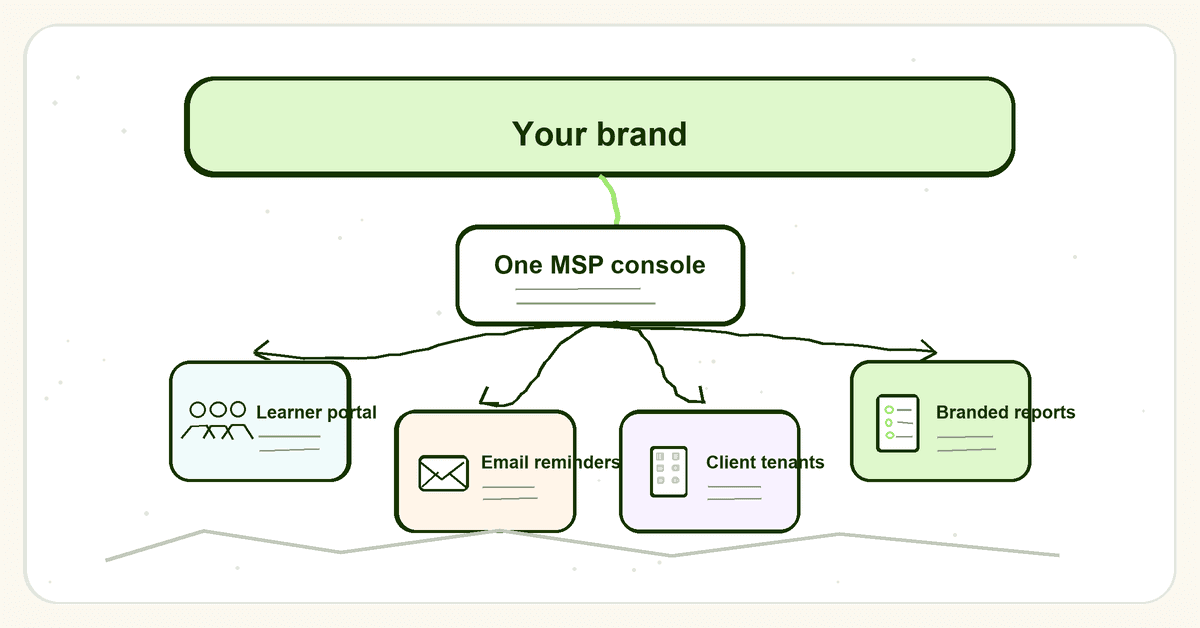
For an MSP, branded security awareness training needs 4 things working together: a white-label learner experience, client-separated tenants, authenticated email sending, and branded reports your team can use in QBRs and audit conversations.
The goal is simple. Your client should see training as part of your managed security service, not as a random third-party portal they vaguely remember from last quarter.
That matters because the training itself is only half the job. The other half is trust, completion, proof, and repeatable delivery across every client without creating a new admin queue for your team.
What it means to deliver training under your company's brand
Delivering training under your company's brand means the client-facing experience carries your MSP identity.
That usually includes:
- A branded learner portal or custom training URL.
- Your MSP name, logo, and colours on the portal.
- Training emails that identify your MSP clearly.
- Reminder emails that point back to your portal.
- Completion certificates and reports that carry your brand.
- Client-separated reporting so Acme Law never sits in the same view as Northside Dental.
- A support path that points to your team, or to the support route you have chosen.
This is different from basic co-branding.
Co-branding says, "Here is the vendor, with your logo added somewhere." White-label delivery says, "This is the MSP's managed training service."
That distinction matters in the channel. MSPs do not only resell tools. They package trust. A client does not buy a security awareness login because they care about the vendor's brand. They buy it because their MSP says, "This is part of how we reduce avoidable risk."
The market already shows that MSP buyers care about this. ID Agent describes white-label delivery for MSPs as keeping the MSP's brand front and centre with custom URLs, logos, portal branding, and emails. Guardz documents customer-facing white-label setup with subdomain, email alias, reply-to, login page, favicon, and user portal branding. Mimecast documents awareness training branding for training notifications and phishing landing pages. Hook Security positions MSP security awareness around multi-tenant delivery, automation, white-label reports, and one dashboard.
Those are useful signals. They show that white-label delivery is no longer a nice extra. For MSPs, it is part of the operating model.
Why branded security awareness training matters for MSPs
Security awareness training has to compete with everything else in a client's inbox.
If the first training email arrives from an unknown vendor, a strange domain, or a portal name the employee does not recognize, the user has to make a decision:
"Is this legitimate training, or is this the phishing test?"
That confusion is not theoretical. CISA tells employees to look for unexpected requests, suspicious links, urgent language, and messages that appear to come from known contacts or compromised accounts. CISA also tells people not to click links in suspicious messages, and to verify through known contact methods.
That advice is right. It also creates a problem if your training rollout looks like a surprise vendor email.
A branded training program helps with 4 jobs.
1. It makes the MSP the service owner
The client hired you to manage risk. If the training portal sells someone else's brand, the vendor gets the credit every time an employee completes training, a manager receives a report, or an auditor asks for evidence.
That is backwards.
The MSP owns the client relationship. The client should see the MSP as the team running the awareness program, setting the cadence, chasing completion, and producing proof.
2. It reduces avoidable learner confusion
A branded portal is not a license to ignore security basics. Users should still check links, sender identity, and the reason a message was sent.
But a consistent MSP identity helps. The same portal, sender naming, report style, and support path make the training feel like an expected client service rather than a stray SaaS notification.
That matters most during the first campaign. If the first email looks unfamiliar, the rollout starts with helpdesk tickets. If it looks like part of the MSP's managed service, the rollout starts with recognition.
3. It protects the MSP's package value
Training is often part of a broader managed security package. That package might include email security, endpoint controls, MFA, backup, vulnerability work, and recurring reporting.
Awareness training supports that package because employees are still part of the attack path. CISA says phishing can expose sensitive information, install malware, steal credentials, access business accounts, and lead to ransomware. The FTC tells small businesses to train staff on a regular schedule, update employees about new risks, and track participation.
If training is under your brand, it is easier to show the client that this is one managed security program, not another disconnected subscription.
4. It makes reporting part of the relationship
The best branded training programs end with client-ready proof.
That proof might be a completion report, trend chart, campaign summary, or evidence pack for an insurance renewal or compliance review. The point is not the PDF itself. The point is that the MSP can walk into a QBR and say:
"Here is who completed training. Here is what still needs attention. Here is what we are doing next."
A vendor-branded export does not carry the same weight. It may satisfy the data need, but it does not reinforce the MSP's role.
What MSPs need to deliver training under their own brand
A white-label training offer needs more than visual branding.
The table below is the practical version. If one row is missing, the MSP will usually pay for it later in admin time.
| Requirement | What the client sees | What the MSP needs behind the scenes | Why it matters |
|---|---|---|---|
| Branded portal | A training URL, login page, and learner dashboard that look like the MSP's service | Custom domain or branded portal settings, SSL handling, logo and theme controls | Reduces confusion and keeps the MSP visible |
| Branded email identity | Enrollment, reminder, and certificate emails from a recognizable MSP identity | Sender configuration, reply-to handling, SPF/DKIM/DMARC planning, test sends | Helps deliverability and avoids surprise-vendor emails |
| Client tenant separation | Their own training view, users, reports, and evidence | Multi-tenant control, per-client permissions, tenant-level reporting | Prevents cross-client data risk and dashboard sprawl |
| Per-client overrides | Client-specific logo, contact, report cover, or campaign settings when needed | MSP-level defaults with overrides by tenant | Lets the MSP scale without forcing every client into the same exact setup |
| Automated user handling | New staff receive training and former staff stop receiving it | Directory sync, imports, lifecycle rules, and exception handling | Keeps coverage current without weekly spreadsheet cleanup |
| Branded reports | QBR-ready PDFs and completion evidence under the MSP's name | Scheduled reports, export controls, evidence fields, and report templates | Turns training into visible managed-service value |
| Audit trail | Clear proof of assignment, completion, reminders, and report history | Logs and exports separated by tenant | Supports compliance, insurance, and renewal conversations |
The key phrase is under your company's brand, not "decorated with your logo."
A logo is a start. It is not the operating layer.
Step-by-step: how to deliver training under my company's brand
Here is a practical rollout path for MSPs.
1. Decide what your branded offer is called
Name the service before you configure the platform.
The name should make sense inside your managed security package. Keep it plain. "Security Awareness Training" is fine. "Human Risk Program" can work if your clients already use that language. Avoid clever labels employees will not recognize in their inbox.
Write a 1-sentence description your account managers and techs can repeat:
"We provide security awareness training under our managed security service, with recurring modules, phishing guidance, completion reporting, and evidence for reviews."
This keeps sales, service, and support aligned.
2. Set the brand surfaces once
Configure the MSP-level brand first.
That means your logo, colours, sender identity, reply-to route, portal name, report footer, and certificate styling. If the platform supports a custom domain, decide whether you will use something like training.yourmsp.com or a managed branded URL.
Do not skip the support path. If a learner replies to a reminder or asks whether a training email is real, the answer should land with the right team.
Defendwise's white-label feature is built around this idea: portal, emails, reports, certificates, and the client-facing login experience carrying the MSP brand.
3. Plan email authentication before the first send
Branded training emails need email hygiene.
Google says all senders to Gmail accounts must set up SPF or DKIM, and bulk senders must use SPF, DKIM, and DMARC. Google also says authenticated messages help protect recipients from spoofing and phishing, protect organizations from impersonation, and are less likely to be rejected or marked as spam.
Google's SPF setup guidance is blunt about the operational detail: your SPF record should include all servers that send email for your domain, including web servers, mail servers, outbound gateways, and third-party services.
The FTC makes the same broader point. SPF and DKIM help receiving servers verify that a message claiming to come from a business is authorized. DMARC lets the business monitor spoofing and tell receiving servers what to do with unauthenticated messages.
For MSPs, that means branded training email is not only a copywriting task. It is a DNS, sender identity, and deliverability task.
Before launch, test:
- The sending domain or subdomain.
- SPF, DKIM, and DMARC alignment where relevant.
- Reply-to behaviour.
- Links in enrollment and reminder emails.
- How the message appears in Microsoft 365 and Google Workspace inboxes.
- Whether the client has allowlisting or phishing-simulation guidance to follow.
One more point: Google warns against sending test phishing messages or test campaigns from your own domain because it can harm domain reputation. Use the training platform's recommended sending method and document the setup.
4. Build a repeatable client onboarding template
The first client should not get a one-off setup.
Create a standard onboarding template that covers:
- Client name and tenant owner.
- User source, such as directory sync or CSV import.
- Training audience, including new hires, managers, contractors, and exceptions.
- Launch date and reminder cadence.
- Branded intro email or client announcement.
- Reporting schedule.
- QBR or review owner.
- Evidence export needs.
This is where multi-tenant control matters. MSPs should not have to copy a campaign 40 times by hand or log into 40 client portals to see completion.
Use MSP-level defaults for the offer. Override only where the client has a real reason, such as a regulated industry, different reporting contact, custom brand requirement, or language need.
5. Launch with a client-facing explanation
Do not let the first training email do all the explaining.
Give the client a short pre-launch note they can send from leadership or from the MSP contact. It should say:
- What the training is.
- Why the company is doing it.
- What sender or portal to expect.
- How long the first module should take.
- Where employees should report suspicious messages.
- Who to contact with questions.
CISA's phishing guidance is useful here because it teaches employees to recognize suspicious links, verify through known channels, report phishing, and delete suspicious messages. Your launch note should not fight that advice. It should support it by telling employees exactly what legitimate training will look like.
6. Automate reminders and exception handling
Manual chasing is where MSP training margins go to die.
If your service manager has to export completion lists, email managers, update spreadsheets, and rebuild reports every month, branded training becomes a labour problem.
Use automated reminders. Set escalation rules. Decide what happens when a user misses training, leaves the company, changes department, or joins after a campaign starts.
This is where automated onboarding and user sync matter. The less your team touches normal lifecycle events, the easier it is to offer branded training to every client instead of only the loudest few.
7. Turn reports into MSP proof
A white-label program should finish with reports the MSP can use.
The client does not need a raw platform dump. They need a clear view of participation, overdue users, risk areas, campaign history, and next actions.
For MSPs, the report should be:
- Branded as the MSP.
- Tenant-specific.
- Easy to attach to a QBR deck.
- Exportable for insurance or audit requests.
- Consistent enough that account managers can explain it.
Defendwise's automated reports page is aimed at this exact workflow: branded PDFs, recurring reports, and client-ready evidence without Friday spreadsheet work.
What good branded training looks like
Good branded training is boring in the right ways.
Learners know where to go. Managers know what the report means. The MSP knows which clients are behind. Nobody is arguing about whether the email was real.
Here is what mature delivery looks like:
- The MSP has 1 service name and 1 client explanation.
- Every client has a separated tenant.
- The learner portal looks and reads like the MSP's service.
- Emails have a clear sender, clear purpose, and tested delivery path.
- Reminders run without manual chasing.
- New users join the right training flow.
- Former users stop appearing in reports.
- Client reports are scheduled and branded.
- Evidence exports can be pulled without scrambling.
- The MSP can see all client completion from one console.
This is also where pricing comes into the decision.
If you pay per user, you may be tempted to limit training to a subset of client staff. That can make sense in a narrow pass-through model, but it cuts against broad coverage. Defendwise's flat-fee pricing is built for MSPs that want to include training across clients without every new learner adding a new vendor charge.
Mistakes to avoid when delivering branded training
Mistake 1: treating white-label as only a logo upload
A logo on the login page is useful. It is not enough.
The full client experience includes the URL, emails, reminders, certificates, reports, sender identity, reply-to path, and support flow. If those pieces do not match, the client sees a patched-together service.
Mistake 2: using an unfamiliar sender with no warning
Employees are taught to distrust unexpected links. Good.
Do not send a surprise training email from a sender the client has never seen, then wonder why the helpdesk gets tickets. Warn the client first. Use a recognizable sender. Test delivery. Tell employees how to verify the message.
Mistake 3: skipping SPF, DKIM, and DMARC planning
Email authentication is not glamour work, but it matters.
The FTC explains that email sender addresses are easy to forge and that SPF, DKIM, and DMARC help reduce spoofing and phishing. Google requires SPF or DKIM for all senders to Gmail accounts and adds DMARC requirements for higher-volume senders.
If branded training email is part of your service, authentication belongs in the setup checklist.
Mistake 4: giving every client a separate admin workflow
One client portal is manageable. Ten separate portals are annoying. Fifty separate portals are a delivery problem.
MSPs need multi-tenant management, not a stack of client-by-client logins. If your team has to switch accounts to answer a basic completion question, the platform is making the MSP adapt to the vendor.
Mistake 5: producing reports nobody can use
A report should help an MSP run the account.
A good report answers: who completed training, who did not, what changed, what needs follow-up, and what evidence is available if the client asks. If the report is vendor-branded, too technical, or hard to explain, it will not help the renewal conversation.
Framework and evidence mapping
Branded training is not only a presentation layer. It also supports proof.
NIST's Cybersecurity Framework 2.0 is designed to help organizations understand, manage, and reduce cybersecurity risk. Its functions include Govern, Identify, Protect, Detect, Respond, and Recover. Training sits naturally inside the Protect function because staff need to understand their role in reducing common risks.
NIST SP 800-50 Rev. 1 gives guidance for building a cybersecurity and privacy learning program. It focuses on a life cycle approach, behavior change, security culture, suggested metrics, and regular program improvement.
CIS Control 14 is even more direct. It calls for establishing and maintaining a security awareness program to influence workforce behavior and reduce cybersecurity risks.
The FTC's small business guidance tells businesses to train staff on a regular schedule, update employees about new risks, and track participation. CISA tells businesses to train employees to recognize and report phishing, keep employees informed about changing threats, and build a culture of cybersecurity.
For MSPs, those sources point to the same operating need:
- Training should be recurring, not a once-a-year checkbox.
- Evidence should show participation and follow-up.
- Reporting should be easy to explain to clients.
- Client data must stay separated.
- The MSP needs a way to repeat the program across many clients.
That is why brand, multi-tenancy, automation, and reports belong in the same buying decision.
How Defendwise fits
Defendwise is flat-rate, white-label, multi-tenant security awareness training for MSPs.
If you want to deliver training under your own brand without adding per-seat pricing, client-by-client portal sprawl, or manual report work, start with Defendwise and build the service around your MSP identity.
Frequently asked questions
How do I deliver training under my company's brand?
Use a white-label training platform, set a branded portal or custom training URL, send learner emails from a recognizable MSP identity, apply your branding to certificates and reports, and manage each client in a separated tenant.
Do not stop at the logo. The sender identity, reply-to path, reporting, support workflow, and client evidence exports all shape whether the training feels like your service.
What is white-label security awareness training?
White-label security awareness training lets an MSP offer training under its own brand while the training platform runs behind the scenes.
For the client, the visible experience is the MSP's portal, emails, reports, certificates, and service cadence. For the MSP, the value is stronger service ownership without building a training platform from scratch.
What should be included in a branded training portal?
A branded training portal should include the MSP name, logo, colours, training program name, clear login experience, learner module view, support path, and client-specific settings where needed.
For MSPs, the portal also needs tenant separation. A nice-looking portal is not enough if client reporting and user data are hard to separate.
How do branded training emails avoid looking like phishing?
They avoid confusion through planning, not trickery.
Use a clear sender, clear subject, branded portal link, prior client announcement, tested email authentication, and a support path employees can verify. CISA's guidance says users should be cautious with unexpected messages, so your rollout should tell them what legitimate training will look like before it arrives.
Do MSPs need a multi-tenant platform for white-label training?
For one client, maybe not. For many clients, yes.
A multi-tenant platform lets the MSP manage clients from one console, keep client data separated, apply MSP-level defaults, override settings by client, and roll reports up without logging into separate portals all day.
Can branded security awareness training support audits and insurance reviews?
Yes, if the reporting is built for evidence.
Useful evidence usually includes assigned users, completion status, overdue users, training dates, campaign history, reminders, and exports that are separated by client. A branded PDF alone is not enough if the underlying data is messy.
How does Defendwise help MSPs deliver training under their own brand?
Defendwise is built for MSPs that want flat-rate, white-label, multi-tenant security awareness training.
MSPs can package training under their own brand, manage clients from one place, and avoid a per-seat vendor bill at $399/month.